EasyManua.ls Logo

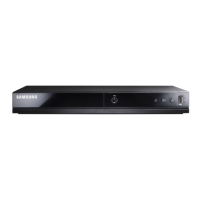
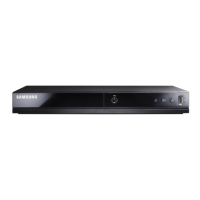
Samsung DVD-E235 - User Manual

Samsung DVD-E235
29 pages
Print Icon
To Next Page IconTo Next Page
Loading...
ID
DVD PLAYER
DVD-E235
DVD-E238
DVD-E235K
DVD-E338K
DVD-P538K
AK68-00141J
DVD-E138A/00141J-COVER(BPT) 3/21/03 02:40 PM Page 2

Questions and Answers

  • R
    Ryan ReedAug 7, 2025
    Why is my Samsung DVD Player remote not working properly?
    • N
      Nathan HernandezAug 7, 2025
      If your remote isn't working, here are a few things to try: * Check the batteries in the remote and replace them if needed. * Ensure you are within 20 feet (approximately 6 meters) of the DVD player. * Remove the batteries, press several buttons to reset the remote's microprocessor, then reinsert the batteries and try again.
  • O
    ohodgeAug 11, 2025
    What to do if my Samsung DVD Player disc cannot be played?
    • S
      Stephanie GreenAug 11, 2025
      If your disc isn't playing, make sure the disc is inserted with the label facing up. Also, verify the DVD's area number. Note that this player is designed for DVDs, VIDEO-CDs, and CDs, and it cannot play CD-ROMs, DVD-ROMs, or CD-Rs.
  • K
    Kimberly MooreAug 15, 2025
    Why is there no sound from the 5.1 channel on my Samsung DVD-E235?
    • A
      Amber FosterAug 15, 2025
      If you're not getting 5.1 channel sound, check the following: * Confirm that the disc you are playing has the “Dolby 5.1 ch” logo on its cover. * Ensure your audio system is properly connected and functioning correctly. * Verify in the SETUP menu that the Audio Output is set to Bitstream. Also, ensure that the DVD player is connected to a compatible amplifier and that the disc is recorded with 5.1 channel audio.
  • J
    Joshua GallegosAug 19, 2025
    Why can't I change the aspect ratio on my Samsung DVD-E235?
    • A
      Amy McfarlandAug 19, 2025
      The aspect ratio feature is only available on DVDs that support it.
  • C
    Christina GreenAug 25, 2025
    What to do if I forgot my Samsung DVD Player password?
    • L
      Laura WilliamsonAug 25, 2025
      If you've forgotten your password, power on the player without a disc inside. Press and hold both the STOP and PLAY buttons on the front panel simultaneously for 3 seconds. The Language Selection Menu should appear. Choose your preferred language using the buttons. Press the SETUP button on the remote to access the Child Lock Mode. Press ENTER, and the Create Password display will appear, allowing you to set a new password and rating level.
  • C
    Cheryl MaysAug 28, 2025
    Why is the disc menu not appearing on my Samsung DVD-E235?
    • A
      amy26Aug 28, 2025
      Check to ensure that the disc actually has a menu.
  • J
    James MontgomerySep 1, 2025
    Why is playback mode different from the Samsung DVD-E235 DVD Player setup menu?
    • C
      Cory BakerSep 1, 2025
      Some selected functions in the Setup Menu may not work correctly if the disc is not encoded with those specific functions.

Samsung DVD-E235 Specifications

General IconGeneral
TypeDVD Player
Weight1.2 kg
Progressive ScanYes
Remote ControlYes
Video PlaybackYes
Audio PlaybackYes
Output Resolution480p
Video OutputComposite Video
Audio OutputRCA (stereo)
Supported Disc FormatsDVD, CD, CD-R, CD-RW
Dimensions360 x 230 x 38 mm
Playable Media FormatJPEG, MP3
ConnectivityComposite Video

Related product manuals