1A. Setting Up Service 3
Setting Up Service
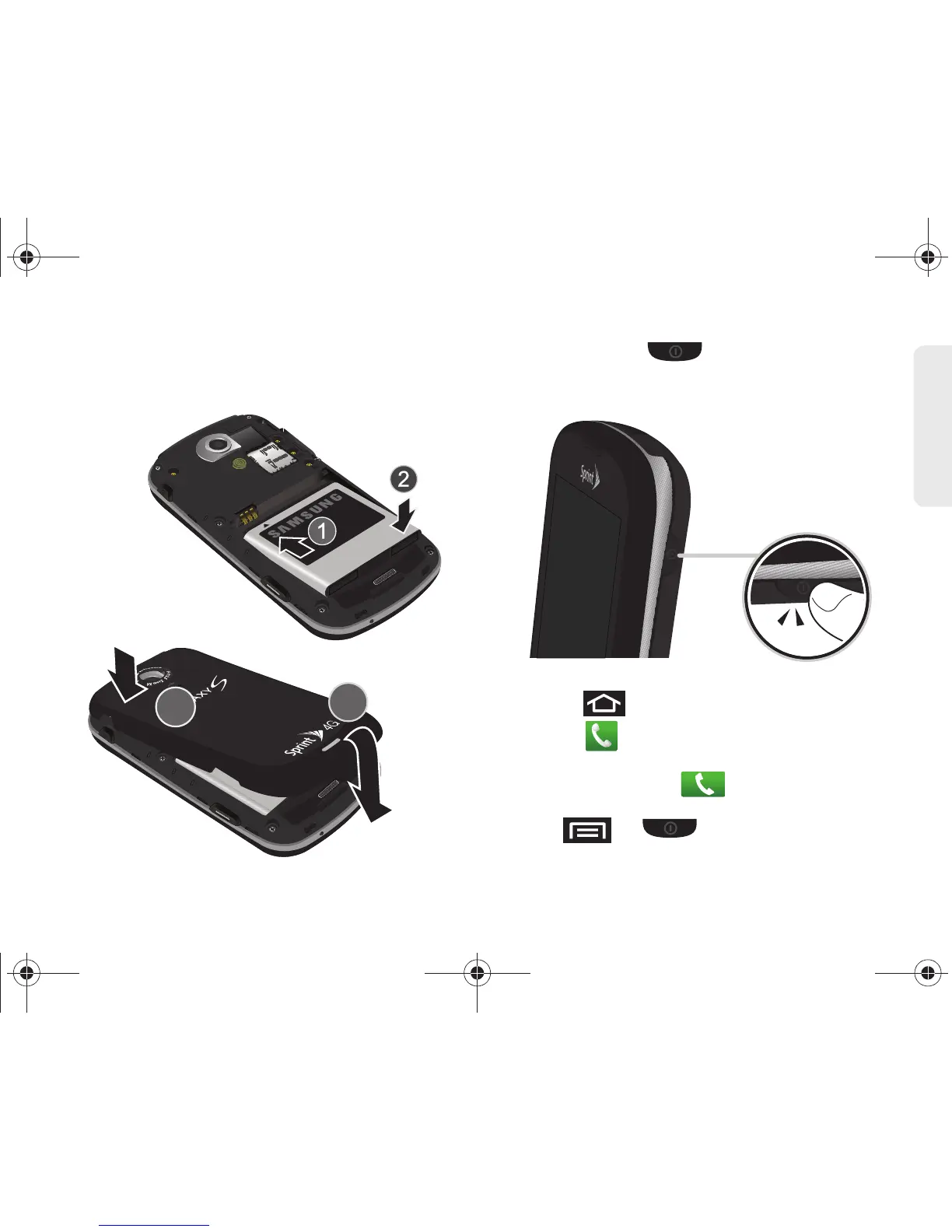
䡲 Position the battery cover over the battery
compartment and press down until you hear a
click.
2. Press and hold to turn the it on.
䡲 If your device is activated, it will turn on, search for
Sprint service, and enter standby mode.
3. Make your first call.
䡲 Press to access the Home screen and
touch to access the onscreen keypad.
䡲 Use the onscreen keypad to enter a phone
number and touch .
● If your device is in PowerSave mode, press
or to reactivate the screen.






 To Next Page