4 1A. Setting Up Service
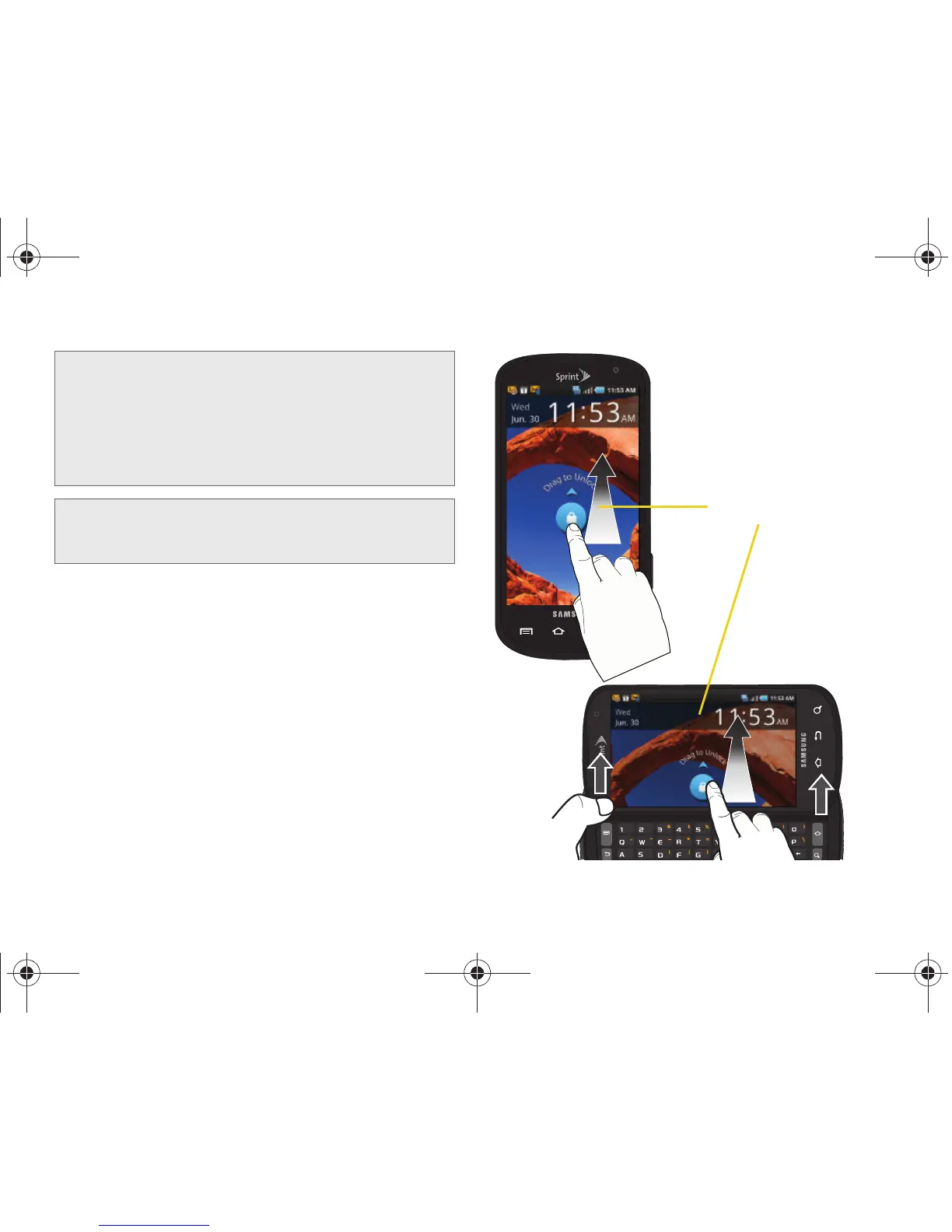
Unlocking Your Device Screen
䊳 To unlock your device from this screen, touch and
drag the lock icon up or slide the QWERTY
keyboard out.
WARNING: If your device has a touchscreen display,
please note that a touchscreen responds best to
a light touch from the pad of your finger. Using
excessive force or a metallic object when
pressing on the touchscreen may damage the
tempered glass surface and void the warranty.
See “4B. Manufacturer’s Warranty” on page 233.
Note: Your device’s battery should have enough charge for
your device to turn on and find a signal, but you should
fully charge your battery as soon as possible.





 To Next Page