Playback/Editing
69
Transferring files to your Windows computer
Transferring files using Intelli-studio
You can easily transfer files on your camera to your computer by
using Intelli-studio.
1
Turn off the camera.
2
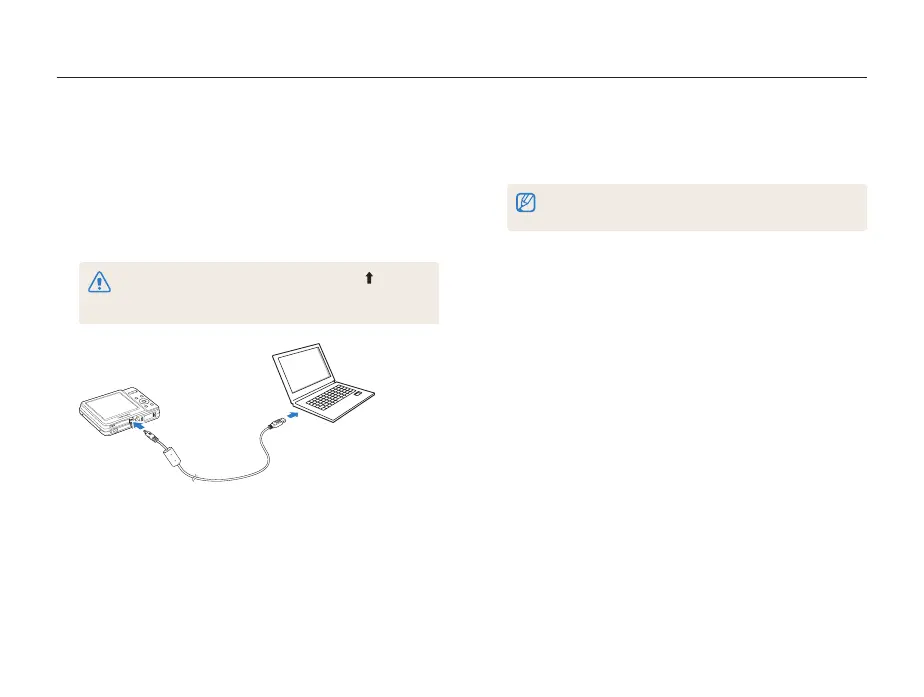
Connect the camera to your computer with the USB
cable.
You must plug the end of the cable with the arrow mark ( ) into
your camera. If the cable is reversed, it may damage your files.
The manufacturer is not responsible for any loss of data.
3
Run Intelli-studio on your computer.
4
Turn on the camera.
• The computer recognizes the camera automatically.
If the camera fails to connect, a pop-up window will appear.
Select Computer.
5
Select a folder on your computer to save new files to.
• If your camera has no new files, the pop-up window for saving
new files will not appear.
6
Select Yes.
• New files are transferred to the computer.



 To Next Page