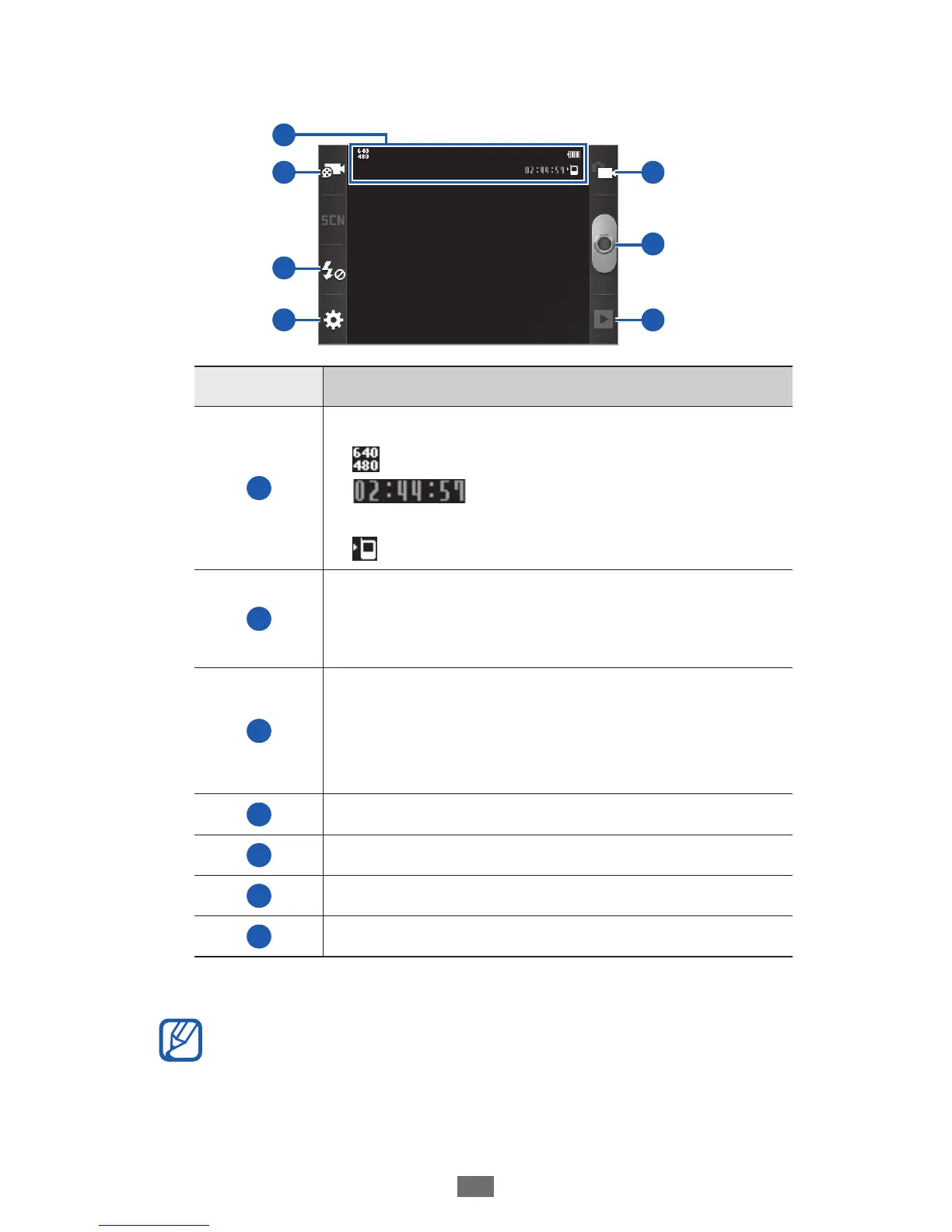
Aim the lens at the subject and make any necessary
4
adjustments.
2
3
4
5
6
7
1
Number Function
1
Check the camcorder status and settings.
●
: Resolution
●
: Length of video that can be
recorded (according to available memory)
●
: Default storage location
2
Change the recording mode (for attaching
to a multimedia message or for saving
normally).
3
Change the flash setting; You can manually
turn the flash on or off or set the camcorder
to automatically use the flash when
needed.
4
Change the camcorder settings.
5
Switch to the camera.
6
Record a video.
7
View the video you recorded last.
Press the Volume key to zoom in or out.
5
The zoom function may be unavailable when recording
in the highest resolution.











 To Next Page