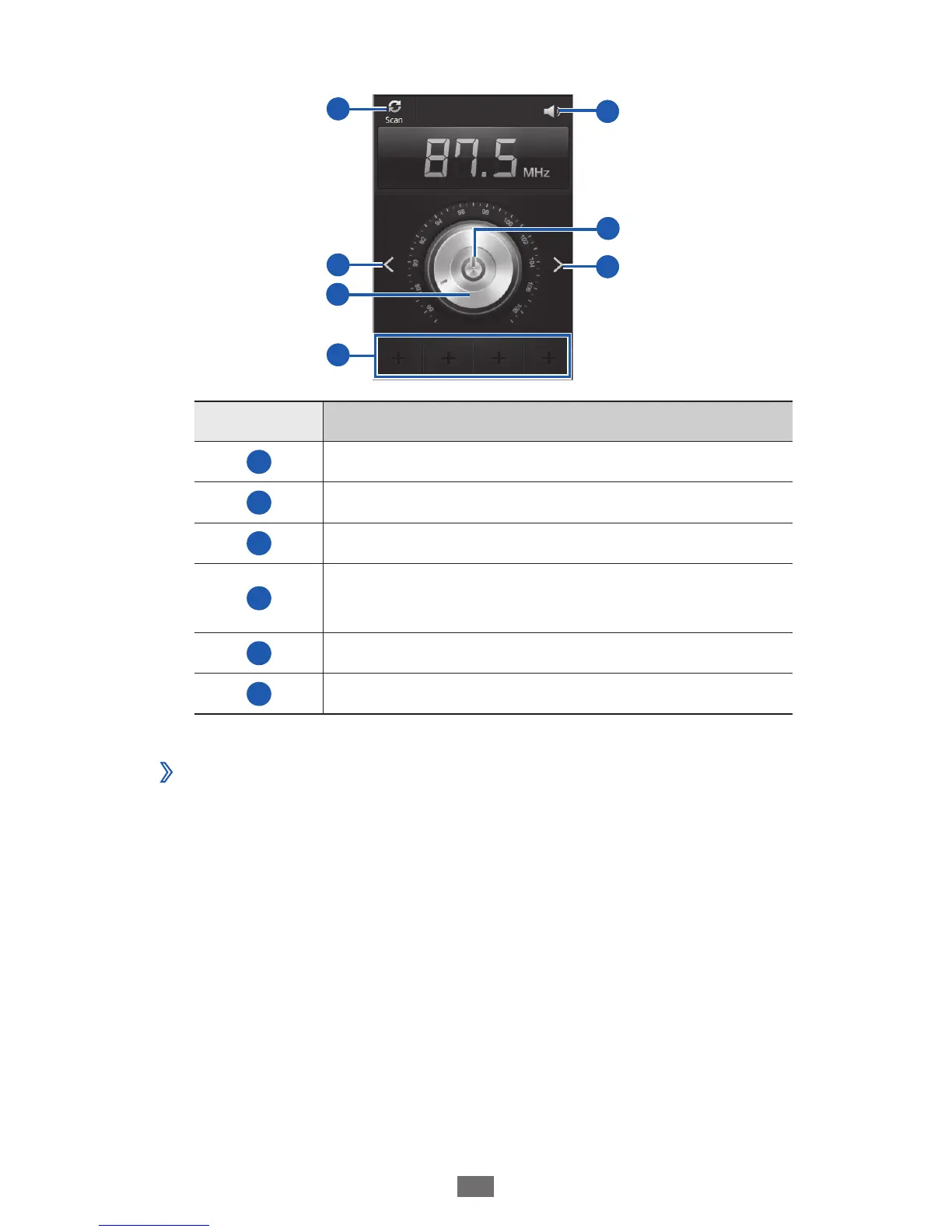
Control the FM radio with the following keys:
4
1
5
6
4
3
2
2
Number Function
1
Scan the available radio station.
2
Search for an available radio station.
3
Fine-tune the frequency.
4
Add the current radio station to the
favourites list.
5
Adjust the volume.
6
Turn the FM radio off or on.
Save a radio station automatically
›
Plug a headset into the device.
1
In Idle mode, open the application list and select
2
FM
radio.












 To Next Page