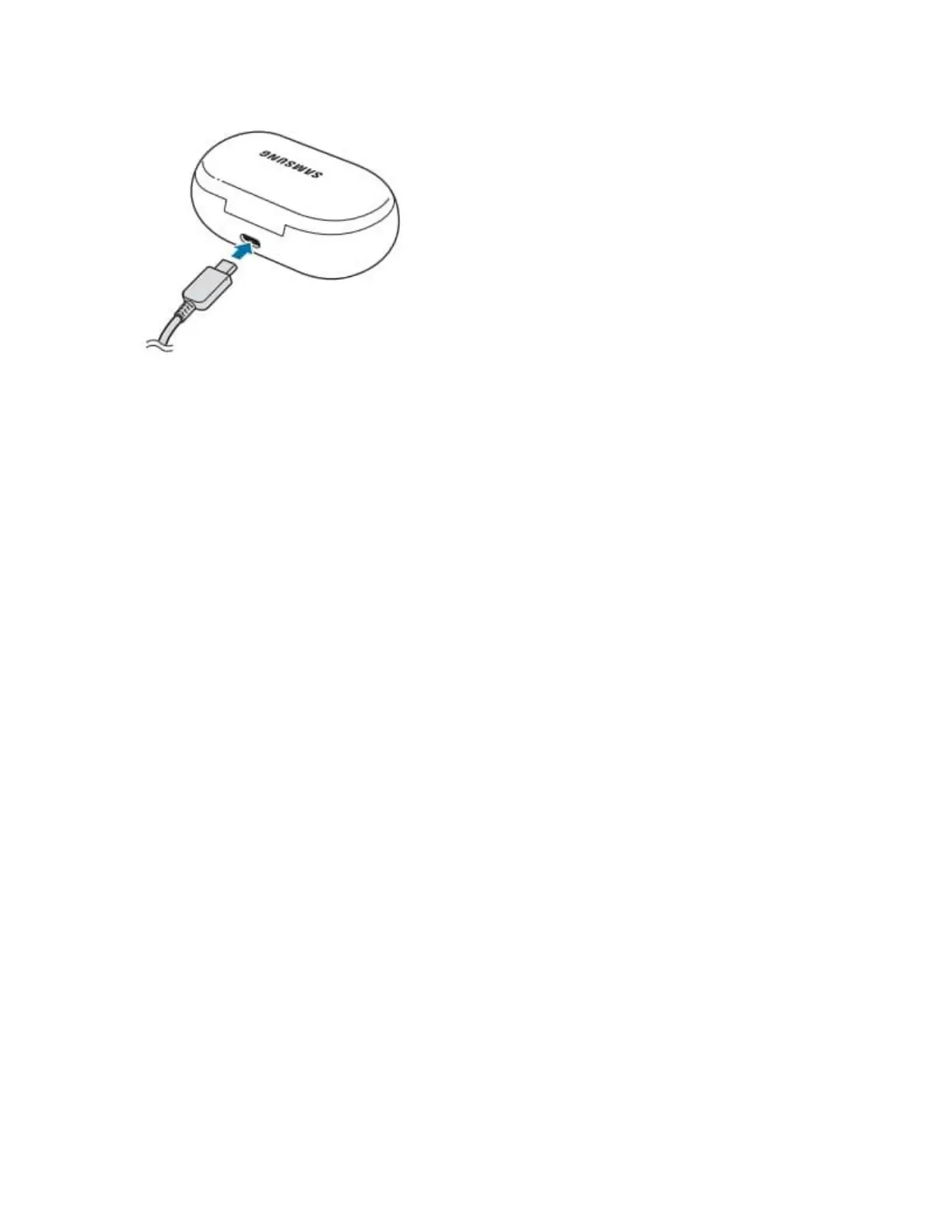
Connecting the USB cable improperly may cause seros damage to the charging case.
5 Plug the charger to an electric socket
The batteries of the earbuds and charging case are charged simultaneously.
6 After full charging, disconnect the charging case from the charger, First unplug the USB cable from
the charging case the unplug the charger from the electric socket
Wireless charging
It is recommended to fully charge the battery before using the earbuds for the first time or when
they haven't been used for extended periods. The earbuds will power on while charging, when
you charge the battery for the first time or when the battery is completely discharged it needs at
least 10 minutes to start to work.
1 Open the charging case
2 Check the direction of each earbud and correctly insert them into their corresponding slots in the
charging case
3 Close the charging case
4 Place rge centre of the charging case's back on the centre of the wireless charger





 To Next Page