EasyManua.ls Logo

Samsung HMX-U10RP - User Manual

Samsung HMX-U10RP
98 pages
Print Icon
To Next Page IconTo Next Page
Loading...
imagine the possibilities
Thank you for purchasing this Samsung product.
To receive more complete service, please
register your product at
www.samsung.com/register
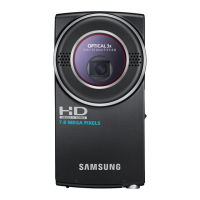
High Definition
Digital Camcorder
user manual
HMX-U10BP/U100BP
HMX-U10RP/U100RP
HMX-U10EP/U100EP
HMX-U10UP/U100UP
HMX-U10SP/U100SP

Table of Contents

Questions and Answers

  • S
    Stephanie BrownAug 20, 2025
    How to fix a Samsung HMX-U10RP that won't turn on?
    • S
      Sarah HarrisAug 20, 2025
      If your Samsung Camcorder isn't turning on, try the following: first, charge the battery. If you're using an AC power adapter, ensure it's properly connected to the wall outlet. As an alternative, unplug the AC power adapter, then reconnect it to the camcorder before attempting to turn it on again.
  • H
    hughesrichardAug 22, 2025
    What to do if my Samsung Camcorder says 'Card Full'?
    • C
      Claire WoodsAug 22, 2025
      If your Samsung Camcorder displays a 'Card Full' message, switch to a memory card that has sufficient free space for recording.
  • B
    brownangelaAug 25, 2025
    What to do if my Samsung HMX-U10RP Camcorder says 'Insert Card'?
    • B
      Barbara JonesAug 25, 2025
      If your Samsung Camcorder prompts you to insert a card, you should insert a memory card into the device.
  • M
    michael01Aug 26, 2025
    Why does my Samsung HMX-U10RP battery die so fast?
    • S
      Samantha BennettAug 26, 2025
      There are several reasons why your Samsung Camcorder battery might be draining quickly: the temperature may be too low, the battery might not be fully charged, or the battery may have reached the end of its lifespan. Try recharging the battery. If the problem persists and the battery is old, contact your nearest Samsung authorised service centre.
  • J
    jonathantravisAug 27, 2025
    Why does my Samsung Camcorder power automatically turn off?
    • T
      Tristan JacksonAug 28, 2025
      Your Samsung Camcorder might be turning off automatically because the 'Auto Power Off' feature is set to '5 Min'. If no button is pressed for about 5 minutes, the camcorder will turn off. To prevent this, change the 'Auto Power Off' setting to 'Off'. Alternatively, ensure the battery is charged or use the AC power adapter.
  • C
    Crystal RuizAug 30, 2025
    What to do if my Samsung HMX-U10RP Camcorder displays a 'Write Error'?
    • E
      Erin RiveraAug 30, 2025
      If your Samsung Camcorder shows a 'Write Error', it indicates that some problems occurred while writing data to the storage media. To resolve this, back up any important files to your PC or another storage media, and then format the storage media using the camcorder's menu.
  • E
    elizabeth34Sep 1, 2025
    What does it mean when my Samsung Camcorder says 'Read Error'?
    • B
      browndestinySep 1, 2025
      A 'Read Error' message on your Samsung Camcorder indicates that there were some problems during reading data from the storage media. You should back up your important files to your PC or another storage device, and then format the storage media using the camcorder's menu.
  • M
    Michael RiosSep 3, 2025
    How to fix 'The Number of video files is full' error on Samsung HMX-U10RP Camcorder?
    • B
      bglennSep 3, 2025
      If your Samsung Camcorder displays 'The Number of video files is full. Cannot record video,' it means the folder and files have reached their capacity. To fix this, back up important files to your PC or another storage device and format the storage media using the menu. Also, set 'File No.' to 'Reset'.
  • C
    Courtney SnyderSep 5, 2025
    How to fix 'The Number of photo files is full' error on Samsung Camcorder?
    • J
      Jason OwenSep 5, 2025
      If your Samsung Camcorder displays 'The Number of photo files is full. Cannot take photo,' it means the folder and files have reached their capacity. To resolve this, back up important files to your PC or another storage device and format the storage media using the menu item. Also, set 'File No.' to 'Reset'.
  • S
    Sandra McclainSep 6, 2025
    What to do if Samsung HMX-U10RP power cannot be turned off?
    • T
      Troy LynchSep 7, 2025
      If the power on your Samsung Camcorder cannot be turned off, unplug the AC power adapter, and then reconnect the power supply to the camcorder before turning it on.

Samsung HMX-U10RP Specifications

General IconGeneral
TypeCamcorder
ManufacturerSamsung
ModelHMX-U10RP
Sensor TypeCMOS
Optical Zoom10x
LCD Screen Size2.7 inches
Battery LifeApprox. 2 hours
Display TypeLCD
Display Size2.7 inches
Microphone Operation ModeStereo
Video Resolution1920 x 1080
Optical Sensor Size1/2.3 inch
Storage MediaSD/SDHC
Connector TypeHDMI, USB
Included AccessoriesUSB cable, AV cable
Battery TypeLithium ion

Related product manuals