EasyManua.ls Logo

Samsung HT-E5330 - Connecting to an Ipod;Iphone; Using a USB Cable; Using a Dock

Samsung HT-E5330
132 pages
Print Icon
To Next Page IconTo Next Page
To Previous Page IconTo Previous Page
Loading...
|
20 English
Connections
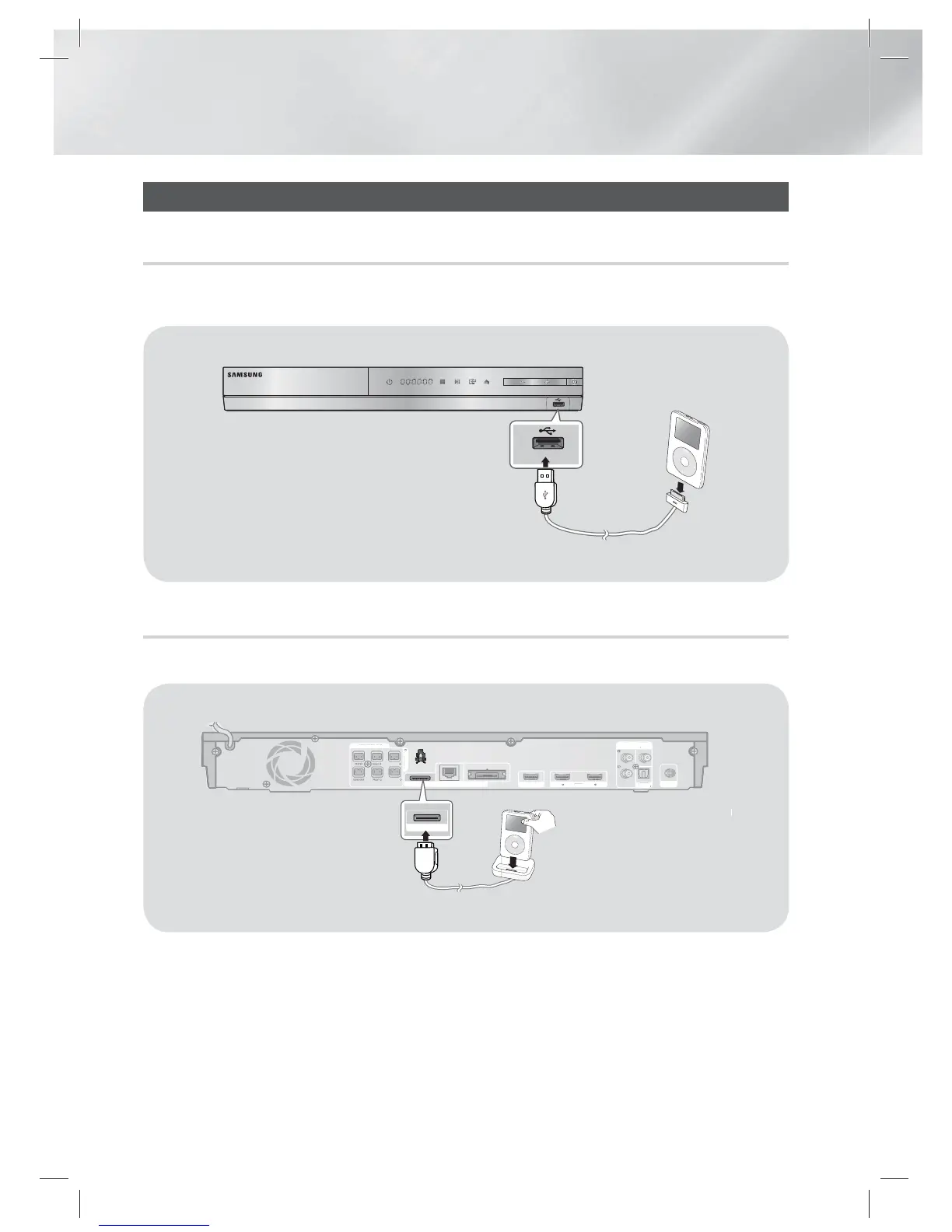
Connecting to an iPod/iPhone
Using a USB Cable
Connect an iPod/iPhone using the USB cable to the front USB port.
5V 500mA
5V 500mA
Using a Dock
Composite cable must be connected to play a video.
LANiPod
WIRELESS
IMPEDANCE : 3
SPEAKERS OUT
SURROUND
SURROUND
OPTICAL
VIDEO
OUT
AUX
IN
DIGITAL
AUDIO IN
FM ANT
HDMI IN
1
2
HDMI OUT
LAN
WIRELES
S
IMPEDANCE :
3
SPEAKERS OUT
SURROUN
D
SURROUN
D
OPTICAL
V
IDEO
OUT
OU
AUX
I
N
D
IGITAL
AUDIO IN
N
FM AN
T
HDMI I
N
1
2
HDMI OU
T
iPod
|
NOTE
|
Make sure to connect the dock connector so that the label
faces upward.
HT-E5330_ZC_ENG_0303.indd 20HT-E5330_ZC_ENG_0303.indd 20 2012-03-03 오전 10:12:452012-03-03 오전 10:12:45

Table of Contents

Related product manuals