EasyManua.ls Logo

Samsung HW-H7501 - User Manual

Samsung HW-H7501
27 pages
Print Icon
To Next Page IconTo Next Page
Loading...
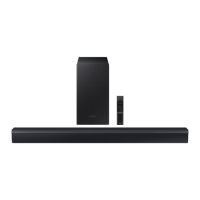
Curved Soundbar
Imagine the possibilities
Thank you for purchasing this Samsung product.
To receive more complete service, please register your product at
www.samsung.com/register
User manual
HW-H7500
HW-H7501
HW-H7500_H7501_XU_ENG_20141022.indd 1HW-H7500_H7501_XU_ENG_20141022.indd 1 2014-10-22  11:19:522014-10-22  11:19:52

Questions and Answers

  • M
    marthamurphyAug 18, 2025
    How to fix Samsung HW-H7501 when no sound is produced?
    • M
      Michael ParkerAug 18, 2025
      If your Samsung Speakers aren't producing sound, ensure that the Mute function is off by pressing the (Mute) button. Also, check the volume level and adjust it if it's set to the minimum.
  • R
    Randall MonroeAug 20, 2025
    Why is TV SoundConnect (TV pairing) failing on my Samsung HW-H7501 Speakers?
    • R
      robert18Aug 20, 2025
      If the TV SoundConnect (TV pairing) failed on your Samsung Speakers, ensure your TV supports TV SoundConnect, which is available on some Samsung TVs released from 2012. Update your TV's firmware to the latest version. If an error occurs during connection, press and hold the p button for 5 seconds to reset the TV SoundConnect connection.
  • M
    Michael GlassAug 23, 2025
    What to do if the Samsung Speaker System remote control does not work?
    • C
      cadamsAug 23, 2025
      If the remote control for your Samsung Speaker System isn't working, the batteries might be drained, or you may be too far from the main unit. Try replacing the batteries with new ones and move closer to the unit.
  • I
    ileeAug 26, 2025
    Why is there no sound coming from my Samsung Speaker System?
    • C
      Cindy DunnAug 26, 2025
      If no sound is coming from your Samsung Speaker System, check if the Mute function is on or if the volume is set to the minimum. Press the (Mute) button to cancel the function and adjust the volume.
  • R
    Rodney BernardAug 28, 2025
    Why did TV SoundConnect (TV pairing) fail on my Samsung Speaker System?
    • S
      Sandra StephensAug 28, 2025
      TV SoundConnect may fail on your Samsung Speaker System for several reasons: * Your TV might not support TV SoundConnect (only some Samsung TVs released from 2012 on support it). * Your TV firmware might not be the latest version. * An error occurred during the connection. Check that your TV supports TV SoundConnect, update your TV with the latest firmware, or press and hold the & button for 5 seconds to reset the TV SoundConnect connection.
  • B
    baileystephenAug 30, 2025
    What to do if a function doesn't work when pressing a button on my Samsung Speaker System?
    • J
      Julie CruzAug 31, 2025
      If a function on your Samsung Speaker System doesn't work when you press the button, it could be due to static electricity in the air. Disconnect the power plug and then connect it again.
  • G
    Gabrielle PorterSep 2, 2025
    What to do if my Samsung Speakers remote control does not work?
    • C
      Christopher MyersSep 2, 2025
      If the remote control for your Samsung Speakers isn't working, first, try replacing the batteries with new ones. If that doesn't solve the issue, make sure you're not too far from the main unit and move closer.
  • Z
    zgrahamSep 4, 2025
    What to do if the red LED is blinking on my Samsung HW-H7501 Speakers subwoofer?
    • A
      Alicia HopkinsSep 4, 2025
      If the red LED on your Samsung Speakers subwoofer is blinking and no sound is coming out, it might not be properly connected to the main unit. Try to connect your subwoofer again, refer to Page 14 for instructions.
  • T
    timothy77Sep 7, 2025
    How to stop my Samsung HW-H7501 Speakers subwoofer from droning and vibrating?
    • M
      mossamberSep 7, 2025
      If your Samsung Speakers subwoofer drones and vibrates noticeably, adjust its value by pressing the EQUALIZER WOOFER button on your remote control. You can set the value between SW-6 and SW+6.
  • C
    Christopher MarshallSep 9, 2025
    What to do if a function doesn't work on my Samsung HW-H7501?
    • M
      Matthew LeeSep 9, 2025
      If a function on your Samsung Speakers isn't working when you press the button, the issue might be static electricity in the air. Try disconnecting the power plug and then reconnecting it.

Summary

FEATURES

TV SoundConnect

Connect TV audio via Bluetooth for wireless listening and control.

HDMI Connectivity and ARC

Transmits video/audio, includes ARC for TV sound output via HDMI cable.

Surround Sound Expansion

Enhances depth and spaciousness using Sonic Emotion technology.

Wireless Subwoofer Connection

Connects wirelessly to the main unit, eliminating cables.

Special Sound Effects Modes

Allows selection of different sound modes (Music, Voice, Sports, Cinema).

Multi-function Remote Control

Enables control of various operations with a single button press.

USB Host Functionality

Connect and play music files from external USB storage devices.

Bluetooth Music Playback

Connect Bluetooth devices for wireless music playback with high-quality stereo sound.

Technology Licences

Information regarding Dolby, DTS, and HDMI technologies and trademarks.

Copyright Notice

Legal notice about reproduction and copying of the user manual.

SAFETY INFORMATION

Safety Warnings and Precautions

Reduces risk of electric shock, warns against removing covers, and refers to qualified personnel.

UK Power Plug Wiring Guide

Instructions for wiring the main power supply plug, including fuse replacement and wire connection.

USER PRECAUTIONS

Usage and Environmental Precautions

Covers ventilation, placement, avoiding sunlight, heat, moisture, and electrical fields.

Battery Handling and Chemical Hazard

Warns against ingesting batteries and outlines risks of chemical burns and explosion.

GETTING STARTED

Before Reading the Manual

Explains icons used in the manual and refers to safety/troubleshooting sections.

Included Accessories List

Lists and illustrates the accessories supplied with the product.

PRODUCT DESCRIPTIONS

Top; Front Panel Controls

Details buttons like Power, Vol. -/+, Display, and Function on the soundbar.

PRODUCT DESCRIPTIONS

Rear; Bottom Panel Connections

Identifies ports like HDMI OUT, HDMI IN, OPTICAL IN, AUX IN, DC 24V, USB Port.

REMOTE CONTROL OVERVIEW

Remote Control Buttons Overview

Introduces buttons like Source, Mute, Repeat, Skip Forward, Audio Sync, Anynet+.

REMOTE CONTROL FUNCTIONS

Volume, Playback, and Sound Modes

Explains Volume, Play/Pause, Sound Effects, Surround Sound, Bluetooth, Equalizer.

REMOTE CONTROL BATTERY INSTALLATION

Installing Remote Control Batteries

Step-by-step instructions with illustrations for inserting batteries into the remote control.

INSTALLATION GUIDE

TV-Mounted Installation

Instructions for mounting the soundbar on a compatible Samsung TV, including precautions.

INSTALLATION METHODS

Standing Installation

Provides two methods for free-standing installation, one for compatible TVs and one for incompatible TVs.

CONNECTIONS

Assembling the Clamp-wire

Instructions on how to attach and use the clamp-wire for neat cable management.

CONNECTIONS

Connecting the Wireless Subwoofer

Steps to wirelessly link the subwoofer to the main unit and troubleshooting connection issues.

CONNECTIONS

Connecting via HDMI Cable

Guide for connecting external devices using HDMI cables for audio and video.

CONNECTIONS

Connecting via Audio;Optical Cables

Instructions for connecting devices using analog audio or digital optical cables.

FUNCTIONS

Input Mode Selection

Explains how to select input modes like D.IN, AUX, HDMI, BT, TV, USB via button or remote.

ARC (Audio Return Channel) Function

Details the function of ARC allowing audio output via HDMI OUT (ARC) port.

FUNCTIONS

Bluetooth Device Pairing

Step-by-step guide to connecting a Bluetooth device to the Soundbar for music playback.

FUNCTIONS

Bluetooth Operation and Disconnection

Covers Bluetooth connection limitations, pairing, and how to disconnect devices.

FUNCTIONS

Bluetooth Usage Details

Explains Bluetooth connection range, interference, and automatic turn-off.

TV SoundConnect Setup

Guide to connecting the Soundbar to a Samsung TV for TV sound output.

FUNCTIONS

TV SoundConnect Configuration

Details TV compatibility, range, and pairing procedures for TV SoundConnect.

Bluetooth POWER On Function

Explains how to enable the feature that turns the Soundbar on/off with the TV.

FUNCTIONS

USB Music Playback

Instructions for connecting USB devices and playing music files, including format compatibility.

FUNCTIONS

Software Update Procedure

Guide for updating the Soundbar's firmware using a USB device.

Auto Power Link Configuration

Instructions to set up automatic power on/off linking with a TV via optical cable.

TROUBLESHOOTING

Unit Not Turning On

Solutions for when the unit fails to power on, checking power cord connection.

Function or Sound Issues

Troubleshooting steps for functions not working or no sound production.

Remote Control Not Working

Solutions for remote control issues, checking batteries and distance.

TV SoundConnect Pairing Failures

Addresses issues with TV SoundConnect pairing, compatibility, firmware, and reset.

Subwoofer Connection;Sound Problems

Troubleshooting for subwoofer blinking red LED and excessive vibration/drones.

APPENDIX

Product Specifications

Detailed technical specifications including weight, dimensions, power, and S/N ratio.

CONTACT INFORMATION

Samsung Worldwide Support Contacts

Lists contact numbers and websites for Samsung customer support across various countries.

Samsung HW-H7501 Specifications

General IconGeneral
Audio decodersDolby Digital 5.1, DTS 2.0
RMS rated power320 W
Audio output channels8.1 channels
Audio Return Channel (ARC)Yes
Subwoofer typeActive subwoofer
Subwoofer connectivityWireless
Cables includedAudio (3.5mm)
Receiver included-
Product colorSilver
Audio formats supportedAAC, FLAC, MP3, OGG, WAV, WMA
Frequency range20 - 20000 Hz
Soundbar dimensions (WxDxH)1230 x 170 x 43 mm
Subwoofer dimensions (WxDxH)292 x 292 x 371 mm
Package depth345 mm
Package width1290 mm
Package height455 mm
Package weight19000 g
HDMI in1
USB 2.0 ports quantityUSB 2.0 ports have a data transmission speed of 480 Mbps, and are backwards compatible with USB 1.1 ports. You can connect all kinds of peripheral devices to them.
Digital audio coaxial in0
Power consumption (standby)0.4 W
Power consumption (typical)45 W
Weight and Dimensions IconWeight and Dimensions
Soundbar weight4000 g
Subwoofer weight8300 g

Related product manuals