EasyManua.ls Logo

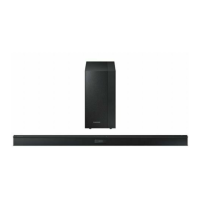
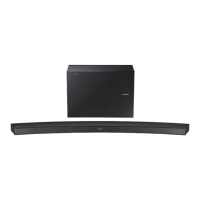
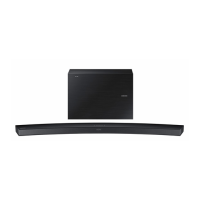
Samsung HW-J260 - User Manual

Samsung HW-J260
24 pages
Print Icon
To Next Page IconTo Next Page
Loading...
Wireless Audio - Soundbar
Imagine the possibilities
Thank you for purchasing this Samsung product.
To receive more complete service, please register your product at
www.samsung.com/register
User manual
HW-J260

Questions and Answers

  • C
    Christy PayneAug 10, 2025
    Why is there no sound coming from my Samsung HW-J260 Speaker System?
    • G
      gandersonAug 10, 2025
      The sound may not be produced because the Mute function is activated, or the volume is set to the minimum level. To resolve this, press the Mute button to cancel the MUTE function. Also, adjust the volume to a suitable level.
  • B
    Brittany JarvisAug 19, 2025
    What to do if the Samsung HW-J260 Speaker System remote control does not work?
    • A
      Angela FloresAug 19, 2025
      If the remote control for your Samsung Speaker System isn't working, it could be due to drained batteries or excessive distance between the remote and the main unit. Try replacing the batteries with new ones and move closer to the unit.
  • T
    Thomas WintersAug 29, 2025
    How to fix Samsung HW-J260 Speaker System TV SoundConnect (TV pairing) failed?
    • J
      jonesdawnAug 30, 2025
      TV SoundConnect may have failed for several reasons: your TV might not support TV SoundConnect, your TV firmware might not be up to date, or an error occurred during connection. TV SoundConnect is supported by some Samsung TVs released from 2012 on, so check your TV model. Update your TV with the latest firmware. You can also try resetting the TV SoundConnect connection by pressing and holding the +# button for 5 seconds.

Samsung HW-J260 Specifications

General IconGeneral
TypeSoundbar
Number of Channels2.1
SubwooferWireless
BluetoothYes
HDMI Inputs1
Optical InputYes
Audio decodingDolby Digital
ConnectivityBluetooth, HDMI, Optical, USB

Related product manuals