Need help?
Do you have a question about the Samsung HW-JM45C and is the answer not in the manual?
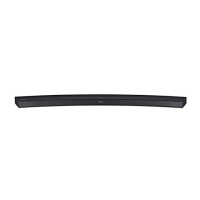
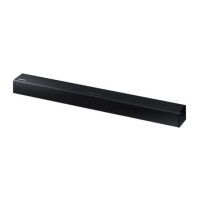
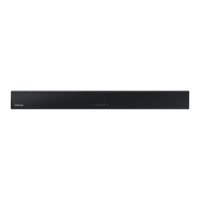
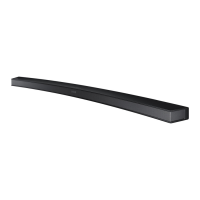
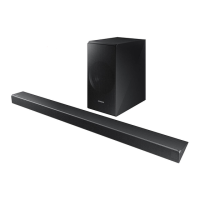
This document describes the Samsung HW-JM45C Wireless Audio - Soundbar, a device designed to enhance your audio experience with various connectivity and sound features.
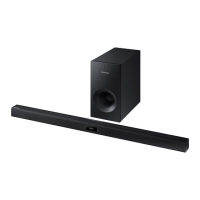
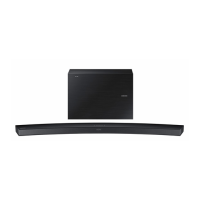
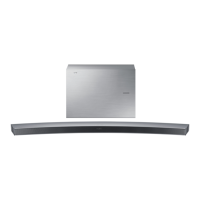
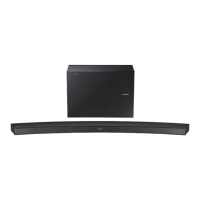
The Samsung HW-JM45C is a Wireless Audio - Soundbar system that provides high-quality stereo sound and offers a range of features for an immersive listening experience. It's designed to connect wirelessly to a subwoofer and can also integrate with your TV and other external devices.
The Soundbar offers several key usage features:
TV SoundConnect: This feature allows you to listen to audio from your TV through the Soundbar via a Bluetooth connection. It also enables you to control the sound directly from your TV. To use this, ensure your TV supports TV SoundConnect. The Soundbar will automatically turn on when you turn on your TV if the Bluetooth POWER On function is enabled and you've previously paired the devices. If the connection is unstable due to distance, relocate the TV or Soundbar closer.
HDMI Connectivity: The Soundbar is equipped with HDMI IN and HDMI OUT (TV) ports. The HDMI IN port allows you to connect external digital devices like DVD players, Blu-ray players, or set-top boxes to transmit both video and audio signals simultaneously, ensuring a clear picture and sound. The HDMI OUT (TV) port, which supports ARC (Audio Return Channel), allows digital audio signals from your TV to be output through the Soundbar using a single HDMI cable. This function requires an ARC-compliant TV and for Anynet+ to be turned on. HDMI ensures the original digital source's video and audio quality is maintained without degradation.
SURROUND SOUND: This feature adds depth and spaciousness to your listening experience, making audio more immersive. You can toggle this feature on or off using the remote control.
Wireless Subwoofer: The system includes a wireless subwoofer, eliminating the need for cables between the main unit and the subwoofer. The subwoofer connects to a compact wireless module that communicates with the main unit. The linking ID is typically preset at the factory, allowing for automatic connection. If the link indicator doesn't light up, a manual ID setting procedure is available, involving pressing the ID SET button on the subwoofer and the MUTE button on the Soundbar's remote control while the main unit is in standby mode. For optimal performance, ensure the area around the subwoofer is clear of obstructions.
Special Sound Effects: You can select from various Sound Effects to optimize your audio for different content types. These include STANDARD (Original Sound), MUSIC, VOICE, SPORTS, CINEMA, and NIGHT MODE. NIGHT MODE is particularly useful for preventing drastic volume level changes during channel changes or scene transitions.
Multi-function Remote Control: The supplied remote control provides comprehensive control over various operations, including power, volume, input mode selection (D.IN, AUX, HDMI, BT, TV, USB), repeat functions for USB playback (OFF-REPEAT, TRACK-REPEAT, ALL-REPEAT, RANDOM-REPEAT), skip forward/back, and sound control.
Sound Control (Treble, Bass, Audio Sync, Frequency Band Adjustment): The remote allows you to adjust TREBLE and BASS levels from -6 to +6. If video and audio are out of sync when connected to a digital TV, the AUDIO SYNC function can be used to set an audio delay between 0 ms and 300 ms. Additionally, by pressing and holding the SOUND CONTROL button, you can adjust the sound for specific frequency bands (150Hz, 300Hz, 600Hz, 1.2KHz, 2.5KHz, 5KHz) from -6 to +6.
USB Host Support: The Soundbar features a USB HOST function, allowing you to connect external USB storage devices (such as MP3 players or USB flash drives) to play music files. The Soundbar supports FAT16 and FAT32 file systems. It's important to connect USB devices directly to the USB port to avoid compatibility issues.
Bluetooth Function: This enables wireless connection to Bluetooth-compatible devices for high-quality stereo music streaming. The Soundbar supports SBC data (44.1kHz, 48kHz) and connects to devices supporting the A2DP (AV) function. Only one Bluetooth device can be paired at a time. The connection will terminate if the Soundbar is turned off or if the device moves out of range (approximately 33 ft. or 5m). Interference from other 2.4GHz devices (like microwave ovens or wireless LAN adaptors) can affect performance.
Samsung Audio Remote App: You can control the Soundbar using your Smart Device by downloading the Samsung Audio Remote app from the Google Play store. This app is supported on phones running Android OS 3.0 or above.
AUTO POWER Link: This feature synchronizes the Soundbar with a connected Optical source. When enabled, the Soundbar will automatically turn on when you turn on your TV, provided it's connected via the Optical jack.
Anynet+: If the Soundbar is connected to an Anynet+ compatible Samsung TV via an HDMI cable, you can control the Soundbar with the TV's remote control.
Auto Power Down: The unit automatically turns off after 25 minutes if there is no audio signal in D.IN, HDMI, BT, TV, or USB modes. In AUX mode, it turns off after 25 minutes if the AUX cable is disconnected, or after 8 hours if there's no key input while the AUX cable is connected. This function can be toggled ON/OFF.
Software Update: Samsung may provide firmware updates for the Soundbar. These updates can be applied by connecting a USB device with the firmware update stored on it to the Soundbar's USB port. If multiple update files exist, they must be loaded one at a time. It's crucial not to disconnect power or remove the USB device during an update. After a reset, all settings revert to factory defaults, so it's recommended to note down your settings. The product has a DUAL BOOT function, allowing for re-updating if the firmware fails.
Troubleshooting Guide: The manual includes a troubleshooting section to help resolve common issues such as the unit not turning on, functions not working, no sound, remote control issues, TV SoundConnect pairing failures, and subwoofer sound problems. It advises users to contact Samsung Electronics customer service if problems persist.
Battery Replacement: The remote control uses a 3V lithium coin/button cell battery. Instructions are provided for safely replacing the battery, emphasizing the correct orientation of the positive (+) pole and secure closure of the battery compartment. A warning about the chemical burn hazard of button cell batteries is included, advising to keep them away from children and seek immediate medical attention if swallowed.
General Care: The manual advises cleaning the unit with a dry cloth, protecting it from moisture and excessive heat, and ensuring proper ventilation by not blocking the ventilation slots. It also warns against exposing the unit to direct sunlight or other heat sources to prevent overheating and malfunction.
Wall Mount Installation and Detachment: Detailed instructions are provided for securely installing the Soundbar on a wall using the supplied wall mount bracket and holder screws. Precautions include installing on a vertical wall, checking wall strength, using appropriate fixing screws, and connecting cables before mounting. Instructions for detaching the Soundbar from the wall mounts are also included.
Power Disconnection: For complete power off, the power plug must be pulled from the wall socket, ensuring it is easily accessible. When disconnecting the power cable from the AC power adaptor, pull the plug, not the cable. It's advised not to connect the unit to an AC outlet until all component connections are complete. During thunderstorms or long periods of disuse, disconnect the AC plug from the wall outlet to prevent damage.
 General
| Brand | Samsung |
|---|---|
| Model | HW-JM45C |
| Type | Soundbar |
| Channels | 2.1 |
| Total Power Output | 300W |
| Subwoofer | Yes |
| Subwoofer Type | Wireless |
| Bluetooth | Yes |
| HDMI Inputs | 1 |
| Optical Input | Yes |
| USB Playback | Yes |
| Audio Features | Dolby Digital, DTS |
| Wall Mountable | Yes |

 To Next Page