EasyManua.ls Logo

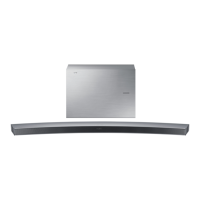
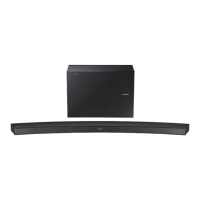
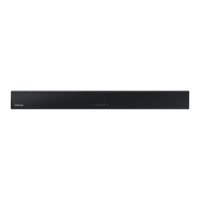
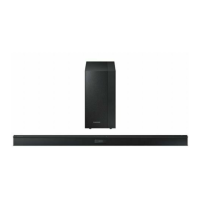
Samsung HW-J6500 - User Manual

Samsung HW-J6500
33 pages
Print Icon
To Next Page IconTo Next Page
Loading...
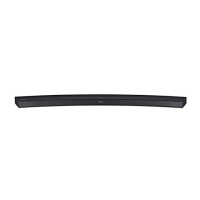
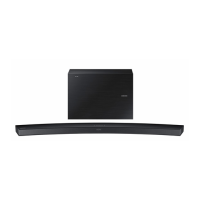
Curved Soundbar
Imagine the possibilities
Thank you for purchasing this Samsung product.
To receive more complete service, please register your product at
www.samsung.com/register
User manual
'This Nanum Gothic Eco font is provided by NAVER'
HW-J6500
HW-J6501
HW-J6502
HW-J6500_01_02_XU_ECO_ENG_0211.indd 1HW-J6500_01_02_XU_ECO_ENG_0211.indd 1 2015-02-12  3:28:022015-02-12  3:28:02

Questions and Answers

  • J
    Justin DanielAug 20, 2025
    What to do if my Samsung Speaker System remote control does not work?
    • J
      jamesmcneilAug 20, 2025
      If the remote control for your Samsung Speaker System isn't working, it could be due to drained batteries or excessive distance from the main unit. Try replacing the batteries with new ones and ensure you are closer to the unit when using the remote.
  • D
    Daniel FieldsAug 22, 2025
    Why is my Samsung HW-J6500 remote control not working?
    • R
      Ryan WatkinsAug 22, 2025
      The remote control might not be working because the batteries are drained, or the distance between the remote control and the main unit is too far. Try replacing the batteries with new ones and move closer to the unit.
  • R
    Rachel RuizAug 23, 2025
    How to adjust subwoofer vibration on Samsung HW-J6500 Speaker System?
    • M
      mitchellcrystalAug 25, 2025
      If the subwoofer drones and vibrates noticeably, you can adjust its vibration. Press the WOOFER button on your remote control to adjust the value (between -12, -6 to +6).
  • C
    Catherine ReedAug 26, 2025
    What to do if the TV SoundConnect (TV pairing) failed on Samsung HW-J6500 Speaker System?
    • K
      Kristen CarterAug 26, 2025
      If TV SoundConnect pairing fails on your Samsung Speaker System, several factors could be at play. First, ensure your Samsung TV supports TV SoundConnect (available on models from 2012 onwards) and that its firmware is up to date. If an error occurs during connection, press and hold the p button for 5 seconds to reset the TV SoundConnect connection.
  • Z
    Zoe JohnsonAug 27, 2025
    What to do if the red LED on the subwoofer blinks and the subwoofer is not producing sound on my Samsung HW-J6500 Speaker System?
    • G
      Gloria RiveraAug 27, 2025
      If the red LED on your Samsung Speaker System's subwoofer is blinking and no sound is produced, it might not be properly connected to the main unit. Try to connect your subwoofer again.
  • L
    Lisa WestAug 30, 2025
    Why is there no sound coming from my Samsung Speakers?
    • D
      David BeckAug 30, 2025
      If your Samsung Speakers aren't producing sound, check if the Mute function is activated or the volume is set to the minimum. To resolve this, press the (Mute) button to cancel the function, or adjust the volume to a suitable level.
  • M
    Maurice MillerAug 31, 2025
    How to fix Samsung Speakers TV SoundConnect (TV pairing) failed?
    • H
      Harry WallaceSep 1, 2025
      If TV SoundConnect (TV pairing) failed on your Samsung Speakers, first ensure that your TV supports TV SoundConnect, which is available on some Samsung TVs released from 2012 onwards. Also, make sure your TV firmware is updated to the latest version. You can also try to reset the TV SoundConnect connection by pressing and holding the & button for 5 seconds.
  • R
    Richard RoblesSep 3, 2025
    What to do if my Samsung Speakers unit will not turn on?
    • G
      gwileySep 3, 2025
      If your Samsung Speakers unit won't turn on, ensure that the power plug is securely connected to the outlet.
  • A
    Amanda PaulSep 4, 2025
    What to do if Samsung Speaker System TV SoundConnect failed?
    • G
      Gina LarsonSep 5, 2025
      If TV SoundConnect (TV pairing) failed, it could be due to several reasons. First, ensure your TV supports TV SoundConnect (available on some Samsung TVs released from 2012). Next, update your TV to the latest firmware. If an error occurs during connection, press and hold the & button for 5 seconds to reset the TV SoundConnect connection.
  • L
    Lisa LutzSep 6, 2025
    Why is the red LED blinking on my Samsung HW-J6500 Speaker System subwoofer?
    • C
      cpenaSep 7, 2025
      The red LED on the subwoofer might be blinking because it is not connected to the main body of the product. Try to connect your subwoofer again.

Summary

GETTING STARTED

FEATURES

Highlights the main features and capabilities of the soundbar.

SAFETY INFORMATION

Details critical safety warnings to prevent hazards and ensure safe operation.

PRECAUTIONS

Provides essential precautions for product care, placement, and usage to prevent issues.

WHATS INCLUDED

Lists all accessories included in the product package.

DESCRIPTIONS

TOP; FRONT PANEL

Describes the user interface elements on the top and front of the soundbar.

REAR; BOTTOM PANEL

Illustrates and explains the various ports and connectors on the rear/bottom panel.

REMOTE CONTROL

Details the functions and operation of the included remote control.

INSTALLATION

Installing the Soundbar

Provides instructions for installing the soundbar, including wall mounting procedures.

Alternative Mounting Options

Guides on attaching the soundbar to a TV stand or placing it as a free-standing unit.

CONNECTIONS

CONNECTING THE SUBWOOFER

Provides steps for establishing a wireless connection between the main unit and the subwoofer.

CONNECTING TO A TV

Details methods for connecting the soundbar to a TV using HDMI or optical cables.

CONNECTIONS WITH EXTERNAL DEVICE

Explains how to connect external audio/video devices via HDMI, Optical, or AUX inputs.

USB Connection

Guides on connecting and using USB storage devices for playback or updates.

FUNCTIONS

INPUT MODE

Describes how to select and switch between various audio input sources.

BLUETOOTH

Explains the process of pairing and using Bluetooth devices for audio streaming.

NETWORK STANDBY & MULTIROOM LINK

Covers network standby activation and setting up multiroom audio link.

SOFTWARE UPDATE

Provides instructions for updating the soundbar's system firmware via USB or auto-update.

TROUBLESHOOTING

Common Issues and Solutions

Offers troubleshooting steps for common operational issues and errors.

SPECIFICATIONS

Product Specifications

Lists detailed technical specifications, dimensions, and performance metrics of the soundbar.

WARRANTY AND DISPOSAL

Warranty Information

Outlines the warranty coverage, conditions, and service procedures for the product.

Disposal Guidelines

Provides guidance on the correct and environmentally responsible disposal of the product and its batteries.

Samsung HW-J6500 Specifications

General IconGeneral
Audio decodersDTS 2.0, Dolby Digital 5.1
RMS rated power300 W
Audio output channels6.1 channels
Audio Return Channel (ARC)Yes
HDMI in1
USB 2.0 ports quantityUSB 2.0 ports have a data transmission speed of 480 Mbps, and are backwards compatible with USB 1.1 ports. You can connect all kinds of peripheral devices to them.
Connectivity technologyWired & Wireless
Frequency range20 - 20000 Hz
Subwoofer typeActive subwoofer
Subwoofer locationSeparate
Subwoofer connectivityWireless
Package depth205 mm
Package width1135 mm
Package height480 mm
Package weight12000 g
Cables includedOptical
Receiver included-
Product colorBlack
Consumer Electronics Control (CEC)Anynet+
Soundbar speaker RMS power- W
Weight and Dimensions IconWeight and Dimensions
Depth130 mm
Width1077 mm
Height48.3 mm
Soundbar weight2700 g
Subwoofer depth155 mm
Subwoofer width452 mm
Subwoofer height335 mm
Subwoofer weight6800 g

Related product manuals