EasyManua.ls Logo

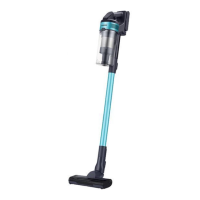
Samsung JET 60 TURBO - User Manual

Samsung JET 60 TURBO
216 pages
Print Icon
To Next Page IconTo Next Page
Loading...
Vacuum cleaner
User manual
VS15A60****
Before operating this unit, please read the instructions carefully.
For indoor use only.

Questions and Answers

  • D
    Daniel JohnsonAug 13, 2025
    What to do if my Samsung Vacuum Cleaner does not work?
    • T
      Thomas ReevesAug 13, 2025
      If your Samsung Vacuum Cleaner isn't working, first check the battery level and charge it if necessary. Ensure the vacuum is turned on by pressing the power button. Inspect the pipe, dustbin, and brush for any blockages. Also, verify that the washable micro filter is correctly inserted. If the vacuum hasn't been used for a while, charge the battery. If all else fails, the battery may need replacement.
  • S
    smithsethAug 17, 2025
    How to fix Samsung JET 60 TURBO that cannot be charged?
    • M
      morrisrandallAug 17, 2025
      If your Samsung Vacuum Cleaner isn't charging, check the charging terminal for dust or foreign matter and remove it with a cotton swab or soft cloth. Also, ensure the vacuum cleaner is turned on, and then check if the LED of the battery level indicator is on.
  • M
    Monica WilsonAug 20, 2025
    What to do if Samsung Vacuum Cleaner stops during cleaning?
    • D
      daughertymichaelAug 20, 2025
      Your Samsung Vacuum Cleaner might stop during cleaning due to several reasons: when it operates with a full dustbin, with a clogged suction part or brush, or when the Extension Crevice Tool is used for extended periods. After addressing the cause, turn the product on again. Note that this may vary depending on the ambient temperature.
  • J
    Julie Robinson DVMAug 25, 2025
    Why spinning brush (drum) inside Samsung Vacuum Cleaner does not work?
    • Y
      yshermanAug 25, 2025
      If the spinning brush of your Samsung Vacuum Cleaner isn't working, and the spinning brush stuck display is on, turn off the vacuum and check for foreign matter clogging the brush. Remove any obstructions and restart the vacuum. Also, check if the vacuum cleaner is turned on, then try turning it off and on again. For the Jet Fit Brush, overheating may cause it to stop; allow about 30 minutes for the motor to cool down.
  • C
    Cory JacksonAug 27, 2025
    Why Samsung Vacuum Cleaner smells bad?
    • M
      mooreteresaAug 27, 2025
      An odor from your Samsung Vacuum Cleaner's air outlet or filter can be due to a few reasons. Empty the dustbin and clean the filters frequently to mitigate odors. New vacuum cleaners may have a slight odor for the first 3 months. Frequent use can cause accumulated dirt in the dustbin or dust on the filter to generate an odor.
  • A
    ahensleyAug 31, 2025
    Why Samsung JET 60 TURBO Vacuum Cleaner suction decreases suddenly?
    • M
      Michael YuSep 1, 2025
      A sudden decrease in suction force and a vibrating sound in your Samsung Vacuum Cleaner can occur if a brush, dustbin, or pipe is clogged with foreign matter. Remove any obstructions. Also, check if the dustbin is full; if so, empty it. Finally, a dirty filter can cause this issue, so clean the filter.
  • S
    Stephen JohnsonSep 4, 2025
    How to stop static electricity when cleaning with Samsung JET 60 TURBO Vacuum Cleaner?
    • A
      Anthony CervantesSep 5, 2025
      Static electricity may occur when cleaning certain mats (like childcare center mats or noise prevention mats) with your Samsung Vacuum Cleaner. To resolve this, move the brush on a normal floor for a while before cleaning the mat again. This should eliminate the static electricity.
  • Y
    ygillSep 8, 2025
    What to do if Samsung Vacuum Cleaner leaves small dust particles?
    • J
      Joanna StevensSep 8, 2025
      If your Samsung Vacuum Cleaner leaves small dust particles after cleaning, operate the vacuum for 10 seconds or more to suction up the remaining particles.

Summary

Vacuum Cleaner Installation

A. Wall Mount Installation

Instructions for installing the wall mount, including recommended height and mounting precautions.

Using the Vacuum Cleaner

Maintaining the Vacuum Cleaner

Safety Information

General Safety Precautions

General safety instructions and precautions for using the vacuum cleaner.

Vacuum Cleaner Safety

Safety precautions for operating the vacuum cleaner.

Power and Charging Safety

Safety warnings and precautions related to power supply and charging.

Operation Safety

Safety warnings and precautions during the operation of the vacuum cleaner.

Notes and Cautions

Battery Usage Notes

Important notes and cautions regarding battery charging, usage, and handling.

Troubleshooting Guide

Vacuum Cleaner Not Working

Solutions for when the vacuum cleaner fails to operate.

Charging Problems

Troubleshooting steps for when the vacuum cleaner is not charging.

Samsung JET 60 TURBO Specifications

General IconGeneral
Product typeStick vacuum
Dust capacity0.8 L
Product colorBlack, Mint colour
Dust container typeBagless
Removable handheld vacuumNo
Noise level86 dB
Cleaning typeDry
Suction power modeMax, Medium, Min
Inverter technologyYes
Vacuum air filtering-
Dirt separating methodMulti cyclonic
Number of power levels3
Power sourceBattery
Charging time3.5 h
Suction power150 AW
Battery voltage21.6 V
Maximum input power410 W
Package depth150 mm
Package width450 mm
Package height800 mm
Package weight5200 g
Cord length1.5 m
Weight and Dimensions IconWeight and Dimensions
Depth203 mm
Width250 mm
Height1120 mm
Weight2300 g

Related product manuals