EasyManua.ls Logo

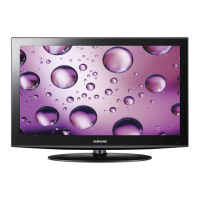
Samsung LN32D403E2D - User Manual

Samsung LN32D403E2D
64 pages
Print Icon
To Next Page IconTo Next Page
Loading...
imagine the possibilities
Thank you for purchasing this Samsung product.
To receive more complete service, please register
your product at
www.samsung.com/register
Model _____________ Serial No. _____________
User Manual
Contact SAMSUNG WORLD-WIDE
If you have any questions or comments relating to Samsung products, please contact the SAMSUNG customer care center.
Contacte con SAMSUNG WORLD WIDE
Si desea formular alguna pregunta o comentario en relación con los productos de Samsung, comuníquese con el centro de atención
al cliente de SAMSUNG.
Country
Customer Care Center
Web Site
MEXICO 01-800-SAMSUNG(726-7864) www.samsung.com
IMPORTADO POR: SAMSUNG ELECTRONICS MÉXICO S.A. de C.V.
AV. PRESIDENTE MASARIK #111 INT701
COL. CHAPULTEPEC MORALES C.P.11570
DELEGACION MIGUEL HIDALGO MEXICO. DISTRITO FEDERAL
Tel: 01-55-5747-5100 / 01-800-726-7864
BN68-03703C
BN68-03703C-02
[UD5003-ZX]BN68-03703C.indb 1 2011-06-08 �� 10:34:51

Table of Contents

Other manuals for Samsung LN32D403E2D

Questions and Answers

  • A
    Andrew KerrSep 10, 2025
    Why is my Samsung Monitor TV not receiving all channels?
    • R
      raymond04Sep 12, 2025
      If your Samsung Monitor TV is not receiving all channels, make sure the coaxial cable is connected securely. Try running Auto Program to add available channels to the channel list. Verify the Antenna is positioned correctly.
  • J
    jasonroseSep 9, 2025
    What to do if there is a dotted line on the edge of my Samsung Monitor screen?
    • J
      Jose CastanedaSep 9, 2025
      If there is a dotted line on the edge of your Samsung Monitor screen, and the picture size is set to Screen Fit, change it to 16:9. Also, try changing the cable/satellite box resolution.
  • P
    Phillip PetersSep 8, 2025
    What to do if my Samsung Monitor TV image does not look as good as it did in the store?
    • M
      Maria GonzalezSep 8, 2025
      If your Samsung Monitor's TV image doesn't look as good as it did in the store, upgrade to a digital set-top box if you have an analog cable/satellite box. Use HDMI or Component cables for HD picture quality. Cable/Satellite subscribers should try HD stations, and those with Air/Cable Antenna connections should try HD stations after performing Auto Program. Adjust the Cable/Sat box video output resolution to 1080i or 720p.
  • J
    john50Aug 22, 2025
    What to do if my Samsung Monitor TV will not turn on?
    • C
      Christina WilliamsAug 22, 2025
      If your Samsung Monitor TV won't turn on, ensure the AC power cord is securely plugged into both the wall outlet and the TV. Verify that the wall outlet is working. You can also try pressing the POWER button on the TV itself to rule out a remote issue.
  • R
    ralph17Sep 5, 2025
    What to do if my Samsung LN32D403E2D remote control does not work?
    • M
      Mr. Bradley AcostaSep 6, 2025
      If your Samsung Monitor remote control isn't working, try these steps: First, replace the batteries, ensuring they are correctly inserted with the right polarity (+/–). Then, clean the transmission window on the remote's top. Finally, try pointing the remote directly at the TV from about 5 to 6 feet away.
  • M
    mcneiljeffreySep 4, 2025
    Why is the picture not displaying in full screen on my Samsung Monitor?
    • J
      Jean JohnsonSep 4, 2025
      HD channels will have black bars on either side of the screen when displaying upscaled SD (4:3) contents on your Samsung Monitor. Black bars on the Top & Bottom will be shown on movies that have aspect ratios different from your TV. Adjust the picture size option on your external device or TV to full screen.
  • P
    Paul StewartSep 3, 2025
    Why is the picture distorted on my Samsung LN32D403E2D (macroblock error, small block, dots, pixelization)?
    • M
      michaelhillSep 3, 2025
      Compression of video contents may cause picture distortion on your Samsung Monitor, especially in fast moving pictures such as sports and action movies. Low signal level can cause picture distortion. This is not a TV problem.
  • J
    Joe BuchananSep 2, 2025
    How to troubleshoot inappropriate noise from Samsung Monitor speakers?
    • A
      Anne CollierSep 2, 2025
      If your Samsung Monitor speakers are making inappropriate noise, check the cable connections, ensuring that a video cable is not connected to an audio input. For Antenna or Cable connections, check the signal information. You can also perform the Sound Test.
  • J
    Jonathan ReynoldsSep 1, 2025
    How to fix poor picture quality on Samsung LN32D403E2D Monitor?
    • S
      Samantha MoralesSep 1, 2025
      First, perform the Picture Test to confirm that your Samsung Monitor is properly displaying the test image. If the test image is properly displayed, the poor picture may be caused by the source or signal.
  • A
    amarshallAug 31, 2025
    How to fix poor color or brightness on Samsung Monitor?
    • J
      John WilliamsAug 31, 2025
      To fix poor color or brightness on your Samsung Monitor, adjust the Picture options in the TV menu, focusing on Picture Mode, Color, Brightness, and Sharpness. Also, adjust the Energy Saving option in the TV menu. You can also try resetting the picture to the default settings by using the Picture Reset option.

Samsung LN32D403E2D Specifications

General IconGeneral
Audio systemSRS TS
RMS rated power10 W
Number of speakers2
3DNo
Power LEDYes
Storage temperature (T-T)-20 - 45 °C
Operating relative humidity (H-H)10 - 80 %
Operating temperature (T-T)10 - 40 °C
Package depth155 mm
Package width930 mm
Package height565 mm
Package weight10800 g
Image formats supportedJPG
Display diagonal32 \
Display resolution1360 x 768 pixels
Display technologyLCD
Native aspect ratio16:9
Supported video modes720p
Contrast ratio (dynamic)20000:1
Supported graphics resolutions1360 x 768 (WXGA)
Tuner typeDigital
Digital signal format systemATSC
SCART ports quantity0
USB 2.0 ports quantity1
Product colorBlack
LED indicatorsStand-by
Panel mounting interface200 x 200 mm
Sustainability certificatesENERGY STAR
Weight and Dimensions IconWeight and Dimensions
Depth (with stand)182.4 mm
Width (with stand)784 mm
Height (with stand)545.3 mm
Weight (with stand)8600 g
Depth (without stand)98 mm
Height (without stand)503 mm
Weight (without stand)7600 g

Related product manuals