EasyManua.ls Logo

Samsung LN40C550 - Connecting to an Antenna; Plug & Play (Initial Setup)

Samsung LN40C550
70 pages
Print Icon
To Next Page IconTo Next Page
To Previous Page IconTo Previous Page
Loading...
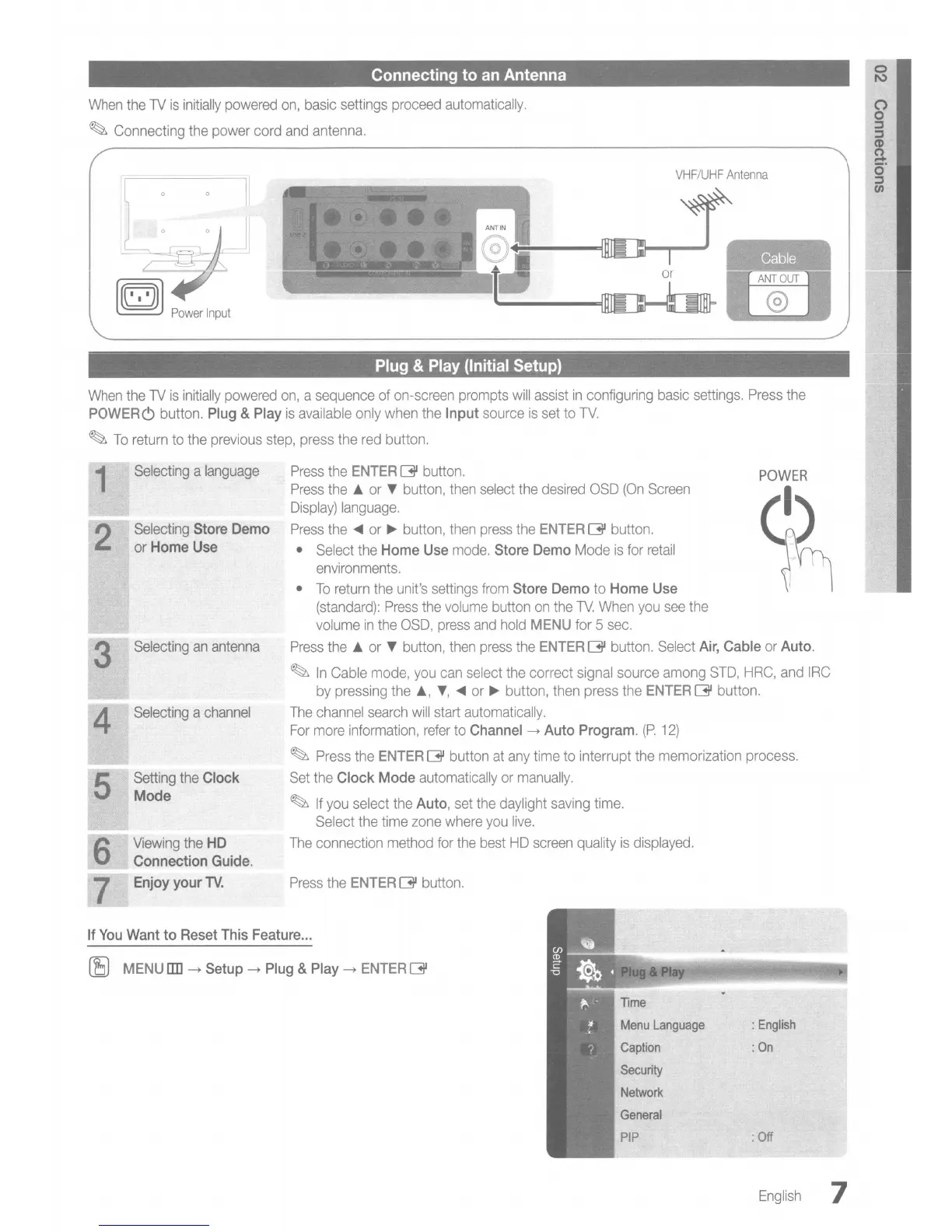
Connecting
to
an Antenna
When
the
TV
is
initially
powered
on,
basic
settings
proceed
automatically.
~
Connecting
the
power
cord
and
antenna.
Cable
VHF/UHF
Antenna
~
~
Power
Input
Plug & Play (Initial Setup)
When
the
TV
is
initially
powered
on,
a
sequence
of
on-screen
prompts
will
assist
in
configuring
basic
settings.
Press
the
POWERC) button. Plug & Play
is
available
only
when
the
Input
source
is
set
to
TV.
~
To
return
to
the
previous
step,
press
the
red
button.
Press
the
ENTER
13'
button.
POWER
~
1
2
3
4
5
Selecting
a
language
Selecting
Store Demo
or
Home Use
Selecting
an
antenna
Selecting
a
channel
Setting
the
Clock
Mode
Viewing
the
HD
Connection Guide.
Enjoy your
lV.
Press
the
ENTER
13'
button.
Press
the
A
or
T
button,
then
select
the
desired
OSD
(On
Screen
Display)
language.
Press
the
~
or
~
button,
then
press
the
ENTER
[3J
button.
•
Select
the
Home Use
mode.
Store Demo
Mode
is
for
retail
environments.
•
To
return
the
unit's
settings
from
Store Demo
to
Home Use
(standard):
Press
the
volume
button
on
the
TV.
When
you
see
the
volume
in
the
OSD,
press
and
hold
MENU
for
5
sec.
Press
the
A
or
T
button,
then
press
the
ENTER
[3J
button.
Select
Air, Cable
or
Auto.
~
In
Cable
mode,
you
can
select
the
correct
signal
source
among
STD,
HRC,
and
IRC
by
pressing
the
A,
T,
~
or
~
button,
then
press
the
ENTER
13'
button.
The
channel
search
will
start
automatically.
For
more
information,
refer
to
Channel
-+
Auto Program.
(P.
12)
~
Press
the
ENTER
13'
button
at
any
time
to
interrupt
the
memorization
process.
Set
the
Clock
Mode
automatically
or
manually.
~
If
you
select
the
Auto,
set
the
daylight
saving
time.
Select
the
time
zone
where
you
live.
The
connection
method
for
the
best
HD
screen
quality
is
displayed.
If
You
Want
to
Reset This Feature
...
(SJ
MENU []]]
-+
Setup
-+
Plug & Play
-+
ENTER
13'
Menu
Language
Caption
Security
Network
:
English
:
On
:
Off
English
7