Need help?
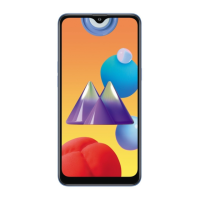
Do you have a question about the Samsung M01 and is the answer not in the manual?
Essential introductory information, safety precautions, and device usage guidelines.
Covers battery charging, reducing consumption, and power saving modes.
Setting up screen lock methods and biometric security features.
Using the Phone, Messages, and Email applications for communication.
Configuring Wi-Fi, Bluetooth, mobile data, and hotspot settings.
Setting up screen locks, face recognition, and managing security updates.
Solutions for common problems like network errors, freezing, and power issues.
 General
| Resolution | 720 x 1520 pixels |
|---|---|
| Processor | Qualcomm Snapdragon 439 |
| RAM | 3 GB |
| Internal Storage | 32 GB |
| Rear Camera | 13 MP + 2 MP |
| Front Camera | 5 MP |
| Battery Capacity | 4000 mAh |
| Operating System | Android 10 |
| GPU | Adreno 505 |
| Colors | Black, Blue, Red |
| Weight | 168 g |
| Dimensions | 147.5 x 70.9 x 9.8 mm |


 To Next Page