Apps and features
53
Messages
Introduction
Send and view messages by conversation.
Sending messages
You may incur additional charges for sending messages when you are roaming.
1
Launch the
Messages
app and tap .
2
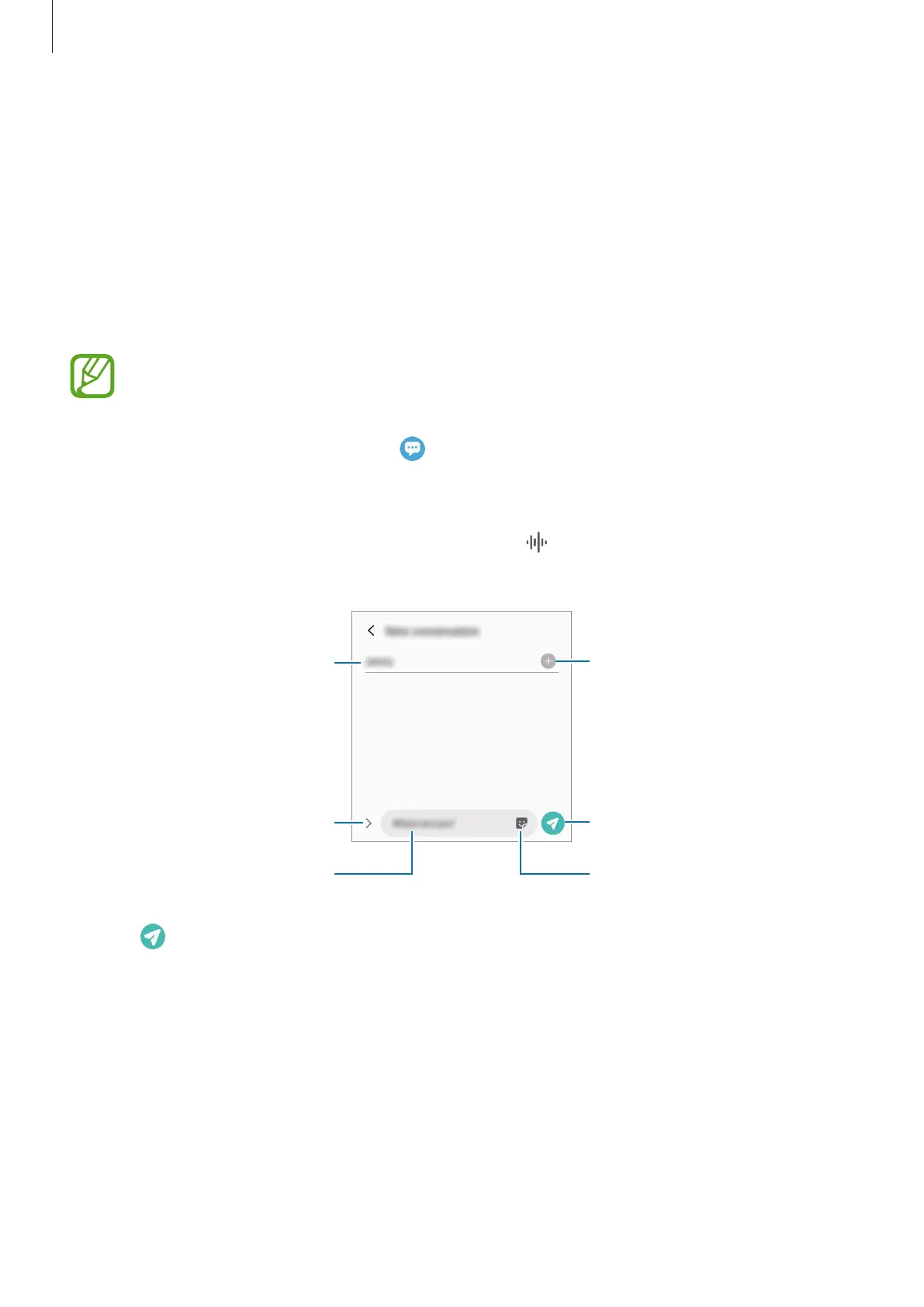
Add recipients and enter a message.
To record and send a voice message, tap and hold
, say your message, and then release
your finger. The recording icon appears only while the message input field is empty.
Enter recipients.
Enter a message.
Attach files.
Recipient
Send the message.
Enter stickers.
3
Tap
to send the message.



 To Next Page