Apps and features
79
Radio
Launch the
Radio
app.
Before you use this app, you must connect an earphone, which serves as the radio antenna.
•
This app may not be available depending on the region or service provider.
•
The FM radio scans and saves available stations automatically when running for the
first time.
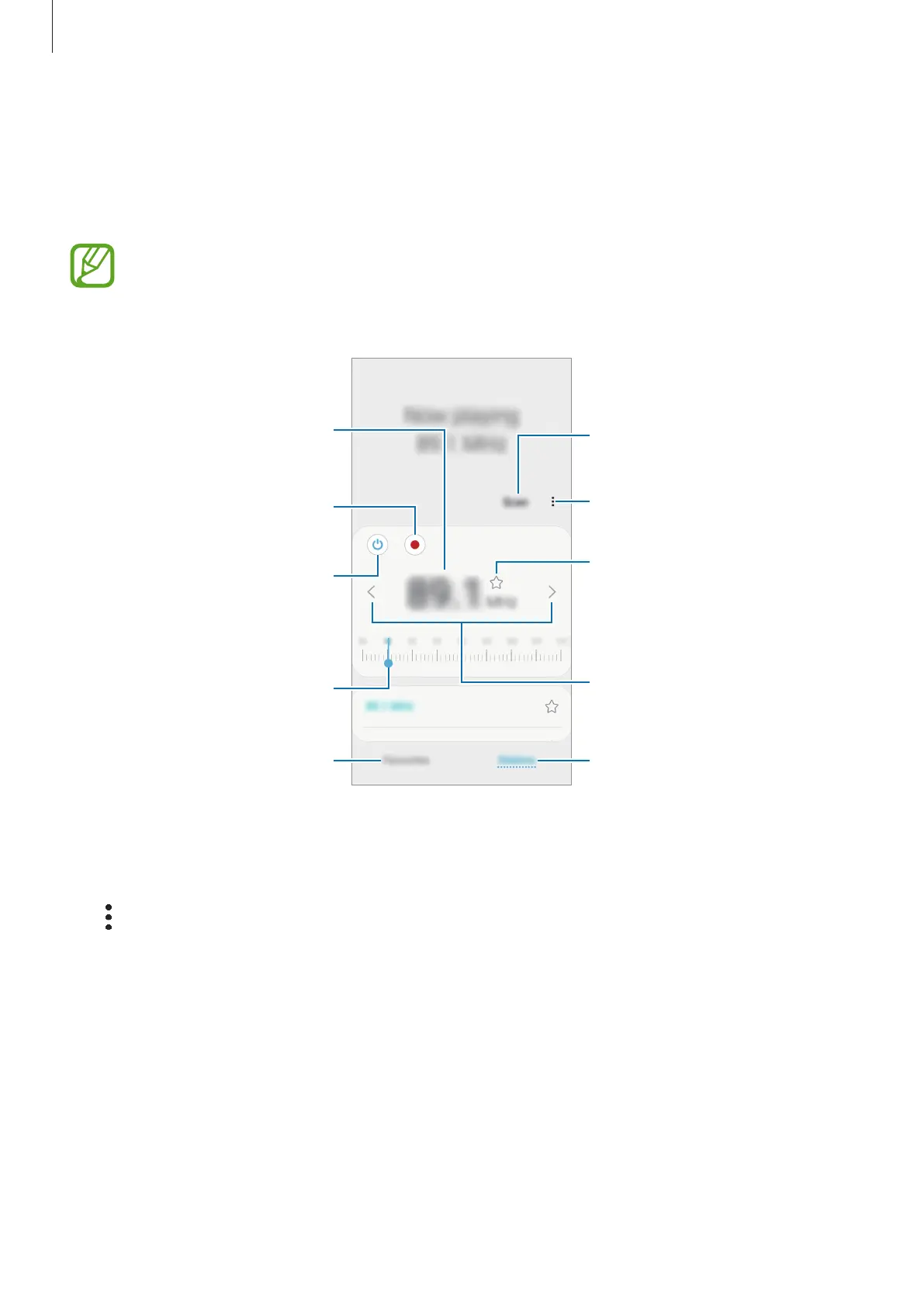
View the list of available stations.
Access additional options.
Scan and save available stations
automatically.
Add the current radio station to
the favourites list.
Fine-tune the frequency.
View the list of favourite stations.
Record audio from the FM radio.
Turn the FM radio on or off.
Enter radio station frequency
manually.
Search for an available radio
station.
Playing through the speaker
You can listen to the radio through the speaker instead of the connected earphone.
Tap
→
Play through speaker
.



 To Next Page