Basics
39
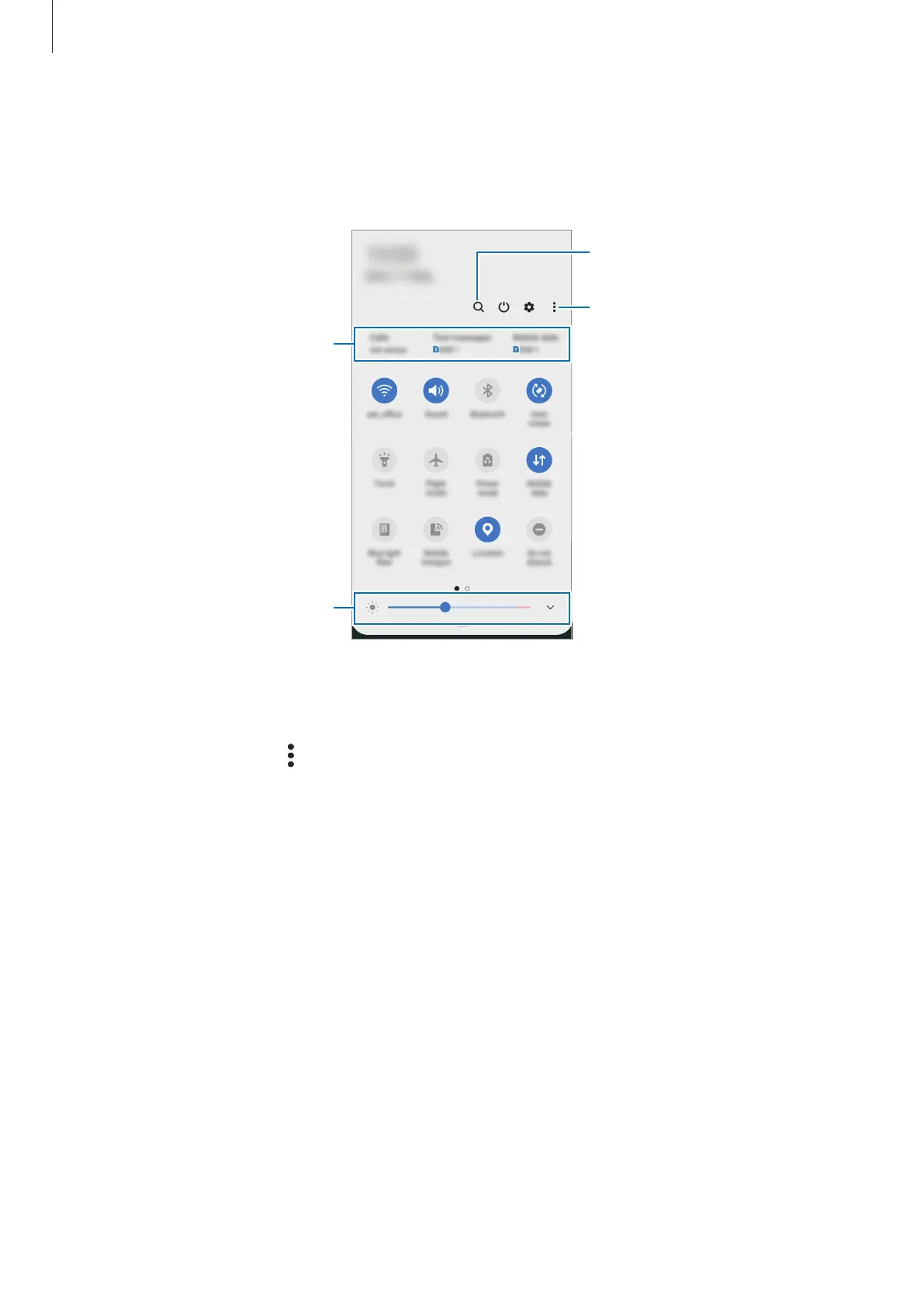
Using quick setting buttons
Tap quick setting buttons to activate certain features. Swipe downwards on the notification
panel to view more buttons.
Access additional options.
Finder
Adjust the brightness of the
display.
Preferred SIM card for each
option. Tap to access the SIM
card manager.
To change feature settings, tap the text under each button. To view more detailed settings,
tap and hold a button.
To rearrange buttons, tap
→
Button order
, tap and hold a button, and then drag it to
another location.



 To Next Page