GB
24
While listening to a compact disc or a cassette, you can
set the system to switch off automatically
Example: You wish to go to sleep to music.
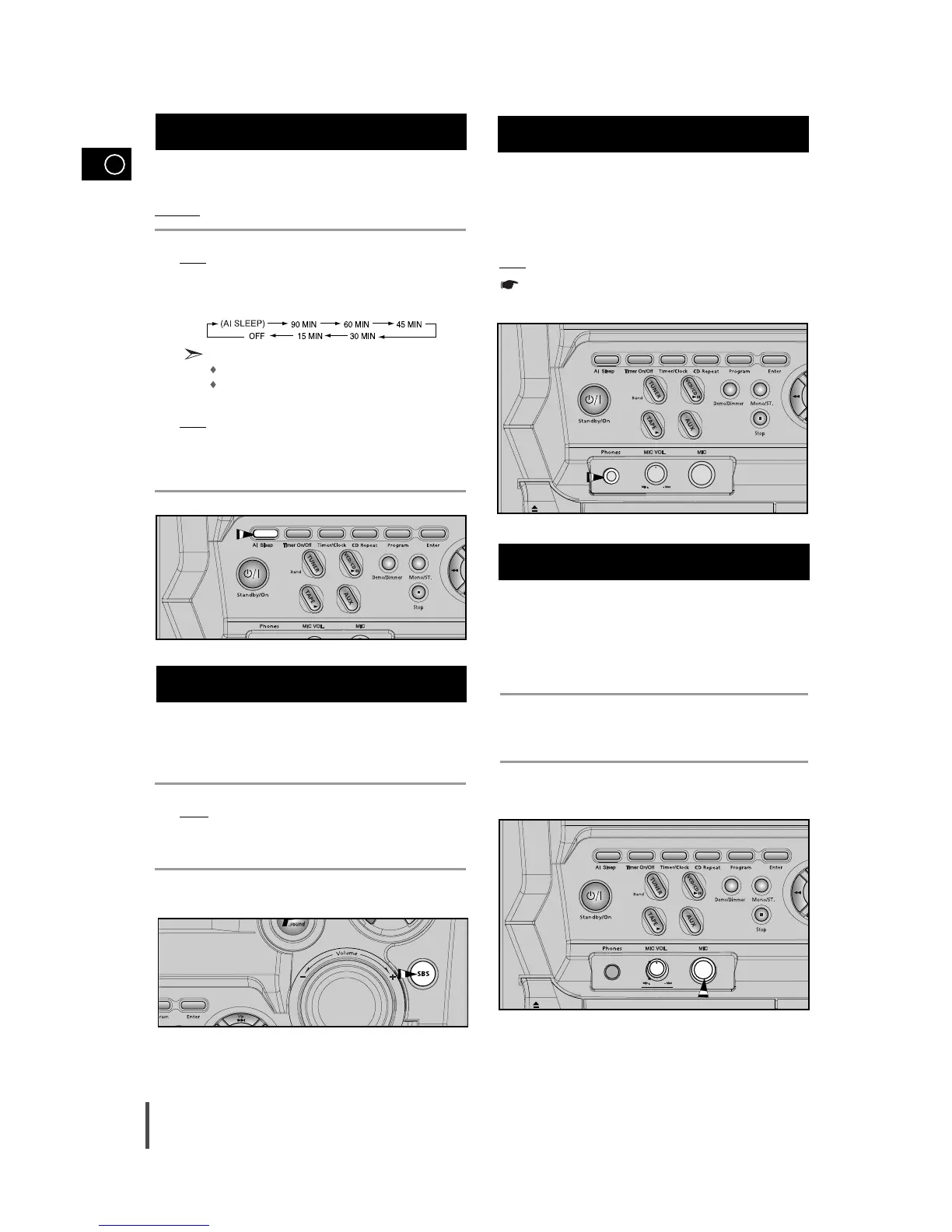
Press AI Sleep.
Result: playback starts and the following indications are displayed:
Press AI Sleep one or more times to indicate how long the system
should continue playing before it switches off:
At any time, you can:
Check the remaining time by pressing AI Sleep
Change the remaining time by repeating Steps 1 and 2
Press AI Sleep one or more times until AI SLEEP is displayed.
Result
: The system will automatically switch off at the end of disc or
cassette.
To cancel SLEEP function, press AI Sleep one or more times until
OFF is displayed.
Your mini-compact system has a bass amplification function
called S.Bass (Super Bass Sound). This function makes the
sound more powerful and real.
Press the SBS button on the front panel.
Result:
S. BASS is displayed and “SBS ON” is displayed for a few
seconds.
To cancel this function, press SBS button again.
You can connect a set of headphones to your mini-compact
system so that you can listen to music or radio programmers
without disturbing other people in the room. The earphones
must have a 3.5 mm jack or an appropriate adapter.
Connect the headphones to the Phones jack on the front panel.
Result
: The loudspeakers are no longer used to output the sound.
Prolonged use of headphones at a high volume may damage
your hearing.
1
2
Setting the System to Switch off
Automatically
Super Bass Sound
Connecting Headphones
1
2
3
4
90 MIN
Microphone Function
The microphone enables the user to mix in his or her vocals
to sing-along with the music.
Preparation
Plug the microphone with a 6.3mm mic jack into microphone terminal.
Turn the MIC Volume knob to adjust the mic volume.
1



 To Next Page