Operation
Demonstration Mode
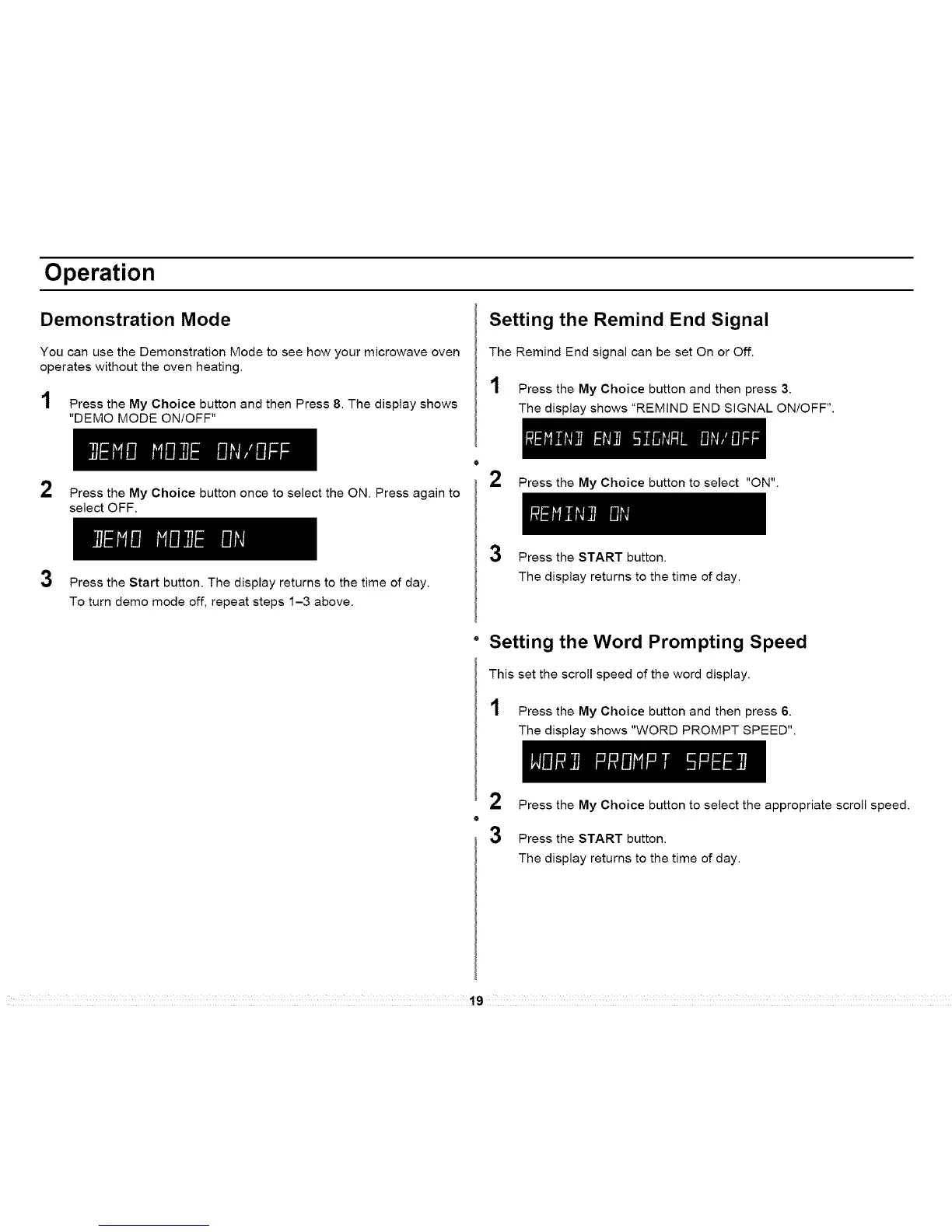
You can use the Demonstration Mode to see how your microwave oven
operates without the oven heating.
1 Press the My Choice button and then Press 8. The display shows
"DEMO MODE ON/OFF"
Setting the Remind End Signal
The Remind End signal can be set On or Off.
1 Press the My Choice button and then press 3.
The display shows "REMIND END SIGNAL ON/OFF".
2
3
Press the My Choice button once to select the ON. Press again to
select OFF.
Press the Start button. The display returns to the time of day.
To turn demo mode off, repeat steps 1-3 above.
o
2 Press the My Choice button to select "ON".
3 Press the START button.
The display returns to the time of day.
" Setting the Word Prompting Speed
This set the scroll speed of the word display.
1 Press the My Choice button and then press 6.
The display shows "WORD PROMPT SPEED".
2 Press the My Choice button to select the appropriate scroll speed.
3 Press the START button.
The display returns to the time of day.
19




 To Next Page