Auto addressing mode
Automated checking of pipe connection (Auto addressing option)
Apply the power to the outdoor unit.
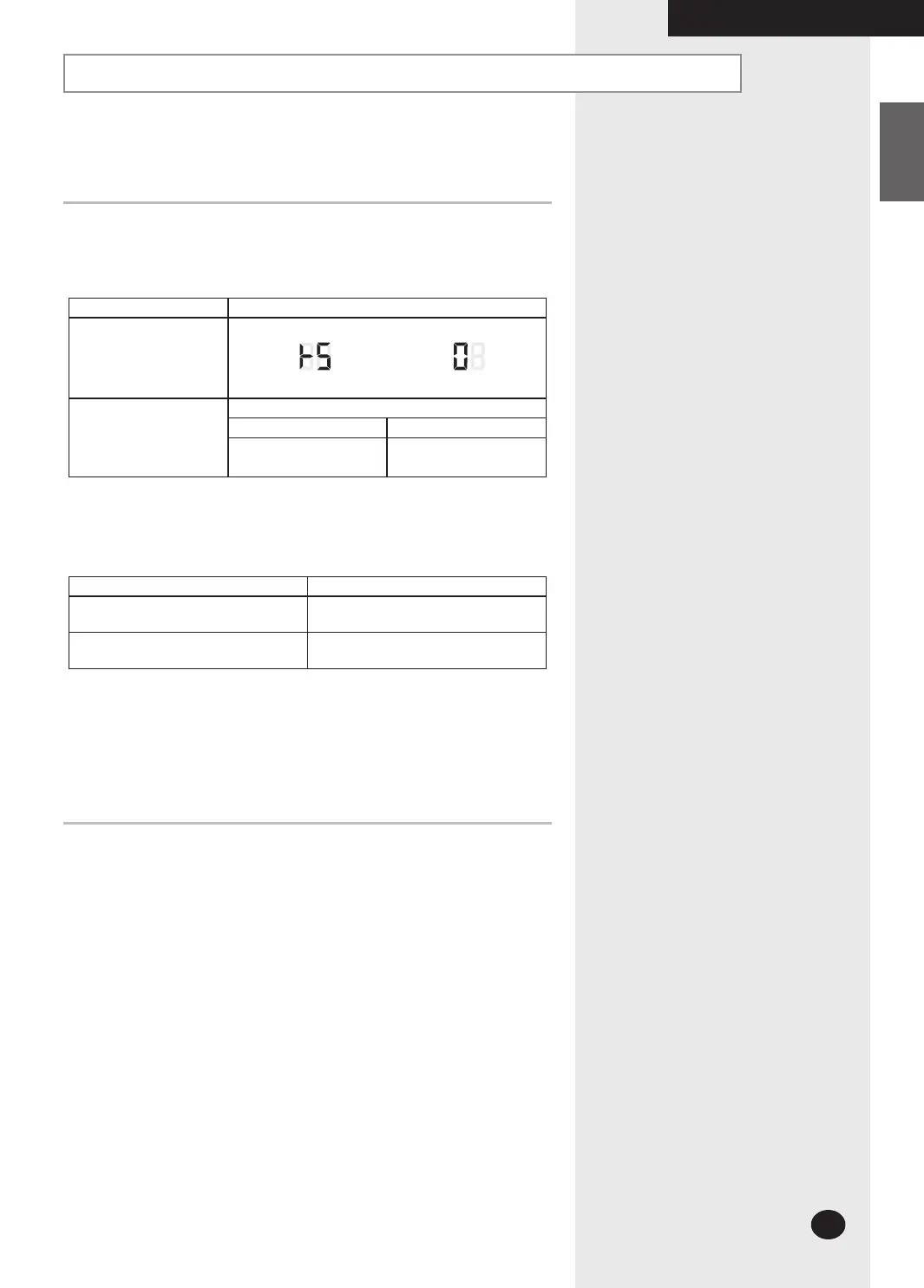
Push the [K2] button 4 times in the outdoor PCB display.
Button [Κ2] 4 times
Display
DIS 01 DIS 02
[DIS 01] is flickering on the setting time.
Time duration
Outdoor Temperature
15°C or more Less than10°C
(Cool mode)
5min ~ 10 min
(Heat mode)
20 min ~ 50 min
It could take more time depending on the indoor and outdoor temperature.
If the checking is finished, outdoor unit stops automatically.
[DIS 02] shows the indoor unit under searching.
Function of Step 3
Mode Function
Auto Addressing Checking the connection & addressing
Manual Addressing Checking the connection only
If the auto addressing does not work according to the indoor unit capacity,
model or installation condition, apply the manual addressing.
COMPLETING THE INSTALLATION
26926A_IM_E.indd 29 2007-2-9 16:13:04



 To Next Page