
 Need help?
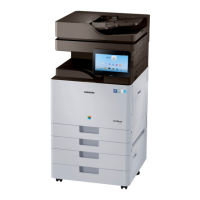
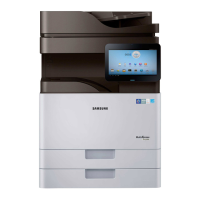
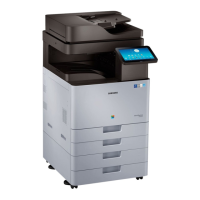
Do you have a question about the Samsung MultiXpress SL-K4250LX and is the answer not in the manual?
General safety advice for service technicians and product usage.
Safety precautions for toxic materials, electric shock, and fire hazards.
Guidelines for safe handling of the product to prevent injury and damage.
Precautions for part replacement, screw handling, and OPC drum protection.
Warnings about high temperatures, rotating parts, lifting, and installation stability.
Procedures to prevent damage to components from static electricity.
Input capacity, media sizes, types, and sensing for trays and feeders.
Details on consumables like toner, OPC drum, and waste toner container.
List of maintenance parts with part codes, lifespan, and remarks.
Overview of the paper feeding system and its main components.
Details on rollers in the feeding system, their functions, and locations.
Specifications of the cassette, including capacity, paper types, weight, and lift type.
Explanation of the pick-up unit's function in picking up paper from the tray.
Description of the registration roller's function in aligning paper and image.
Overview of the Multi-Purpose Feeder unit, specifications, and paper separation.
Explanation of the printing process overview, including OPC drum charge and laser exposure.
Safety precautions for assembling, disassembling, and handling printed circuit boards.
Instructions for updating the printer firmware via control panel or network.
Procedures for clearing paper jams in various locations like ADF and trays.
Instructions on how to enter and navigate the service mode.
Detailed menu structure for accessing information, maintenance counts, and diagnostics.
Diagnostic functions for engine, fax, scanner, and print test patterns.
Information on fault counts, jam counts, and part replacement counts.
Procedures for engine NVM initialization and read/write operations.
Procedures for scanner shading test and NVM read/write.
Procedures for print adjustment, image position, and scan area adjustment.
Various service functions like memory clear, hard disk maintenance, and network port configuration.
Procedures for system recovery, HDD format, and repair.
Lists error codes, messages, symptoms, and troubleshooting steps.
Lists motor errors, their messages, symptoms, and troubleshooting steps.
Lists fan errors, their messages, symptoms, and troubleshooting steps.
Lists sensor errors, their messages, symptoms, and troubleshooting steps.
Lists toner cartridge errors, messages, symptoms, and troubleshooting steps.
Lists drum unit errors, messages, symptoms, and troubleshooting steps.
Lists fuser unit errors, messages, symptoms, and troubleshooting steps.
Lists waste toner container errors, messages, symptoms, and troubleshooting steps.
Lists developer unit errors, messages, symptoms, and troubleshooting steps.
Lists transfer roller errors, messages, symptoms, and troubleshooting steps.
Lists errors related to optional trays, paper jams, and low/empty states.
Lists errors related to the inner finisher, including jams and component failures.
Lists general jam errors related to various trays and machine paths.
Lists general system errors related to video, engine, network, and UI failures.
Lists fuser unit errors, particularly related to thermistors and heating.
Lists errors related to the Laser Scanning Unit (LSU) motor.
Lists errors related to the Dual Scan Document Feeder (DSDF), particularly paper jams.
Troubleshooting steps for poor fusing performance, related to paper type and fuser unit.
Troubleshooting steps for electrical circuit issues like side cover recognition and SMPS voltage.
Information about the SPDS application for service engineers.
 General
| Functions | Print, Copy, Scan, Fax |
|---|---|
| Print Speed (Mono) | 42 ppm |
| Print Resolution | 1200 x 1200 dpi |
| Monthly Duty Cycle | 100, 000 pages |
| Display | 7-inch Color Touch Screen |
| Copy Speed (Black) | 42 cpm |
| Copy Resolution | 600 x 600 dpi |
| Scan Resolution | 600 x 600 dpi |
| Fax Speed | 33.6 kbps |
| Duplex Printing | Yes |
| Mobile Printing | Yes |
| Fax Resolution | 300 x 300 dpi |
| Type | Multifunction Printer |
| Connectivity | USB, Ethernet |


 To Next Page