
 To Next Page
A
Amanda GuzmanAug 15, 2025
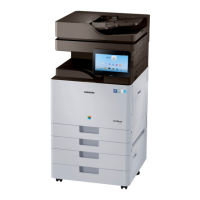
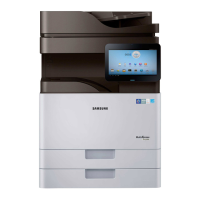
What to do when my Samsung MultiXpress X7 SL-X7500LX Copier stops due to a major error?
- DDavid JacksonAug 15, 2025
If your Samsung Copier has stopped due to a major error, check the display message for more information.

What to do when my Samsung MultiXpress X7 SL-X7500LX Copier stops due to a major error?
If your Samsung Copier has stopped due to a major error, check the display message for more information.
What to do if my Samsung Copier shows a minor error?
If your Samsung Copier shows a minor error and is waiting for it to be cleared, check the display message. Once the problem is resolved, the machine will resume its original task.
What to do if toner, imaging unit, or waste toner container is near end of life in Samsung MultiXpress X7 SL-X7500LX?
If your Samsung Copier indicates that the toner cartridge life, imaging unit, or waste toner container is near the end of its life, order a new toner cartridge, imaging unit, or waste toner container.
How to fix paper jam inside Samsung MultiXpress X7 SL-X7500LX (Jam feed 3, Jam feed 4)?
To resolve a paper jam inside your Samsung Copier (Jam feed 3, Jam feed 4), open the right bottom door of the dual cassette feeder and gently pull the jammed paper straight out. Then, close the dual cassette feeder right bottom door.
How to resolve paper jam in the multi-purpose tray of my Samsung Copier?
If there's a paper jam in the multi-purpose tray of your Samsung Copier, and the paper is not feeding properly, pull the paper out of the machine. Then, open and close the front door to resume printing.
How to clear original paper jam in front of scanner of Samsung Copier?
If you encounter an original paper jam in front of the scanner of your Samsung Copier, follow these steps: 1) Remove any remaining pages from the ADF. 2) Open the ADF cover. 3) Gently remove the jammed paper from the ADF. 4) Close the ADF cover.
How to clear original paper jam inside scanner of Samsung MultiXpress X7 SL-X7500LX?
If you encounter an original paper jam inside the scanner of your Samsung Copier, follow these steps: 1) Remove any remaining pages from the ADF. 2) Open the ADF cover. 3) Gently remove the jammed paper from the ADF. If you do not see paper in this area, go to the next step. 4) Open the input tray. 5) Pull the jammed paper gently out of the ADF. If you do not see paper in this area, go to the next step. 6) Close ADF cover and ADF input tray.
What to do if the fuser area is hot when removing paper from my Samsung MultiXpress X7 SL-X7500LX?
If the fuser area of your Samsung Copier is hot, exercise caution when removing paper from the machine. Gently pull the jammed paper straight out.
What to do if my Samsung MultiXpress X7 SL-X7500LX says there is no paper?
If your Samsung Copier indicates that there is no paper in the tray, load paper into the tray.
What to do if the door of my Samsung Copier is open?
If the door of your Samsung Copier is open, close it.
General safety advice for technicians, including handling high voltages and lasers.
Specific safety cautions related to toxic materials and electrical hazards.
Safety guidelines for disassembling and handling internal components, especially PBAs.
Step-by-step instructions for replacing key maintenance parts like drum units and ITB cleaners.
Procedures for replacing major service parts such as covers, boards, and motors.
Instructions for clearing original document jams in the ADF and inside the scanner.
Details how to enter the service mode using the power button and password.
Lists common error codes and their corresponding troubleshooting pages for various system failures.

 General