13
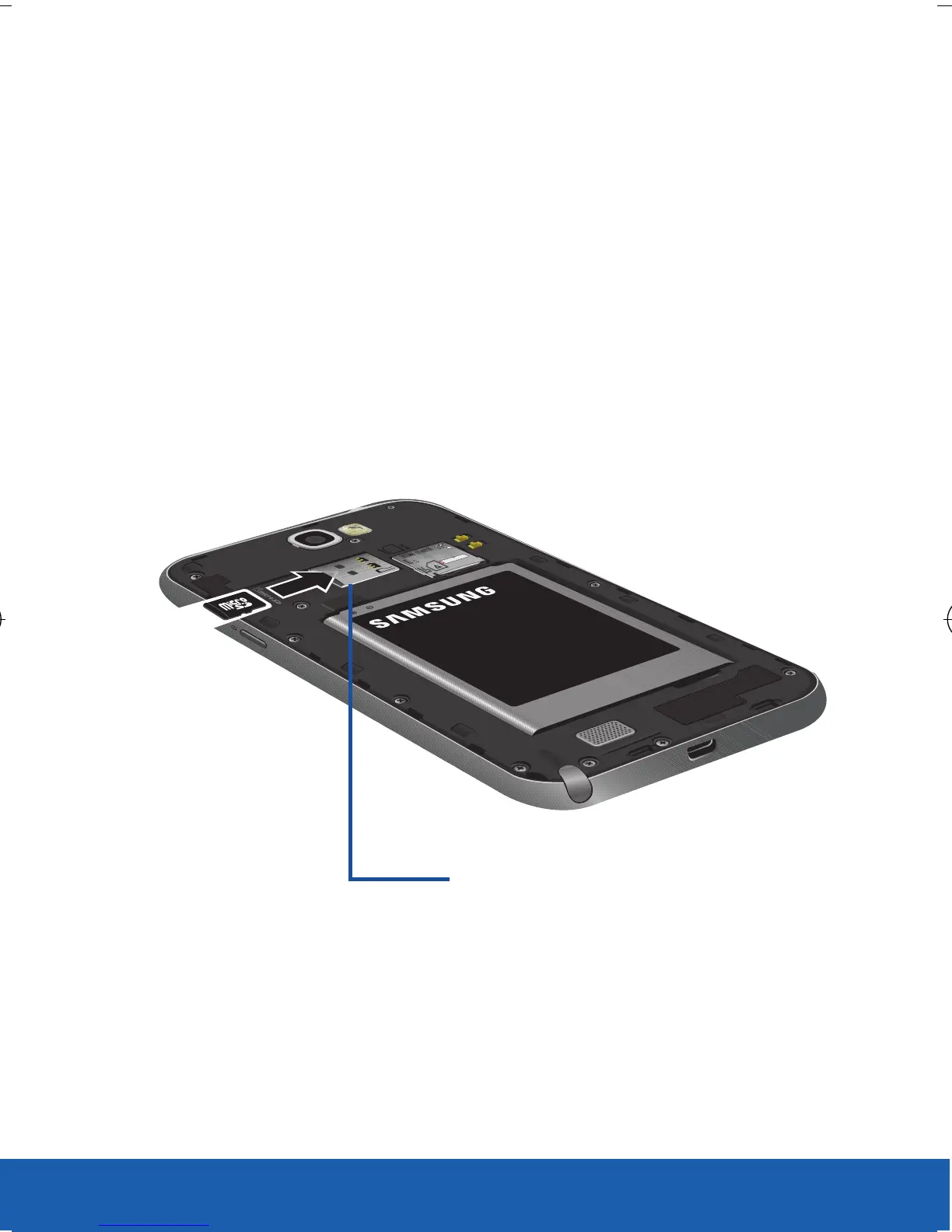
Installing the microSD Memory Card
1. Remove the battery cover.
2. Locate the microSD card slot on the inside of
the device.
3. Orient the card with the gold strips facing
down.
4. Carefully slide the microSD card into the card
socket until it clicks into place.
microSD card slot
USC_T0_QRM_75X105.indd 13 9/27/2012 9:15:53 PM












 To Next Page