EasyManua.ls Logo

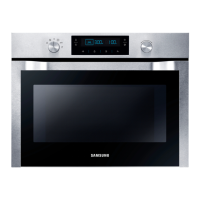
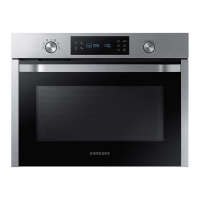
Samsung NQ70M7770D - User Manual

Samsung NQ70M7770D
88 pages
Print Icon
To Next Page IconTo Next Page
Loading...
Built-In Electric Combi Oven
User manual
NQ70M7770D*
NQ70M7770D_AA_DE68-00000A-00_EN.indd 1 12/28/2016 3:10:44 PM

Questions and Answers

  • R
    robert77Aug 20, 2025
    Why does the display go blank on my Samsung NQ70M7770D?
    • A
      Ashley WellsAug 20, 2025
      If the display of your Samsung Oven is blank, it might be due to a blown fuse or a tripped circuit breaker in your home. Replace the fuse or reset the circuit breaker to resolve this issue.
  • D
    Darren ArroyoAug 21, 2025
    What to do if my Samsung NQ70M7770D Oven will not turn on?
    • T
      Tina SellersAug 22, 2025
      If your Samsung Oven will not turn on, it could be due to several reasons: * The oven is not completely plugged into the electrical outlet. Ensure the electrical plug is inserted into a live, properly grounded outlet. * A fuse in your home may be blown, or a circuit breaker may have tripped. Replace the fuse or reset the circuit breaker. * The oven is too hot. Allow the oven to cool.
  • P
    Peter TateAug 25, 2025
    What to do if the door cannot be opened properly on my Samsung NQ70M7770D?
    • T
      Thomas SmithAug 25, 2025
      If your Samsung Oven door cannot be opened properly, it's likely due to food residue stuck between the door and the oven interior. Clean the oven, and then try to open the door again.
  • J
    jessicagrantAug 26, 2025
    Why is my Samsung NQ70M7770D Oven beeping during cooking?
    • M
      Melissa KelleyAug 26, 2025
      If your Samsung Oven is beeping during cooking when using the Auto Cook function, it means it's time to turn over the food during thawing. After turning over the food, press the Start button again to restart operation.
  • J
    Jeffrey CooperAug 27, 2025
    How to fix a Samsung NQ70M7770D that is not level?
    • M
      Michael FletcherAug 27, 2025
      If your Samsung Oven is not level, it may be installed on an uneven surface. Ensure the oven is installed on a flat, stable surface.
  • E
    Eric WilsonAug 29, 2025
    Why is the heating not working properly on my Samsung NQ70M7770D?
    • W
      William ReyesAug 30, 2025
      If the heating, including the Warm function, does not work properly on your Samsung Oven, it may be due to several reasons: the oven may not work, too much food is being cooked, or improper cookware is being used. Put one cup of water in a microwave-safe container and run the microwave for 1-2 minutes to check whether the water is heated. Reduce the amount of food and start the function again. Use a cooking container with a flat bottom.
  • E
    Emily StantonAug 31, 2025
    Why is the thaw function not working on my Samsung NQ70M7770D Oven?
    • J
      Julie RobertsAug 31, 2025
      If the thaw function does not work on your Samsung Oven, it may be because too much food is being thawed. Reduce the amount of food and try the function again.
  • B
    bowmanpaulSep 2, 2025
    Why can't I press the buttons properly on my Samsung NQ70M7770D Oven?
    • S
      Sara FletcherSep 2, 2025
      If your Samsung Oven buttons cannot be pressed properly, there might be foreign matter caught between the buttons. Remove any foreign matter and try again. Alternatively, there could be moisture on the exterior; remove the moisture and try again. Also, check if the lock function is enabled.
  • M
    Megan Rose MDSep 4, 2025
    Why does my Samsung Oven immediately start to work when power is connected?
    • A
      ashleykochSep 5, 2025
      If your Samsung Oven immediately starts to work when power is connected, it indicates that the door is not properly closed. Ensure the door is fully closed and check again.
  • J
    Jason WallaceSep 6, 2025
    Why are there sparks during cooking in my Samsung Oven?
    • J
      Jacqueline HoffmanSep 7, 2025
      Sparks during cooking in your Samsung Oven are likely caused by using metal containers. To prevent sparks, avoid using metal containers during cooking or thawing functions.

Summary

Important Safety Instructions

General Safety Precautions

Covers safety symbols, general warnings, and precautions for safe operation.

Microwave Oven Safety

Details precautions to avoid exposure to excessive microwave energy and legal warnings.

Electrical and Cord Safety

Explains grounding instructions and guidelines for using extension cords.

Important Safety Instructions (Oven)

Oven Safety Guidelines

Provides essential safety guidelines for oven operation and general usage.

Electrical and Child Safety

Addresses specific electrical safety measures and child safety precautions for the oven.

Self-Cleaning and Venting Safety

Details safety considerations for self-cleaning cycles and ventilating hoods.

OVEN

Oven Surface and Usage Safety

Highlights safety precautions related to hot oven surfaces and proper usage.

Important Safety Instructions

Critical Installation Warnings

Emphasizes critical warnings and requirements for proper oven installation.

Important Safety Instructions (Oven)

Critical Usage Warnings

Alerts users to critical warnings for safe operation and usage of the oven.

Important Safety Instructions (Oven)

Usage Cautions

Provides important cautions for the safe and effective use of the oven.

Important Safety Instructions (Oven)

Critical Cleaning Warnings

Highlights critical warnings and precautions related to cleaning the appliance.

Introducing Your New Oven

Oven Overview and Components

Provides a visual overview of the oven and its parts.

Included Oven Accessories

Lists the accessories that come with the oven for cooking.

Before You Begin

Initial Setup and Energy Saving Tips

Guides on initial oven setup and tips for saving energy during use.

Microwave Oven Accessories

Details accessories specific to the microwave oven function.

Before You Begin

Water Reservoir Usage

Explains how to use and maintain the water reservoir for steam functions.

Basic Operations

Control Panel and Temperature Setting

Explains the control panel layout and how to set oven temperatures.

Basic Operations

Control Lockout and Kitchen Timer

Describes how to use control lockout and the kitchen timer features.

Basic Operations

Timer Naming and Setting Limits

Covers changing timer names and minimum/maximum setting limits for oven features.

Microwave Oven (Upper Oven)

Power Level and Timed Cooking

Explains how to set power levels and timed cooking for the upper oven.

Microwave Oven (Upper Oven)

Microwave Cooking Mode

Details how to use the microwave function, including power levels.

Microwave Oven (Upper Oven)

Power Convection and Broil Modes

Explains the Power Convection and Broil cooking modes for the upper oven.

Microwave Oven (Upper Oven)

Speed Power Convection and Speed Broil

Describes the Speed Power Convection and Speed Broil cooking modes.

Microwave Oven (Upper Oven)

Auto Cook Functionality

Details the Auto Cook feature and how to select options based on food weight.

Microwave Oven (Upper Oven)

Defrost Functionality

Explains the different defrosting options available for the oven.

Microwave Oven (Upper Oven)

Sensor Cook Functionality

Covers the Sensor Cook feature, including instructions and tips for automatic cooking.

Microwave Oven (Upper Oven)

Fit Choice Cooking Options

Details the Fit Choice cooking options based on food type and serving size.

Microwave Oven (Upper Oven)

Slim Fry Cooking Guide

Provides instructions for using the Slim Fry cooking feature.

Microwave Oven (Upper Oven)

Power Auto Cook Function

Explains how to use the Power Auto Cook feature for convenient cooking.

Oven (Lower Oven)

Timed Cooking and Delay Start

Explains how to set timed cooking and use the delay start feature.

Oven (Lower Oven)

Temperature Probe Usage

Details using the temperature probe for precise cooking and its removal.

Oven (Lower Oven)

Twin Cooking Mode Temperature Settings

Describes temperature ranges and limitations for twin cooking mode.

Oven Function Overview

Provides a summary of available oven functions for single and twin modes.

Oven (Lower Oven)

Cooking Recommendation Guides

Provides recommendation guides for broiling and steam cooking.

Oven (Lower Oven)

Basic Baking and Broiling Instructions

Guides on basic baking and broiling, including preheat options.

Oven (Lower Oven)

Steam Bake and Steam Roast Operation

Explains the operation of Steam Bake and Steam Roast functions.

Oven (Lower Oven)

Healthy Cook Feature Overview

Details the Healthy Cook feature with specialized cooking options and settings.

Oven (Lower Oven)

Using the Gourmet Cook Feature

Explains how to use the gourmet cook feature for automatic cooking options.

Oven (Lower Oven)

Smart Control Feature and Remote Operation

Describes the smart control feature for remote oven operation via a mobile app.

Oven (Lower Oven)

Oven Rack Positions

Details recommended rack positions for single and twin oven modes.

Oven (Lower Oven)

Divider Usage

Explains how to install and use the oven divider for twin mode.

Self-Cleaning Cycle Operation

Explains how to prepare for and run the self-cleaning cycle.

Oven (Lower Oven)

Hybrid Cleaning Cycle Operation

Details the operation of the hybrid cleaning cycle.

Descale and Draining Cycles

Explains the procedures for descaling and draining the oven.

Oven (Lower Oven)

System Settings (Wi-Fi, Display, Date;Time)

Covers settings for Wi-Fi connection, display brightness, and date/time configuration.

Oven (Lower Oven)

Language, Volume, and Temperature Settings

Explains how to adjust language, volume, and oven temperature settings.

Sabbath and Demo Modes

Details how to use the Sabbath feature and the Demo mode.

Maintaining Your Appliance

Oven Care and Surface Cleaning

Provides guidance on cleaning the oven exterior and interior surfaces.

Maintaining Your Appliance

Rack and Gliding Rack Maintenance

Covers oven rack care and lubricating the gliding rack slides.

Maintaining Your Appliance

Oven Door Removal

Provides step-by-step instructions for removing the oven door.

Oven Door Replacement

Details the procedure for correctly replacing the oven door.

Maintaining Your Appliance

Changing the Oven Light Bulb

Explains the process for replacing the oven's halogen light bulb.

Troubleshooting

Control Display and Microwave Oven Issues

Addresses problems with the control display and general microwave oven operation.

Oven Operation and Food Cooking Issues

Covers common issues with oven operation, turntable, broiling, convection, and steam functions.

Information Codes

Lists and explains various error codes displayed by the oven.

Warranty Information

U.S.A. Limited Warranty

Outlines the terms and conditions of the limited warranty for the product in the USA.

Canada Limited Warranty

Outlines the terms and conditions of the limited warranty for the product in Canada.

Appendix

Open Source Software Announcement

Provides information on open source software included with the product.

Memo

Samsung NQ70M7770D Specifications

General IconGeneral
BrandSamsung
ModelNQ70M7770D
CategoryOven
LanguageEnglish

Related product manuals