EasyManua.ls Logo

Samsung NQ70T5511DS - User Manual

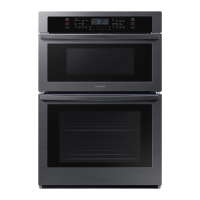
Samsung NQ70T5511DS
180 pages
Print Icon
To Next Page IconTo Next Page
Loading...
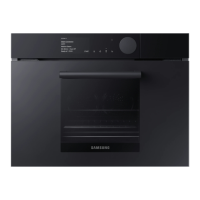
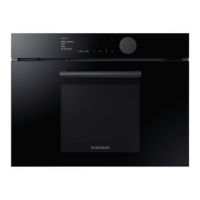
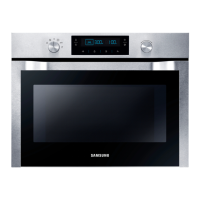
Oven with microwave
User manual
NQ70*5***D*
DG68-01148A-04_IB_NQ70R5510DG_AA.indb 1DG68-01148A-04_IB_NQ70R5510DG_AA.indb 1 2023-04-11 오후 5:51:592023-04-11 오후 5:51:59

Table of Contents

Other manuals for Samsung NQ70T5511DS

Questions and Answers

  • J
    Jerry NguyenAug 10, 2025
    What to do if my Samsung NQ70T5511DS Oven displays 'bAd LinE' error?
    • R
      Rachel RomanAug 10, 2025
      The 'bAd LinE' error message appears when the power connection is improperly installed. To resolve this, disconnect the power, then reconnect the power connection correctly. This should make the message disappear.
  • L
    Lauren NolanAug 18, 2025
    How to fix a Samsung Oven showing a C-21 error?
    • B
      burkecraigAug 18, 2025
      The C-21 error code indicates that the internal temperature has risen abnormally high. To fix this, touch OVEN OFF, and then restart the oven. If the problem persists, disconnect all power to the oven for at least 30 seconds and then reconnect the power.
  • P
    Patrick WilliamsAug 25, 2025
    What to do if my Samsung NQ70T5511DS is showing a C-d1 error?
    • S
      Steven MartinezAug 26, 2025
      The C-d1 error code appears if the door lock is mispositioned. To solve this, touch OVEN OFF, and then restart the oven. If the problem continues, disconnect all power to the oven for at least 30 seconds and then reconnect the power.
  • L
    Leah SantosSep 1, 2025
    Why does my Samsung NQ70T5511DS display a C-d0 error, and how can I fix it?
    • S
      shelly11Sep 1, 2025
      The C-d0 error code appears if a control key is short for 1 minute. Clean the buttons and ensure there is no water on or around them. Turn off the oven and try again.

Summary

Regulatory Notice

Important Safety Instructions

Electrical and Child Safety

Guidelines for electrical safety and ensuring child safety around the appliance.

Basic Operations

Control Panel Overview

Detailed explanation of each button and function on the control panel.

Setting the Clock and Timer

Instructions on how to set the oven's clock and kitchen timer.

Microwave Cooking

Detailed instructions for using the main microwave cooking function.

Upper Oven Broiling Function

How to use the broil function for cooking.

Defrosting Guide

Steps and guidelines for defrosting food in the microwave.

Sensor Cook Guide

Instructions for using the sensor cook feature for automatic cooking.

Auto Cook Guide

Instructions for using the auto cook feature for pre-programmed cooking.

Baking Function

Instructions for using the oven's baking mode at various temperatures.

Lower Oven Broiling Function

How to use the broil function for cooking meat, fish, and poultry.

Maintaining Your Appliance

Self-Cleaning Oven Guide

Instructions and precautions for performing the self-cleaning cycle.

Wall Oven Steam Clean

How to use the steam clean function for light oven cleaning.

Troubleshooting

Control Display and Button Issues

Solutions for display errors and unresponsive buttons.

Microwave Oven Troubleshooting

Common issues and solutions for the microwave oven function.

General Oven Operation Problems

Troubleshooting for issues like power loss, unusual sounds, and overheating.

Samsung NQ70T5511DS Specifications

General IconGeneral
Styledouble
Colorstainless steel
Total Capacity7 cu. ft.; 1.9/5.1 cu. ft
Microwaveyes; 1.9 cu. ft.
Convectionno
Racks2
Control Typetouchpad
Interior Lightyes
Remote Controlyes
Wi-Fiyes
Kitchen Timeryes
Voltage240/208 volts
Current30
Weight and Dimensions IconWeight and Dimensions
Depth26 5/8 inch
Height43 1/4 inch
Width29 3/4 inch
Net Weight222.7 lbs

Related product manuals