EasyManua.ls Logo

Samsung NQ70 700D Series - User Manual

Samsung NQ70 700D Series
92 pages
Print Icon
To Next Page IconTo Next Page
Loading...
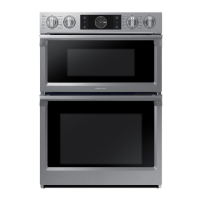
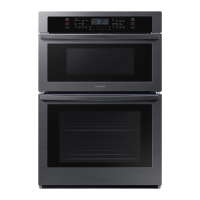
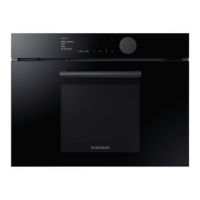
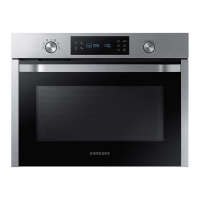
Built-In Microwave Combi Oven
User manual
NQ70**700D**

Table of Contents

Other manuals for Samsung NQ70 700D Series

Questions and Answers

  • M
    Mary ZhangSep 23, 2025
    Why is the cooling fan still running on my Samsung Microwave Oven after cooking?
    • A
      Anthony MullinsSep 23, 2025
      If the cooling fan continues to run after cooking is finished in your Samsung Microwave Oven, it's normal. The cooling fan continues to run for about 3 minutes after cooking to ventilate the oven, and this is not a malfunction.
  • C
    Chelsea CunninghamAug 23, 2025
    Why can't I press the buttons on my Samsung Microwave Oven?
    • W
      William SnyderAug 23, 2025
      If you're having trouble pressing the buttons on your Samsung Microwave Oven, there might be foreign matter stuck between them; remove any debris. For touch models, wipe away any moisture on the exterior. Also, check if the Child Lock is activated and deactivate it if necessary.
  • J
    Julian BooneAug 25, 2025
    Why is my Samsung Microwave Oven not heating properly?
    • I
      Ian SteinAug 26, 2025
      If the heating or Warm function on your Samsung Microwave Oven isn't working correctly, test it by placing one cup of water in a microwave-safe container and running the microwave for 1-2 minutes to see if the water heats up. Reduce the amount of food you're trying to cook and try the function again. Also, ensure you're using a cooking container with a flat bottom.
  • H
    hhallAug 27, 2025
    Why can't I open the door on my Samsung Microwave Oven?
    • H
      haileychapmanAug 27, 2025
      If you're having trouble opening the door of your Samsung Microwave Oven, it's likely due to food residue stuck between the door and the oven interior. Clean the oven thoroughly before attempting to open the door again.
  • W
    Wendy SimmonsAug 27, 2025
    Why does my Samsung Microwave Oven power off during operation?
    • N
      Natasha WhiteAug 27, 2025
      If your Samsung Microwave Oven turns off during operation, it could be due to several reasons. The oven may have been cooking for too long, so let it cool down. Check if the cooling fan is working. Ensure there's food inside the oven. Also, make sure there's enough ventilation space around the oven, following the installation guide's specifications. Avoid using multiple power plugs in the same socket; dedicate one socket solely for the oven.
  • C
    cmitchellSep 16, 2025
    Why is there electricity coming from my Samsung Microwave Oven?
    • B
      Brandon ShahSep 16, 2025
      If you feel electricity coming from your Samsung Microwave Oven, it's likely that the power or power socket is not properly grounded. Ensure that both the power and the power socket are correctly grounded.
  • J
    james54Sep 13, 2025
    How to level my Samsung Microwave Oven?
    • J
      James SandersSep 13, 2025
      If your Samsung Microwave Oven isn't level, it's likely installed on an uneven surface. Ensure the oven is placed on a flat, stable surface.
  • W
    William JohnsonSep 14, 2025
    Why does my Samsung Microwave Oven start automatically when plugged in?
    • C
      Carlos FullerSep 15, 2025
      If your Samsung Microwave Oven starts working immediately when power is connected, it indicates that the door is not properly closed. Ensure the door is fully closed and check again.
  • D
    Donald MorrisonSep 5, 2025
    Why is the light dim in my Samsung Microwave Oven?
    • C
      Christopher SchmidtSep 6, 2025
      If the interior light of your Samsung Microwave Oven is dim or not turning on, it might be because the door was left open for an extended period, activating the Eco function which turns off the light. Try closing and reopening the door or pressing the Cancel button. Also, check for and clean any foreign matter covering the light.
  • E
    earlclarkSep 3, 2025
    How to fix a blank display on a Samsung Microwave Oven?
    • R
      Richard JonesSep 3, 2025
      If the display on your Samsung Microwave Oven goes blank, it could be due to a blown fuse or a tripped circuit breaker in your home. Try replacing the fuse or resetting the circuit breaker.

Summary

Regulatory Notice

Precautions for Microwave Energy Exposure

Details measures to avoid possible exposure to excessive microwave energy and safety interlocks.

FCC Statement

Outlines compliance with FCC rules for Class B digital devices and potential interference.

IC Notice

Explains Industry Canada technical specifications and compliance for radio certification.

Important Safety Instructions

General Safety Guidelines

Provides essential safety precautions for using electrical appliances.

Electrical and Child Safety

Covers safe handling of electrical components and precautions for child safety.

Installation and Usage Warnings

Critical warnings for proper installation and safe usage of the oven.

Cleaning and Maintenance Safety

Safety precautions to follow when cleaning the oven and its parts.

Introducing Your New Oven

Oven Overview and Components

Illustrates the oven's parts and provides a visual overview of its components.

Included Oven Accessories

Lists and describes the accessories shipped with the oven for cooking.

Before You Begin

Initial Oven Setup and Energy Saving

Instructions for the first oven use and tips to save energy during operation.

Microwave Turntable and Water Reservoir

Details on installing the microwave turntable and filling the water reservoir.

Basic Operations

Control Panel and Display Guide

Explains the functions of the control panel buttons and display indicators.

Setting Temperature and Timers

Guides on setting oven temperature, using control lockout, and operating the kitchen timer.

Microwave Oven (Upper Oven)

Setting Power Level and Timed Cooking

Instructions for adjusting microwave power levels and setting timed cooking operations.

Microwave Cooking Modes

Explains modes like Power Convection and Broil for upper oven microwave cooking.

Automatic Cooking Programs

Details on using Air Fry Auto Cook, Healthy Cook, and Sensor Cook programs.

Sensor Cook Operation

Information on using the 11 sensor cook options for convenient meal preparation.

Oven (Lower Oven)

Door Operation and Timed Cooking

Guides on the push-to-open door and setting timed cooking for the lower oven.

Delay Start and Temperature Probe

Instructions for setting a delayed start time and using the temperature probe for cooking.

Cooking Modes Explained

Explains various lower oven modes like Bake, Broil, Convection, and Steam.

Specialized Cooking Functions

Details on using Air Sous Vide, Convection Vegetable, Dehydrate, and Proof functions.

Steam Cooking Functions

Guides on using Steam Bake, Steam Roast, and Steam Clean functions.

Smart Control and Connectivity

Information on connecting the oven via Wi-Fi and using smart control features.

Oven Rack and Divider Usage

Guidance on using oven racks, their positions, and the divider for twin mode.

Self-Cleaning and Draining Procedures

Steps for performing self-cleaning and draining the oven after steam cycles.

Maintaining Your Appliance

Oven Cleaning Procedures

Methods for cleaning oven parts, including painted surfaces, stainless steel, and trays.

Gliding Rack Lubrication and Oven Door

Steps for lubricating gliding rack slides and cleaning the oven door.

Oven Door Removal and Replacement

Detailed instructions for safely removing and reinstalling the oven door.

Changing the Oven Light Bulb

Steps for replacing the oven's halogen light bulb.

Troubleshooting

Control Panel and Microwave Issues

Troubleshooting common problems with the control display and microwave operation.

Oven Operation Problems

Solutions for issues related to oven heating, smoke, smells, and leveling.

Information Codes and Errors

Explains displayed error codes and their possible causes and solutions.

Warranty Information

U.S.A. Limited Warranty Details

Information regarding the limited warranty terms for products purchased in the USA.

Canada Limited Warranty Details

Information regarding the limited warranty terms for products purchased in Canada.

Appendix

Open Source Software Announcement

Notification about open source software included in the product and how to obtain source code.

Samsung NQ70 700D Series Specifications

General IconGeneral
BrandSamsung
ModelNQ70 700D Series
CategoryOven
LanguageEnglish

Related product manuals