EasyManua.ls Logo

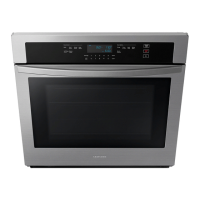
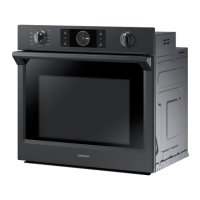
Samsung NV51 700D Series - User Manual

Samsung NV51 700D Series
74 pages
Print Icon
To Next Page IconTo Next Page
Loading...
Built-In Electric Wall Oven
User manual
NV51**700D*

Table of Contents

Questions and Answers

  • D
    Desiree GrantSep 10, 2025
    Why is there water dripping from my Samsung NV51 700D?
    • D
      dharrisSep 10, 2025
      If you notice water dripping from your Samsung Oven, it may not be a malfunction. You might see water or steam in some cases depending on the food you are cooking. Let the oven cool and then wipe with a dry dish towel.
  • P
    Pamela WhiteheadAug 22, 2025
    Why does the display go blank on my Samsung NV51 700D Oven?
    • J
      Juan KaiserAug 23, 2025
      If your Samsung Oven display is blank, a fuse in your home may be blown, or the circuit breaker tripped. Replace the fuse or reset the circuit breaker.
  • J
    Juan DouglasAug 25, 2025
    Why is my Samsung Oven smoking excessively during a self-cleaning cycle?
    • S
      Steven NelsonAug 26, 2025
      Excessive smoking during a self-cleaning cycle in your Samsung Oven indicates excessive soiling. Press Off, open windows to clear the smoke, wait for the cycle to cancel, wipe up the soil, and restart the self-cleaning cycle.
  • C
    collinsashleyAug 27, 2025
    What to do if my Samsung Oven is not clean after a self-cleaning cycle?
    • B
      Brian EricksonAug 27, 2025
      If your Samsung Oven is not clean after a self-cleaning cycle, it may be due to incorrect settings or heavy soiling. For heavily soiled ovens, wipe up heavy spillovers before starting the self-cleaning cycle. Heavily soiled ovens may need to be self-cleaned again or for a longer period of time.
  • W
    Wendy BuchananAug 28, 2025
    Why does my Samsung Oven smoke excessively during broiling?
    • T
      Teresa SmithAug 28, 2025
      If your Samsung Oven is smoking excessively during broiling, it could be due to several reasons. Ensure the oven controls are properly set. Reposition the rack to provide proper clearance between the meat and the element, and preheat the broil element for searing. Remove excess fat from the meat, cutting away fatty edges. Regular cleaning is necessary when broiling frequently to prevent grease buildup on oven surfaces.
  • D
    Douglas BarrettAug 29, 2025
    Why Samsung NV51 700D Oven will not self-clean?
    • R
      rossrobertaAug 29, 2025
      If your Samsung Oven will not self-clean, it might be too hot to start a self-clean operation, so allow the oven to cool and then reset the controls. Also, a self-cleaning cycle cannot be started if the oven lockout feature has been activated, so deactivate the oven lockout.
  • H
    Harold ThompsonSep 18, 2025
    Why is there fan noise coming from my Samsung Oven?
    • C
      Craig OliverSep 18, 2025
      A convection fan may automatically turn on and off in your Samsung Oven. This is not a system failure but normal operation.
  • T
    thomaspittmanSep 12, 2025
    Why won't the oven light turn on in my Samsung Oven?
    • V
      Valerie GarciaSep 12, 2025
      If the oven light will not turn on in your Samsung Oven, for the lower oven, the light may be loose or defective; tighten or replace the lamp. Call for service if the door light does not turn on. For the upper oven, call for service if the door light does not turn on. Also, the switch operating the light may be broken, so call for service.
  • J
    jimmy99Sep 8, 2025
    How to fix Samsung Oven racks that are difficult to slide?
    • O
      omartinSep 8, 2025
      If the oven racks in your Samsung Oven are difficult to slide, and the shiny, silver-colored racks were cleaned in a self-cleaning cycle, apply a small amount of vegetable oil to a paper towel, and then wipe the edges of the oven racks with the paper towel.
  • R
    ramirezkathySep 5, 2025
    Why is food not baking or roasting properly in my Samsung NV51 700D Oven?
    • D
      Dr. Justin DuranSep 5, 2025
      If food does not bake or roast properly in your Samsung Oven, it might be due to incorrect oven control settings. Also, the oven rack may be positioned incorrectly or is not level.

Summary

Regulatory Notice

FCC Compliance and Statements

Details compliance with FCC Rules and statements for interference correction.

FCC Radiation Exposure Statement

Compliance with FCC radiation exposure limits and installation guidelines.

IC Notice and Radiation Exposure Statement

Details Industry Canada specifications and IC radiation exposure limits.

Important Safety Instructions

General Safety Guidelines and Warnings

General warnings, symbols, and precautions for oven operation.

California Proposition 65 Warning

Warning about cancer and reproductive harm from the product.

Electrical and Child Safety Precautions

Guidelines for safe electrical connection and child safety around the oven.

Oven Operation Safety Precautions

Safety guidelines related to hot surfaces, doors, vents, and cleaning.

Critical Installation and Usage Warnings

Warnings for proper installation, usage, fires, and unusual situations.

Specific Usage and Cleaning Cautions

Cautions regarding hot surfaces, flammable sprays, foreign objects, and container safety.

Handling Hot Items and Appliance Stability Safety

Precautions for door pressure, handling hot food, and appliance stability.

Liquid Heating and General Cautions

Cautions for heating liquids, appliance stability, and wet hands.

Storage, Container, and Cleaning Warnings

Warnings about storage, sealed containers, door handling, and cleaning.

Introducing Your New Oven

Oven Overview and Components

Diagram showing oven components and their labels.

Included Oven Accessories

List and images of accessories provided with the oven.

Assembling the Steam Container

Step-by-step instructions for assembling the steam container.

Initial Preparation and Water Reservoir

Initial oven preparation and energy-saving tips, plus water reservoir usage.

Camera In Oven Features

Information about the oven camera and its features.

Operating the Oven

Control Panel and Display Overview

Explanation of control panel buttons and display indicators.

Control Lockout and Kitchen Timer

How to activate control lockout and set the kitchen timer.

Timer Name Customization

Steps to customize the name of the kitchen timer.

Timed Cooking Operation

How to set and use the timed cooking function.

Delay Start and Temperature Probe Usage

Instructions for setting delay start and using the temperature probe.

Temperature Probe Guide and Removal

Guide for temperature probe use, table, and safe removal.

Twin Cooking Mode Settings

Temperature ranges for twin cooking mode compartments.

Overview of Oven Functions

List of available oven functions and their descriptions.

Bake, Broil, and Convection Modes

Instructions and tips for Bake, Broil, and Convection modes.

Air Sous Vide and Convection Vegetable Modes

Instructions and recommendations for Air Sous Vide and Convection Vegetable modes.

Steam Proof, Keep Warm, and Broiling Guide

Instructions for Steam Proof, Keep Warm, and broiling recommendations.

Air Fry Mode and Recommendation Guide

Instructions and recommendations for Air Fry mode.

Setting Oven Mode and Temperature

Instructions for setting the oven mode and temperature.

No Preheat and Steam Cooking Modes

Instructions for No Preheat and Steam Bake/Roast modes.

Steam Cooking Guides and Temperature Adjustment

Steam cooking recommendations and adjusting temperature during cooking.

Steam Cook Operation and Guide

Instructions for Steam Cook operation and its recommendation guide.

Air Sous Vide Operation and Guide

Instructions for Air Sous Vide operation and its recommendation guide.

Convection Vegetable Operation and Guide

Instructions for Convection Vegetable operation and its recommendation guide.

Guided Cook Feature Introduction

Introduction to the Guided Cook system and its benefits.

Using the Guided Cook Feature

Steps for using the Guided Cook feature, including camera vision.

Special Function Cooking Features

Overview of specialized cooking options like Keep Warm, Proof, Steam Proof.

Smart Control Feature Setup

Instructions for connecting and using the oven with the SmartThings app.

Voice Assistant Integration (Bixby, Alexa, Google)

Information on using Bixby, Alexa, and Google Assistant with the oven.

Settings Configuration (Wi-Fi, Display, Date;Time)

Steps for Wi-Fi setup, display adjustment, and date/time configuration.

Settings Customization (Language, Volume, Temp, Energy Saving)

Options for language, volume, temperature, and energy saving settings.

Special Oven Modes (Sabbath, Demo, Factory Reset)

Information on Sabbath, Demo, Factory Reset, and Remote Management modes.

How to Use the Sabbath Feature

Step-by-step guide for activating and using the Sabbath feature.

Using the Oven Racks

Rack Positions and Placement Guidelines

Recommended rack positions for single and twin modes, and pan placement.

Gliding Rack Installation and Use

Instructions for installing, using, and removing the gliding rack.

Maintaining Your Appliance

Oven Cleaning Procedures (Self-Clean, Steam-Clean, Descale)

Instructions for self-cleaning, steam-cleaning, and descaling cycles.

Oven Door and Light Maintenance

Instructions for cleaning the oven door, gasket, and changing the light bulb.

Rack and Gliding Rack Maintenance

Notes on cleaning oven racks, lubricating gliding racks, and their care.

Troubleshooting

Display and Oven Operation Issues

Troubleshooting for display, buttons, oven not turning on, and light issues.

Cooking Performance Problems

Troubleshooting for broiling, baking, roasting, and temperature issues.

Special Function and Error Code Issues

Troubleshooting for steam cooking, self-cleaning, and information codes.

Warranty Information

U.S.A. Limited Warranty Terms and Exclusions

Details of the limited warranty, terms, and exclusions for the USA.

Canada Limited Warranty Terms and Exclusions

Details of the limited warranty, terms, and exclusions for Canada.

Appendix

Open Source Software Announcement

Details on obtaining source code and license information.

Samsung NV51 700D Series Specifications

General IconGeneral
TypeElectric
Oven Capacity5.1 cu. ft.
ConvectionYes
Self-CleaningYes
BroilerYes
Warming DrawerNo
Control TypeTouch
ColorStainless Steel

Related product manuals