EasyManua.ls Logo

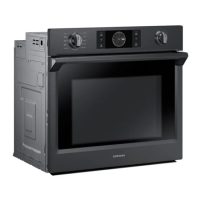
Samsung NV51 5 D Series - User Manual

Samsung NV51 5 D Series
132 pages
Print Icon
To Next Page IconTo Next Page
Loading...
Built-In Electric Wall Oven
User manual
NV51*5***D*
NV51R5511D_AA_DG68-01126A-02_EN.indd 1 11/5/2019 10:31:02 AM

Table of Contents

Questions and Answers

  • A
    anthony76Aug 19, 2025
    What to do if my Samsung Oven will not turn on?
    • R
      Randall RoweAug 19, 2025
      If your Samsung oven will not turn on, ensure it's fully plugged into a grounded electrical outlet. Check your home's fuse or circuit breaker and replace or reset if necessary. If the oven is too hot, allow it to cool down. In case of a power outage, verify if house lights work, and contact your local electric company if needed. If the issue persists it might be incomplete service wiring and you should call for service.
  • C
    Christine CarsonAug 21, 2025
    Why does my Samsung NV51 5 D Oven smoke so much when broiling?
    • D
      Danielle PadillaAug 21, 2025
      If your Samsung oven smokes excessively during broiling, make sure the oven controls are properly set. Reposition the rack to ensure enough space between the meat and the element, preheating the broil element for searing. Remove excess fat from the meat and trim fatty edges. Regular cleaning is also necessary to prevent grease buildup on oven surfaces.
  • G
    Geoffrey WangAug 23, 2025
    What to do if Samsung NV51 5 D Oven door will not open after self-cleaning?
    • R
      Rodney DavisAug 23, 2025
      If your Samsung oven door will not open after a self-cleaning cycle, the oven may still be too hot. Allow the oven to cool down completely before attempting to open the door.
  • B
    Breanna JeffersonAug 26, 2025
    What to do if the buttons on my Samsung Oven are not working?
    • J
      Joshua JensenAug 26, 2025
      If the buttons on your Samsung oven cannot be pressed properly, remove any foreign matter caught between the buttons and try again. Also, remove any moisture on the exterior. Check whether the lock function is set.
  • A
    Adam MaciasAug 28, 2025
    Why is my Samsung NV51 5 D smoking excessively during self-cleaning?
    • N
      Nicole JohnsonAug 28, 2025
      If you notice excessive smoking during a self-cleaning cycle of your Samsung oven, touch OVEN OFF and open the windows to clear the smoke. Wait until the self-cleaning cycle is cancelled, then wipe up the excessive soil before starting the self-cleaning cycle again.
  • C
    Cody HicksAug 30, 2025
    What to do if the display on my Samsung Oven goes blank?
    • C
      Christian MurrayAug 30, 2025
      If the display on your Samsung oven goes blank, a fuse in your home may be blown, or the circuit breaker tripped. Replace the fuse or reset the circuit breaker.
  • F
    fischerricardoSep 1, 2025
    Why is my Samsung NV51 5 D Oven not clean after self-cleaning?
    • A
      Amy TerrySep 1, 2025
      If your Samsung oven is not clean after a self-cleaning cycle, ensure the oven controls were correctly set. Wipe up heavy spillovers before starting the cycle. Heavily soiled ovens may need to be self-cleaned again or for a longer period.
  • J
    jonathan18Sep 4, 2025
    Why is food not baking properly in my Samsung Oven?
    • C
      caitlyn75Sep 4, 2025
      If food does not bake properly in your Samsung oven, make sure the oven controls are set correctly. Ensure the oven rack is positioned correctly and is level.
  • A
    Alexa KennedySep 6, 2025
    Why is food not broiling properly in my Samsung NV51 5 D Oven?
    • A
      Amber SuttonSep 6, 2025
      If food does not broil properly in your Samsung oven, check the broiling recommendation guide for appropriate serving sizes. Ensure the rack is properly positioned and that you are using suitable cookware. If the power (voltage) is low in your area, preheat the broil element for 10 minutes.
  • N
    Nathan LewisSep 8, 2025
    Why will my Samsung NV51 5 D Oven not self-clean?
    • J
      Joseph MarshSep 9, 2025
      If your Samsung oven will not self-clean, let the oven cool down if the temperature is too high, then reset the controls. Also, ensure the oven lockout feature is not activated.

Samsung NV51 5 D Series Specifications

General IconGeneral
BrandSamsung
ModelNV51 5 D Series
CategoryOven
LanguageEnglish

Related product manuals