EasyManua.ls Logo

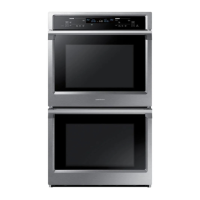
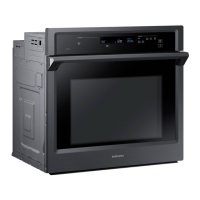
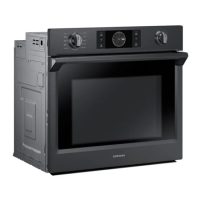
Samsung NV51K7770S SERIES - User Manual

Samsung NV51K7770S SERIES
192 pages
Print Icon
To Next Page IconTo Next Page
Loading...
Built-In Electric Wall Oven
User manual
NV51K7770S*
NV51K7770S_AA_DG68-00857A-01_EN+MES+CFR.indb 1 8/24/2016 12:30:22 PM

Table of Contents

Questions and Answers

  • T
    Theodore MartinAug 18, 2025
    Why my Samsung NV51K7770S will not turn on?
    • D
      Debbie PearsonAug 18, 2025
      If your Samsung Oven will not turn on, ensure it is completely plugged into a properly grounded electrical outlet. Also, check your home's fuse or circuit breaker and replace the fuse or reset the breaker if needed. If the oven is too hot, allow it to cool down.
  • C
    Calvin OlsenAug 21, 2025
    Why does the display go blank on my Samsung Oven?
    • B
      Bethany MitchellAug 21, 2025
      If your Samsung Oven display goes blank, a fuse in your home may be blown, or the circuit breaker tripped. Replace the fuse or reset the circuit breaker.
  • S
    Stephanie MontgomeryAug 23, 2025
    How to stop Samsung NV51K7770S Oven from smoking excessively when broiling?
    • K
      Katherine WhiteAug 23, 2025
      If you notice excessive smoking during broiling with your Samsung Oven, it might be due to improperly set oven controls. Also, reposition the rack to ensure proper clearance between the meat and the element, preheating the broil element for searing. Remove excess fat from the meat and cut away fatty edges. Regular cleaning is necessary to prevent grease buildup on oven surfaces.
  • O
    orobertsonAug 26, 2025
    How to stop excessive smoking during a self-cleaning cycle on Samsung NV51K7770S Oven?
    • P
      Pamela ParkerAug 26, 2025
      If your Samsung Oven has excessive smoking during a self-cleaning cycle, it is likely due to excessive soiling in the oven. Press OFF, open the windows to rid the room of smoke, wait until the self-cleaning cycle is cancelled, wipe up the excessive soil, and then start the self-cleaning cycle again.
  • A
    adkinsstevenAug 27, 2025
    What to do if the buttons cannot be pressed properly on Samsung NV51K7770S Oven?
    • S
      Stephen JohnsonAug 27, 2025
      If your Samsung Oven buttons cannot be pressed properly, there might be foreign matter caught between the buttons. Remove any foreign matter and try again. If it's a touch model, there might be moisture on the exterior; remove the moisture and try again. Also, check whether the lock function is set.
  • S
    seanthorntonAug 30, 2025
    Why is the temperature too hot or cold in my Samsung NV51K7770S Oven?
    • S
      Shane FlynnAug 30, 2025
      If the Samsung Oven temperature is too hot or too cold, the oven thermistor may need adjustment.
  • A
    Angela MelendezSep 1, 2025
    What to do if the Samsung NV51K7770S Oven door will not open after a self-cleaning cycle?
    • J
      john98Sep 1, 2025
      If your Samsung Oven door won't open after a self-cleaning cycle, it's likely because the oven is still too hot. Allow the oven to cool down completely before attempting to open the door.
  • G
    greenrachelSep 3, 2025
    Why is my Samsung NV51K7770S not clean after a self-cleaning cycle?
    • J
      joseph22Sep 3, 2025
      If your Samsung Oven is not clean after running a self-cleaning cycle, it could be due to the oven controls not being set correctly, or the oven was heavily soiled before starting the cycle. Wipe up heavy spillovers before starting the self-cleaning cycle. For heavily soiled ovens, you may need to self-clean again or for a longer period of time.
  • J
    jacobbairdSep 6, 2025
    Why Samsung NV51K7770S will not self-clean?
    • H
      Heather DavisSep 6, 2025
      If your Samsung Oven is not self-cleaning, it might be because the oven temperature is too high. Allow the oven to cool, and then reset the controls. Also, a self-cleaning cycle cannot be started if the oven lockout feature has been activated, so deactivate the oven lockout.
  • J
    James WardSep 8, 2025
    Why food does not broil properly in Samsung NV51K7770S?
    • A
      Anthony BarrettSep 8, 2025
      If food does not broil properly in your Samsung Oven, the serving size may not be appropriate. Cookware may not be suited for broiling. In some areas, the power (voltage) may be low, preheat the broil element for 10 minutes.

Summary

Important Safety Instructions

General Safety Information

Covers essential safety knowledge, symbols, and basic precautions.

Specific Safety Categories

Details electrical safety, child safety, and oven-specific operational rules.

Critical Operational Warnings

Provides critical warnings for installation, usage, and cleaning procedures.

Introducing Your New Oven

Oven Overview

Provides a diagram and labels of the oven's main components.

Oven Accessories Included

Lists the accessories that come with the oven, like racks and probes.

Before You Begin

Initial Oven Preparation

Instructions for cleaning and conditioning the oven before first use.

Energy Saving Tips

Advice on how to use the oven efficiently to save energy.

Operating the Oven

Control Panel Overview

Identifies and explains the functions of each button and knob on the control panel.

Setting the Oven Temperature

Describes three methods for setting the oven temperature.

Using the Temperature Probe

Instructions for using the probe to measure internal food temperature.

Twin Cooking Mode Operation

Explains how to use the oven in two compartments simultaneously.

Oven Functions Explained

Details various cooking modes like Bake, Broil, and Convection.

Smart Control Feature Guide

Instructions for connecting and using the oven via a mobile app.

Oven Rack Placement Guide

Recommends rack positions for various foods in single and twin modes.

Using the Gliding Rack

Instructions for installing, removing, and using the extendable gliding rack.

Using the Oven Divider

Explains how to insert and use the divider for twin mode operation.

Using the Self-Cleaning Feature

Details the self-cleaning, hybrid clean, descale, and draining functions.

Settings Configuration

Guide to adjusting display, Wi-Fi, date/time, language, and other settings.

Sabbath Feature Guide

Instructions for using the oven in Sabbath mode for religious observance.

Maintaining Your Appliance

Oven Care and Cleaning

Instructions for cleaning painted parts, decorative trim, and stainless steel surfaces.

Oven Racks Maintenance

Advice on cleaning oven racks, especially gliding racks, and lubrication.

Removing and Replacing Oven Doors

Step-by-step guide for safely removing and reinstalling oven doors.

Changing the Oven Light Bulb

Instructions on how to safely replace the oven's internal light bulb.

Troubleshooting

Control Display Troubleshooting

Solutions for common problems with the display and buttons.

Oven Performance Troubleshooting

Addresses issues like the oven not turning on, lights not working, or smoking.

Cooking Result Troubleshooting

Solutions for food not broiling or baking properly, or excessive smoking.

Information Codes

Oven Error Codes

Explains various error codes displayed by the oven and their possible causes.

Warranty (U.S.A)

U.S.A. Limited Warranty Details

Covers manufacturing defects, warranty period, and exclusions for U.S.A. products.

Warranty (CANADA)

Canada Limited Warranty Details

Covers manufacturing defects, warranty period, and exclusions for Canadian products.

Open Source Announcement

Open Source Software Information

Details the open source software included and how to obtain source code.

Samsung NV51K7770S SERIES Specifications

General IconGeneral
BrandSamsung
ModelNV51K7770S SERIES
CategoryOven
LanguageEnglish

Related product manuals