EasyManua.ls Logo

Samsung NQ70R5511DS - User Manual

Samsung NQ70R5511DS
180 pages
Print Icon
To Next Page IconTo Next Page
Loading...
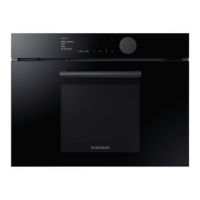
Oven with microwave
User manual
NQ70*5***D*
DG68-01148A-04_IB_NQ70R5510DG_AA.indb 1DG68-01148A-04_IB_NQ70R5510DG_AA.indb 1 2023-04-11 오후 5:51:592023-04-11 오후 5:51:59

Table of Contents

Questions and Answers

  • J
    Jeffrey ColeAug 12, 2025
    What to do if my Samsung NQ70R5511DS displays 'bAd LinE' error?
    • J
      Jonathan MuellerAug 12, 2025
      The 'bAd LinE' error message appears when the power connection is improperly installed. To resolve this, disconnect the power, then reconnect the power connection correctly. This should make the message disappear.
  • K
    kristin55Aug 19, 2025
    How to fix a Samsung Oven showing a C-21 error?
    • B
      blackconnorAug 20, 2025
      The C-21 error code indicates that the internal temperature has risen abnormally high. To fix this, touch OVEN OFF, and then restart the oven. If the problem persists, disconnect all power to the oven for at least 30 seconds and then reconnect the power.
  • C
    Cynthia PageAug 27, 2025
    What to do if my Samsung Oven is showing a C-d1 error?
    • K
      Kelly MayerAug 27, 2025
      The C-d1 error code appears if the door lock is mispositioned. To solve this, touch OVEN OFF, and then restart the oven. If the problem continues, disconnect all power to the oven for at least 30 seconds and then reconnect the power.
  • S
    sullivanmatthewSep 3, 2025
    Why does my Samsung NQ70R5511DS display a C-d0 error, and how can I fix it?
    • T
      Teresa DavisSep 3, 2025
      The C-d0 error code appears if a control key is short for 1 minute. Clean the buttons and ensure there is no water on or around them. Turn off the oven and try again.

Samsung NQ70R5511DS Specifications

General IconGeneral
BrandSamsung
ModelNQ70R5511DS
CategoryOven
LanguageEnglish

Related product manuals