10-5
Cancel Alarm
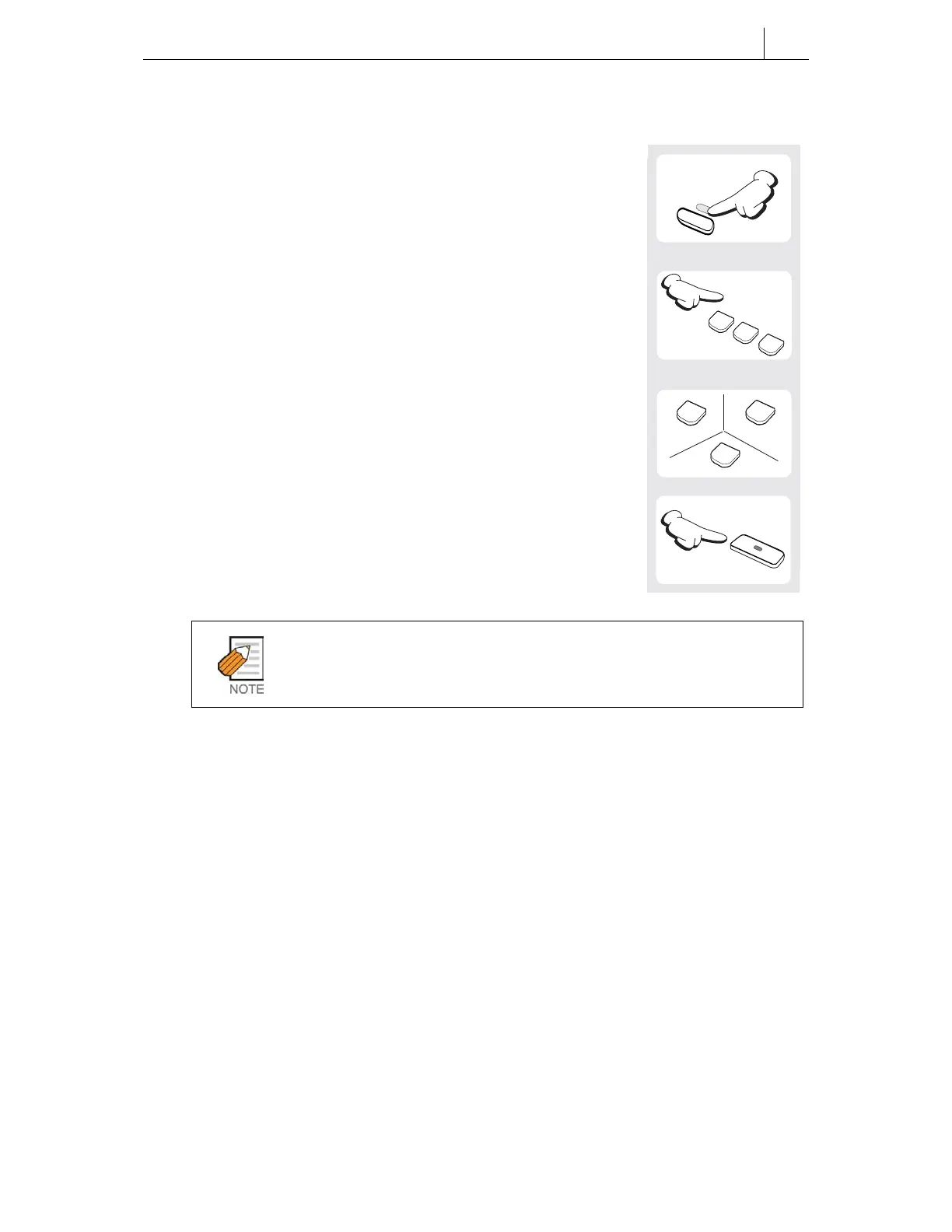
1. Press the [Transfer] button.
2. Dial [1][1][2].
3. Select the alarm number [1], [2] or [3].
4. Press the [Hold] button.
You can set an alarm message to display on the LCD panel when the alarm
sounds. Refer to the next section, Alarm Messages, for details.
1
1
2
ABC
1
2
ABC
3
DEF
Transfer
Hold


 To Next Page
 Loading...