EasyManua.ls Logo

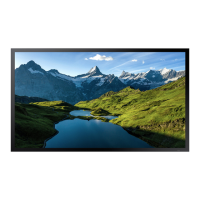
Samsung OMB Series - User Manual

Samsung OMB Series
92 pages
Print Icon
To Next Page IconTo Next Page
Loading...
© Samsung
Samsung owns the copyright for this manual. Use or reproduction of this manual in parts or entirety without the authorization of Samsung is prohibited. Trademarks other than Samsung are property of their respective owners.
User Manual
OMB (OM46B OM55B)
The color and the appearance may differ depending on the product, and the content in the
manual is subject to change without prior notice to improve the performance.

Table of Contents

Questions and Answers

  • F
    Frank DavisAug 11, 2025
    Why does Anynet+ not work on my Samsung OMB TV?
    • E
      Elizabeth VasquezAug 11, 2025
      If Anynet+ isn't functioning on your Samsung TV, there are several things to check: * First, verify that the connected device is actually an Anynet+ compatible device, as the system only supports these. * Ensure the power cord of the Anynet+ device is securely connected. * Check all Video, Audio, and HDMI cable connections to the Anynet+ device. * Confirm that Anynet+ (HDMI-CEC) is enabled in your Samsung TV's System menu. * Verify that the remote control you're using is Anynet+ compatible. * Be aware that Anynet+ may not operate during the initial setup phase. * If you've reconnected the HDMI cable, perform a device search again or power cycle your TV. * Finally, ensure the Anynet+ function is enabled on the Anynet+ device itself.
  • J
    John MccoyAug 18, 2025
    What to do if connected device is not displayed on Samsung OMB TV?
    • C
      Courtney ClarkAug 18, 2025
      If a connected device isn't showing up on your Samsung TV, here's what to check: 1. Confirm that the device supports Anynet+ functions. 2. Ensure the HDMI cable is properly connected. 3. Verify that Anynet+ (HDMI-CEC) is turned on in the System menu. 4. Try rescanning for Anynet+ devices. 5. Make sure the device is connected via HDMI, as Anynet+ requires this connection. 6. Be aware that some HDMI cables might not support Anynet+. 7. If there was a power interruption or the HDMI cable was disconnected, repeat the device scan.
  • S
    Stephanie LeeAug 26, 2025
    What to do if Samsung TV shows 'Disconnecting Anynet+ device' message?
    • L
      Leslie MartinAug 26, 2025
      If you see the message “Disconnecting Anynet+ device ...” on your Samsung TV, it means you can't use the remote control during Anynet+ configuration or when switching to a view mode. Please wait until the configuration or switching process is complete before using the remote control.
  • T
    Tina GreenSep 3, 2025
    How to exit Anynet+ on a Samsung TV?
    • P
      Penny DavidsonSep 3, 2025
      To exit Anynet+ on your Samsung TV, press the SOURCE button on the remote control and select a device that is not Anynet+ compatible.

Samsung OMB Series Specifications

General IconGeneral
BrandSamsung
ModelOMB Series
CategoryTV
LanguageEnglish

Related product manuals