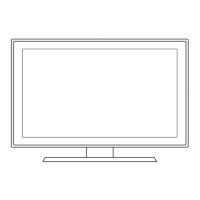
Wall- mount adjustment (Sold separately)
Once the wall mount is installed, the position of your TV can be easily adjusted.
Entering the menu
1
Press the ▲, ▼, ◄ or ► button on your remote control.
➢
The Wall-Mount Adjustment screen is displayed.
➢
If the Wall-Mount Adjustment screen is not displayed when clicking on a
direction button while watching your TV, use the menu to display that screen.
• Press the
MENU button to display the menu.
Press the ▲ or ▼ button to select Setup, then press the ENTER button.
• Press the ▲ or ▼ button to select
Wall-Mount Adjustment, then press the
ENTER button.
Remembering the Position
2 Adjust to the desired position using the ▲, ▼, ◄, ► buttons.
➢
If you press an arrow button when no OSD is displayed on the TV screen, the
Adjustment screen appears.
➢
Press the INFO button to reset. Press the ◄ or ► button to select Yes, then
press the ENTER button. The position is initialized to the default setting.
3 Press the Blue button.
Press the ▲ and ▼ buttons to select a save mode from either Position 1,
Position 2
or Position 3 in order to save the current position.
➢
To not save the current position, press the RETURN button.
➢
When selecting a save mode, you cannot use the Color buttons.
4
Press the ENTER button to save.
➢
When Position 1 is selected, the message Current position saved as
Position 1 is displayed.
5
Press the ENTER button.
➢
The saved Position appears on the left side of the OSD.
Continued...
TV Rear Panel Auto Wall-Mount
EX-LINK Cable (Not supplied)
Plug & Play
►
Language : English
►
Time
►
Caption
►
Light Effect : In Watching TV
►
Wall-mount Adjustment
►
Melody : Off
►
Entertainment : Off
►
Energy Saving : Off
►
AV Color System : Auto
►
PIP
►
Setup
T V
Move
Return
Enter
Wall-Mount Adjustment
Adjust
Save Center
►
►
►
►
►
►
►
►
321Position
INFO
Save
Return
MOVE
Enter
Select a mode to Save.
Position 1
Position 2
Position 3

 To Next Page
 Loading...