English - 73
Resetting
You can reset the values stored to the factory default values.
➢
The Reset operation deletes all channel information and
user preferences returning all values to their default factory
state.
1 Press the D.MENU button.
Result
: The DTV menu is displayed.
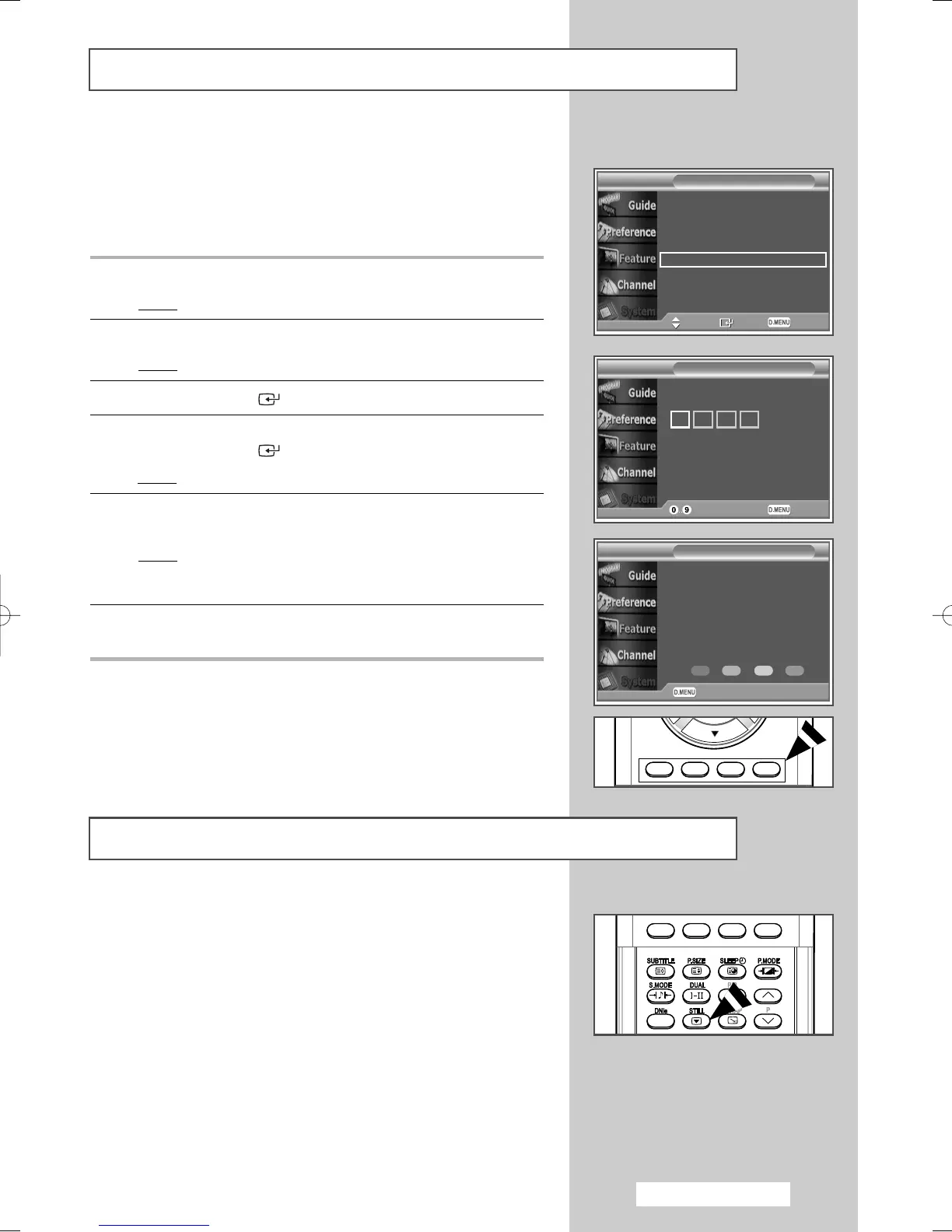
2 Press the … or † button to select System.
Result
: The System menu is displayed.
3 Press the ENTER () button.
4 Press the … or † button to select Reset.
Press the ENTER () button.
Result
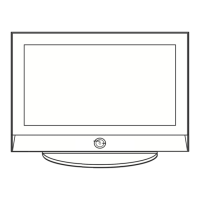
: The Enter PIN is displayed.
5 Enter your current 4-digit PIN code by using the numeric buttons
(0~9).
Result
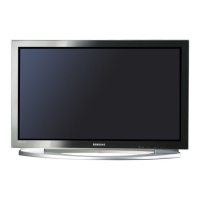
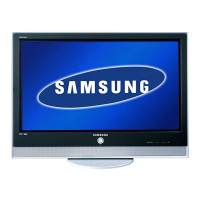
: The warning message is displayed.All values will be
reset by pressing the coloured buttons (red,green,
yellow,and blue) in turn.
6 Press the D.MENU button to return to the previous menu or
press the EXIT button to return to normal viewing.
➢
The default PIN number of a new TV set is “0-0-0-0”.
Freezing the Current Picture
You can freeze the picture when watching a television programme
simply by pressing the “STILL” button. To return to normal
viewing, press it again.
➢
This function will automatically cancel after 5 minutes.
Product Information
Signal Information
Software Upgrade
Common Interface
Reset
Move Enter Return
System
Enter New PIN
Reset
Return
Enter PIN
Return
Reset
WARNING: All channel settings and user
perferences will be lost and returned to the
factory defaults. It is recommended that a
reset is performed only when serious
problems are experienced.
BN68-00889A-00Eng_54-73 4/15/05 4:30 PM Page 73



 To Next Page