English - 76
Selecting Display Options
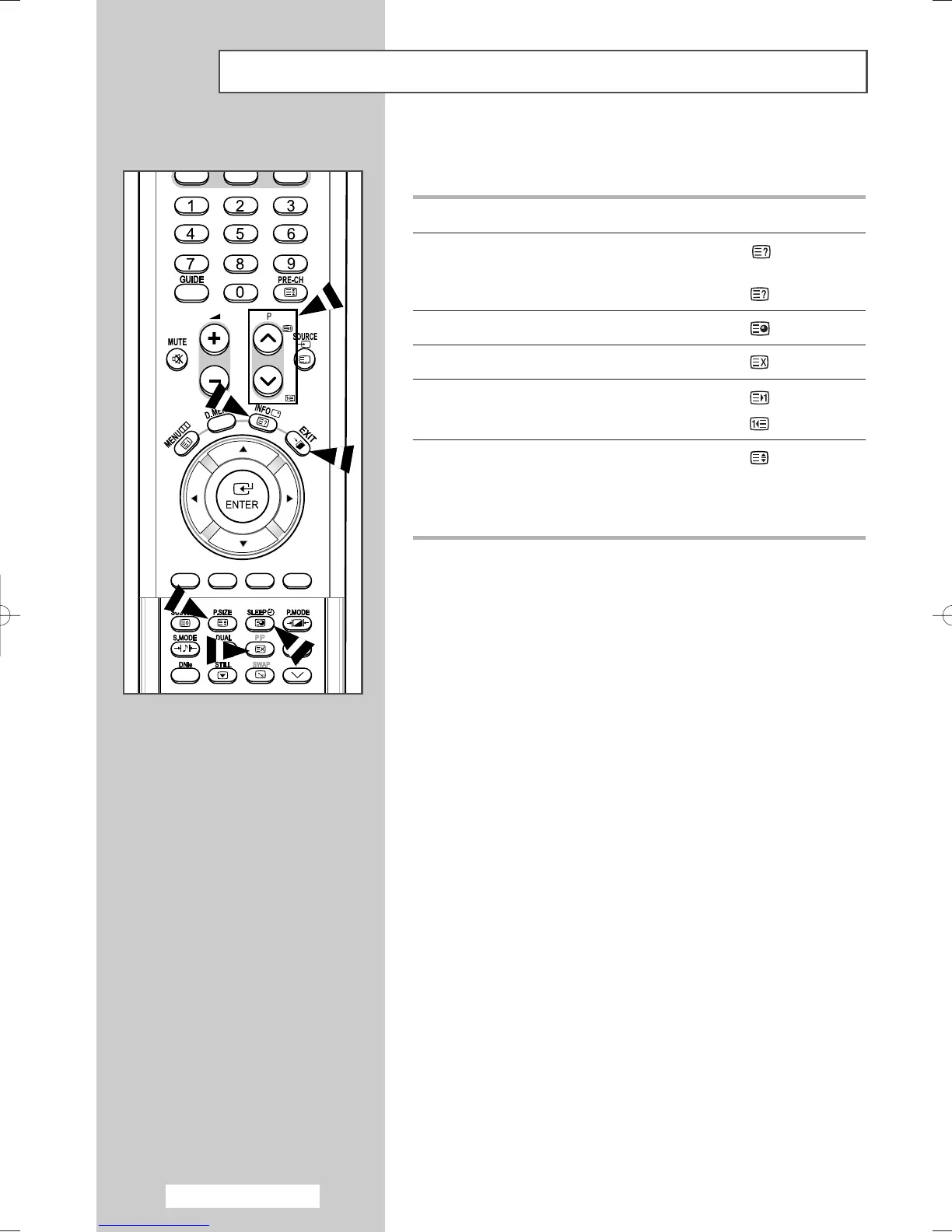
When you have displayed a Teletext page, you can select various
options to suit your requirements.
To display... Press the...
◆ Hidden text (reveal)
(answers to quiz games, for example)
◆ The normal screen (reveal) again
◆ A secondary page (sub-page)
◆ The broadcast when searching for a page (cancel)
◆ The next page (page up)
◆ The previous page (page down)
◆ Double-size letters in the: (size)
• Upper half of the screen • Once
• Lower half of the screen • Twice
◆ Normal screen • Three times
➢
To return to the normal display after using the reveal or
size feature, press the
TV
or
DTV
button.
➢
To return to the normal display after using the reveal or
size feature, press the
TV
or
DTV
button.
Y
b
BN68-00889A-00Eng_74-92(TEL) 4/15/05 1:58 PM Page 76



 To Next Page