
 Need help?
Do you have a question about the Samsung QE32Q50AAUXZT and is the answer not in the manual?
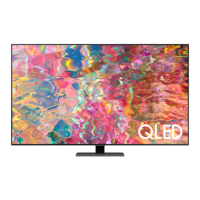
This document is a user manual for a Samsung television, specifically models in the Q50A series (QE32Q50AAUXZT).
This Samsung television is designed for home entertainment, offering a range of features for viewing various content. It serves as a central hub for media consumption, allowing users to watch broadcast television, stream content, and connect external devices. The television is equipped with smart features, enabling access to online services and applications.
The manual provides technical specifications for different models within the Q50A series.
Display Resolution:
Sound (Output):
Operating Temperature:
Operating Humidity:
Storage Temperature:
Storage Humidity:
Power Consumption: The device is a Class B digital apparatus. Typical power consumption is measured according to IEC 62087.
Network Connectivity:
Wireless Connectivity:
The television offers a user-friendly experience with various features designed for convenience and enhanced viewing.
Initial Setup: Upon first turning on the TV, an initial setup process guides the user through configuring basic settings, including language, network connection, and picture/sound preferences.
Remote Control: The TV can be controlled using a standard remote control or a Samsung Smart Remote. The manual details the functions of the TV Controller button, which allows basic control from the TV itself.
Troubleshooting: The manual includes a comprehensive troubleshooting section to help users resolve common issues. This covers problems related to the picture, sound, remote control, and network connectivity. For example, if the TV won't turn on, it advises checking the AC power cable and the wall outlet. If the remote control doesn't work, it suggests checking the sensor at the bottom of the TV and replacing batteries.
Smart Features: The TV supports smart features, allowing users to access online content. The manual provides guidance on updating firmware to ensure optimal performance and access to the latest features. It also explains how to reset the Smart Hub if needed.
Eco Sensor and Screen Brightness: The Eco Sensor automatically adjusts the brightness of the TV based on the ambient light in the room, optimizing power consumption. Users can manually adjust the minimum and maximum brightness settings.
Password Management: The TV allows users to set and change a PIN for parental control or other restricted features. The default PIN is "0000".
Mounting the TV: The manual provides detailed instructions for mounting the TV on a wall, emphasizing safety precautions and proper hardware selection. It warns against installing the TV on an unstable surface or in areas with high temperatures or humidity.
Connecting Devices: The TV supports various connections for external devices, including LAN for internet, and HDMI for audio/video devices.
Proper maintenance is crucial for the longevity and optimal performance of the Samsung TV. The manual outlines several key maintenance practices.
Cleaning:
Battery Replacement: The manual provides instructions for replacing batteries in the remote control. It emphasizes using the correct type of batteries and disposing of old batteries responsibly.
Disposal: The manual includes information on the correct disposal of the device and batteries, adhering to local regulations for electronic waste and battery recycling. It highlights the presence of lead, cadmium, and mercury in batteries and the importance of proper disposal to protect human health and the environment.
Safety Precautions: The manual details numerous safety warnings to prevent injury, electric shock, fire, and damage to the TV. These include:
Repair and Service: The manual advises against attempting to repair the product yourself. For any issues requiring repair, it recommends contacting an authorized Samsung service center or dealer. Unauthorized repairs can void the warranty and pose safety risks.
This comprehensive guide ensures users can safely and effectively operate and maintain their Samsung Q50A series television.



 To Next Page
 General