3 - 6 RS80A Service Manual
Disengaging Locking Mechanisms
When this product is being transported, the monitor arm and the control panel are
secured in place with locking mechanisms to ensure safety. Disengage the locking
mechanisms before using the product by following the procedure shown below.
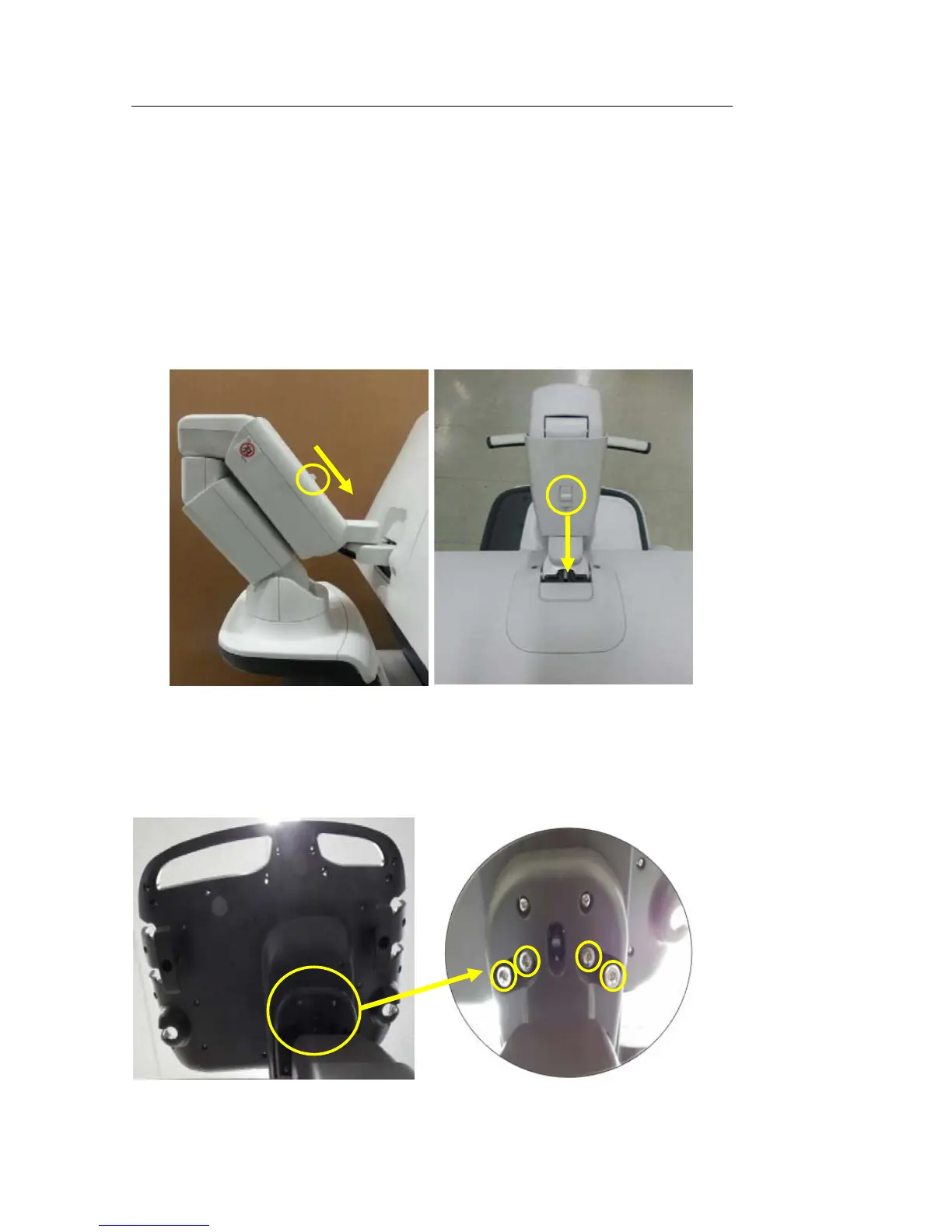
▐ Monitor Arm
1. Press down the locking mechanism in the middle of the monitor arm to
disengage the lock.
▐ Control Panel
1. Loosen the four screws under the control panel to disengage the lock.



 To Next Page