20 English
Operations
Operations
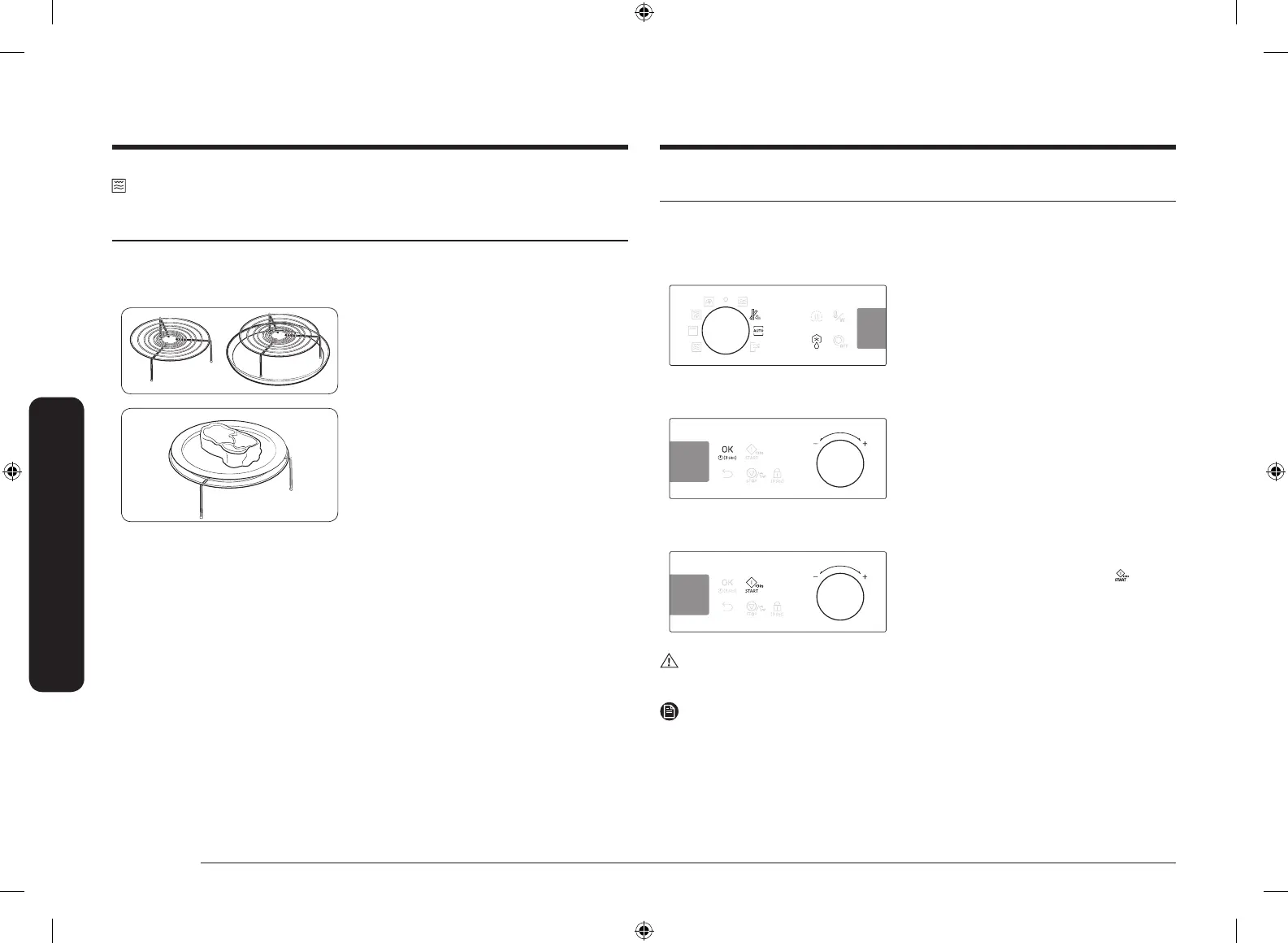
Auto mode
The oven offers 3 different auto modes for your convenience: Slim Fry, Auto Cook,
and Power Defrost. Select one that best ts your needs.
Step 1. Select mode
Turn the mode dial to select an auto mode
(Slim Fry and Auto Cook) or press Power
Defrost. The default programme number
blinks.
Step 2. Select programme
Use the value dial to select a preferred
programme, and then press OK. The default
weight for the programme blinks.
Step 3. Set serving size or weight
Use the value dial to set the serving size (or
weight). When done, press START ( ).
CAUTION
Always use oven gloves while taking out food.
NOTE
The cooking time is pre-programmed according to the auto mode, which cannot be
changed.
Grill Combo
The heating elements generate heat, which is reinforced by the microwave energy.
Use only microwave-safe cookware, such as glass or ceramic cookware.
Step 1
>
Step 2
>
Step 3
>
Step 4
Grill Combo Power level Cooking time -
1. Put the High rack, or the combination
of High rack and Crusty plate on the
turntable.
2. Put food in suitable cookware, then on
the rack, and then close the door.
3. Follow steps 1-3 in the Manual mode
on page 17.
4. When cooking is complete, “0:00”
blinks. Use oven gloves to take out
food.
SAMI12_DE68-04336G-02_EN.indd 20 2015-11-10 11:27:17



 To Next Page