Advanced Recording
[ENGLISH I
The AUDIO DUBBINGfunction only works in PLAYER Mode.
You can add sound to the original soundon a pre-recordedtape. recorded in SP modewith 12bit sound.
Use the internal and external microphones or other audio equipment.
The original sound will not be erased.
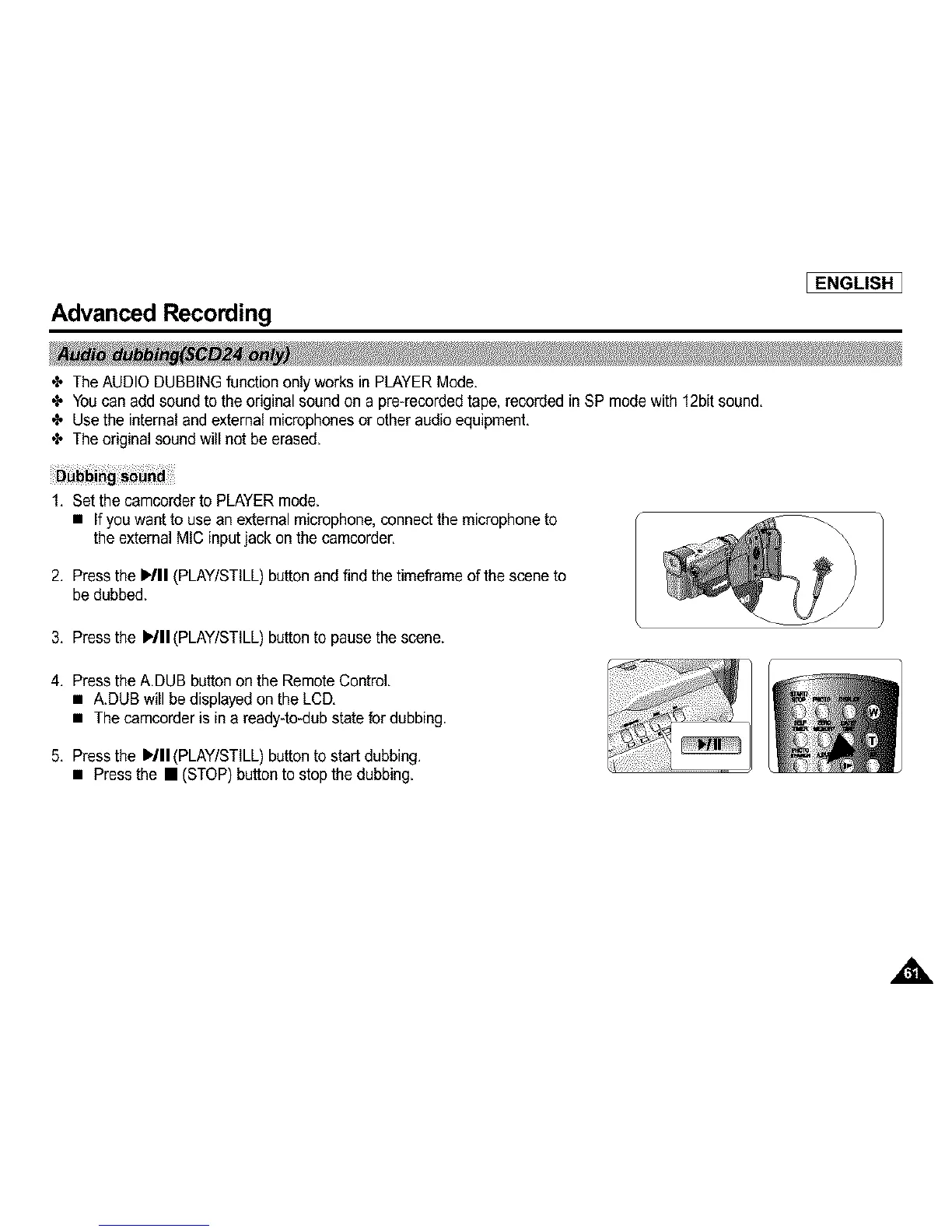
1. Set the camcerderto PLAYER mode.
• If you want to use an external microphone, connect the microphone to
the external MIC input jack on the camcorder.
2. Press the ,/11 (PLAY/STILL)button and find the timeframe of the scene to
be dubbed.
3. Press the I,/11 (PLAY/STILL)button to pausethe scene.
4. Press the A.DUB button on the Remote Control.
• A.DUB will bedisplayed onthe LCD.
• The camcorder is in a ready-to-dub state for dubbing.
5. Press the I_/11(PLAY/STILL)button to start dubbing.
• Press the • (STOP) buttonto stop the dubbing.



 To Next Page