EasyManua.ls Logo

Samsung SDC-89440BF - User Manual

Samsung SDC-89440BF
16 pages
Print Icon
To Next Page IconTo Next Page
Loading...
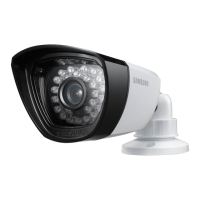
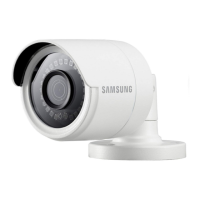
SDC-89440BF
4M AHD Analog Bullet Camera
User Manual

Questions and Answers

  • M
    Mary CarterJul 31, 2025
    What to do if my Samsung SDC-89440BF Security Camera image on the screen is dark?
    • S
      Sarah AndersonJul 31, 2025
      If the image on the screen is too dark: * Adjust the contrast ratio settings on your monitor or DVR. * If you're using intermediate equipment, ensure that the 75?/Hi-z setting is correctly configured.
  • S
    Scott VelazquezAug 4, 2025
    How to fix incorrect color on my Samsung Security Camera?
    • P
      Perry ThompsonAug 4, 2025
      If the color on your camera is incorrect, check the settings in the white balance setting menu.
  • H
    hgonzalezAug 9, 2025
    What to do when the coaxial communication is not available on Samsung SDC-89440BF?
    • G
      ghodgesAug 9, 2025
      If coaxial communication isn't working: * Make sure the camera and monitor are within the recommended distance for installation. * If they exceed this distance, use a coaxial and equivalent video amplifier.
  • Y
    yjenkinsAug 12, 2025
    What to do if my Samsung Security Camera image on the screen is dim?
    • S
      Susan JonesAug 12, 2025
      If the image on your screen is dim, there are a few potential solutions: * Check if the lens is stained with dust. If it is, clean it gently with a soft, clean cloth. * Adjust the settings on your monitor or DVR to a more suitable condition. * If the camera is pointed directly at a strong light source, try changing its position to avoid the glare.
  • J
    Jill JonesAug 17, 2025
    Why is there no content displayed on my Samsung SDC-89440BF Security Camera screen?
    • K
      Kelly ParsonsAug 17, 2025
      If your screen is blank, try the following: * Ensure that the power cable and the cable connecting the camera to the monitor are securely plugged in. * Verify that the BNC cable is correctly connected to the camera. * Confirm that the video system settings match those of your DVR.
  • C
    Carmen RodriguezAug 22, 2025
    What to do if my Samsung Security Camera screen flickers constantly?
    • C
      Christopher WebbAug 22, 2025
      If your screen is flickering, make sure that the camera is not pointed directly at the sun.
  • G
    Gerald RodriguezAug 26, 2025
    Why is my Samsung SDC-89440BF Security Camera failing to work normally and the surface is hot?
    • A
      Ashley PerezAug 26, 2025
      If your camera isn't working correctly and feels hot to the touch, check that it's connected to the correct and suitable power supply.

Summary

Overview

Important Safety Instructions

Lists critical safety measures to prevent hazards like electric shock, fire, and product damage.

Safety Precautions

Details warnings and cautions regarding electric shock, fire, product damage, and proper installation.

Cautions

Advises against dropping, extreme environments, direct sunlight, and improper handling to prevent damage.

Product Features

Highlights key features like high resolution, high sensitivity, and D-WDR.

Part Names and Functions

Identifies and explains the function of each camera component and cable.

Installation

Precautions

Emphasizes selecting a secure mounting location and handling cables safely during installation.

Installing the Camera

Provides step-by-step guidance for mounting the camera using the bracket and screws.

Protection of Cable from Water

Details methods for waterproofing cable joints to prevent water leakage outdoors.

Connecting the DVR

Explains how to connect the camera's BNC connector to the DVR for video output.

Appendix

Product Specification

Lists detailed technical specifications for video, operational, environmental, electrical, and mechanical aspects.

Product Overview

Provides detailed dimensional drawings and measurements of the camera unit.

Troubleshooting

Offers solutions for common camera operational problems like no display, dim image, or flickering.

Samsung SDC-89440BF Specifications

General IconGeneral
BrandSamsung
ModelSDC-89440BF
CategorySecurity Camera
LanguageEnglish

Related product manuals