
 Need help?
Do you have a question about the Samsung SDC-435 and is the answer not in the manual?
Explains safety cautions, symbols, and general warnings for proper product use.
Details FCC rules and potential interference for commercial operation.
Warns against unauthorized modifications, improper power sources, and exposure to elements.
Advises professional installation according to local codes for safety.
Describes the camera's high-resolution capability with SONY CCD sensor.
Highlights clear image production in low illumination conditions using sensitive CCD.
Explains Samsung Super Dynamic Range for balancing bright and dark areas.
Details DIS function for stabilizing pictures against camera movement.
Features Samsung Super Noise Reduction for clear images in dark environments.
Automatic switching between color (day) and monochrome (night) for optimal image clarity.
Monitors activity efficiently by detecting motion without external sensors.
Allows selection between Video or DC Drive Lens from the menu.
Mentions support for coaxial communication methods, like Pelco Coaxitron.
Lists additional functions like HLC, SENS-UP, FLIP, D-ZOOM, etc.
Indicates OSD compliments 18 languages for menu display.
Advises against extreme temperatures, high humidity, and unstable lighting conditions.
Warns against physical shock, touching the lens, and direct strong light exposure.
Provides instructions for responsible disposal of electronic waste according to regulations.
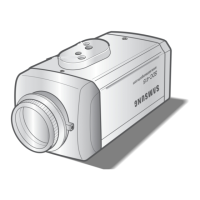
Identifies key components in front, side, and bottom views of the camera.
Explains the tripod mounting bracket screw hole and its specifications.
Lists the main camera unit, auto iris connector, C-Mount adapter, and instruction manual.
Guides on installing C-Mount and Auto Iris lenses, including cable connections.
Details the process for attaching a CS-Mount lens to the camera.
Explains how to connect the camera's video output to a monitor using a BNC coaxial cable.
Provides instructions for connecting the correct power source based on model type.
Describes how to access and navigate the camera's main menu and setup options.
Explains how to adjust lens settings like type, brightness, and focus.
Details how to configure exposure settings like brightness, shutter, and AGC.
Configures shutter speed (manual/auto) and automatic gain control levels.
Explains how SENS-UP enhances picture clarity in low light by adjusting shutter speed.
Guides on setting white balance for accurate color reproduction under various lighting.
Details the SSDR feature for optimizing image brightness in high-contrast scenes.
Explains how to use backlight compensation for clear subjects against bright backgrounds.
Describes the SSNR3 function to reduce noise in low-light environments.
Covers setting the camera to display in color, black and white, or automatic mode.
Introduces the SPECIAL menu for image setup, monitor, and camera title.
Covers V-REV, H-REV, D-ZOOM, Font Color, and Sharpness adjustments.
Allows configuration of video output settings for LCD, CRT, or User monitors.
Instructions on how to add and position a camera title on the screen.
Explains line-lock synchronization for multiple cameras in 60Hz environments.
Details setting up motion detection zones, sensitivity, and area parameters.
Describes how to mask specific areas of the screen for privacy.
Explains the DIS function to mitigate picture movement caused by external factors.
Allows selection of the desired menu language for the camera interface.
Options to save settings, not save, or reset the camera to factory defaults upon exiting.
Addresses problems where no image appears on the screen, checking power and connections.
Solves issues related to dim or dark images by checking lens, monitor, and light exposure.
Covers camera malfunctions, overheating, and SENS-UP or Motion Detection not working.
Diagnoses incorrect colors and continuous screen flickering problems.
Provides solutions when coaxial communication is unavailable or not working correctly.
Details input voltage, power consumption, imaging device, and video output parameters.
Lists operational features like shutter, SSDR, and environmental operating/storage conditions.
Covers mechanical dimensions, lens mount, and Declaration of Conformity information.
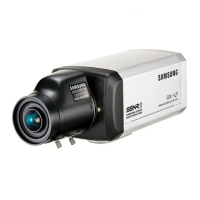
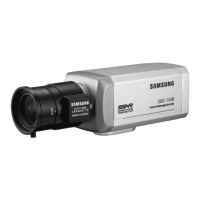
The Samsung SDC-435 is an Ultra High Resolution Camera designed for surveillance systems. This user guide provides comprehensive instructions for installation, operation, and maintenance, ensuring optimal performance and longevity of the device.
The SDC-435 is a high-performance CCD camera that delivers clear and stable images across various lighting conditions. It incorporates a 1/3" SONY CCD with 410,000 (NTSC) or 470,000 (PAL) pixels, achieving a horizontal resolution of 600 TV lines for color.
Key functions include:
The SDC-435 offers a range of features to customize image settings and adapt to different surveillance needs:
Proper maintenance ensures the camera's reliability and performance:
 General
| Model | SDC-435 |
|---|---|
| Category | Security Camera |
| Effective Pixels | 720x480 |
| Lens | 3.6mm |
| S/N Ratio | 48dB |
| Day/Night | Yes |
| Weather Resistance | IP66 |
| Power Supply | 12V DC |
| Operating Temperature | -10°C to +50°C |





 To Next Page