English _7
REMOTE MONITORING
From a Windows computer
1.
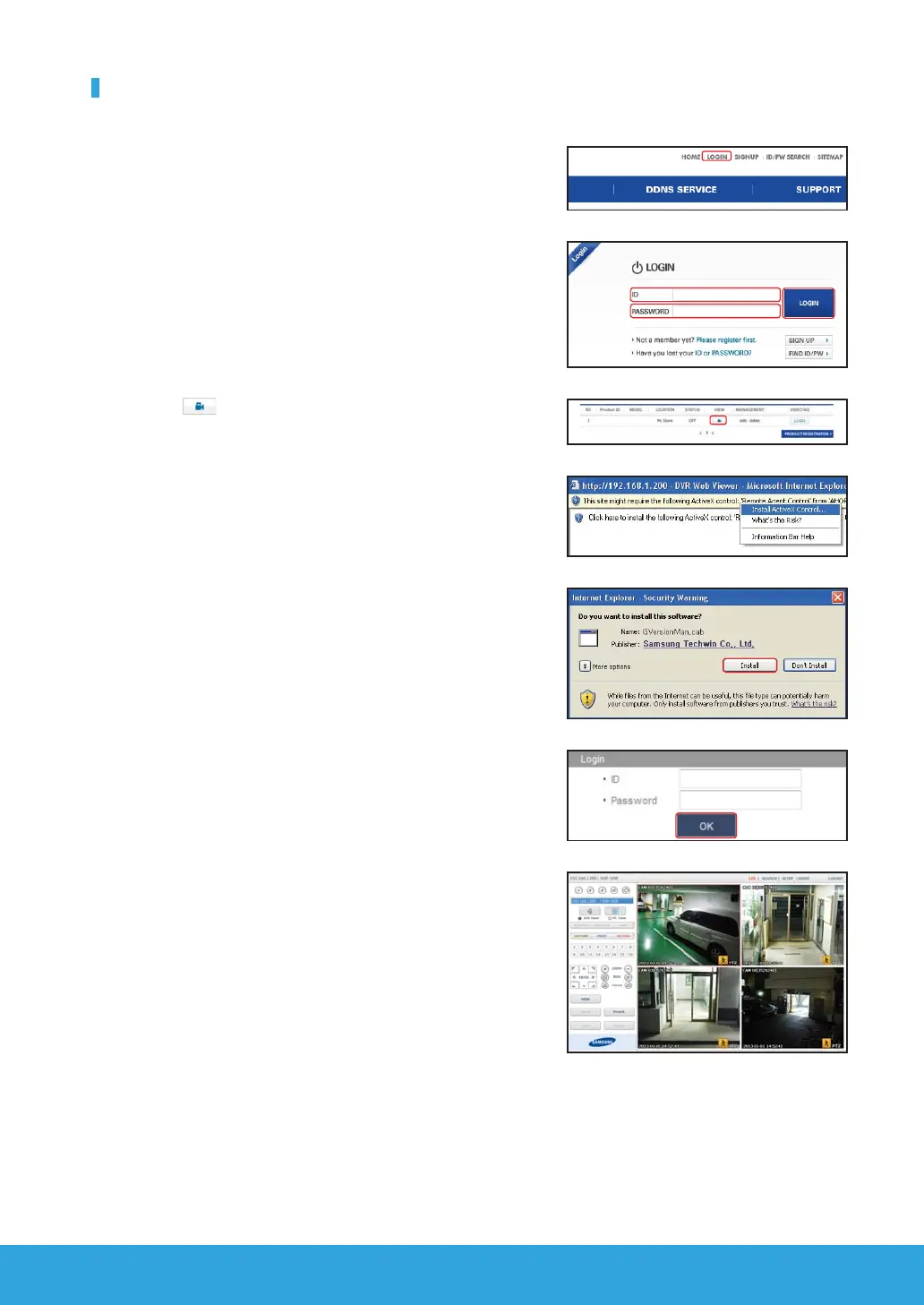
Open Windows Internet Explorer and go to http://www.samsungipolis.
com and click <LOGIN>.
2.
Login with the user ID and password you wrote down earlier.
3.
Click < >.
4.
You will be asked to install the active X plug-in.
5.
Enter the user ID and password for the DVR.
J If the screen to the bottom right does not appear, check if the DVR set is
connected properly with a valid IP address.
6.
Now, you can install the cameras and place the cameras where they are
needed.
sdr-3100HOME
sdr-3100



 To Next Page