20
Getting started
Inserting/Removing the SIM card
When you subscribe to a cellular network, you are
provided with a SIM card loaded with your
subscription details, such as your PIN, any optional
services available, and so on.
• Keep all SIM cards out of the reach of small
children.
• The SIM card and its data can be easily damaged
by scratches or bending, so be careful when you
are handling, inserting, or removing the card.
• When you are installing the SIM card, always
make sure that the phone is switched off, as you
will need to remove the battery.
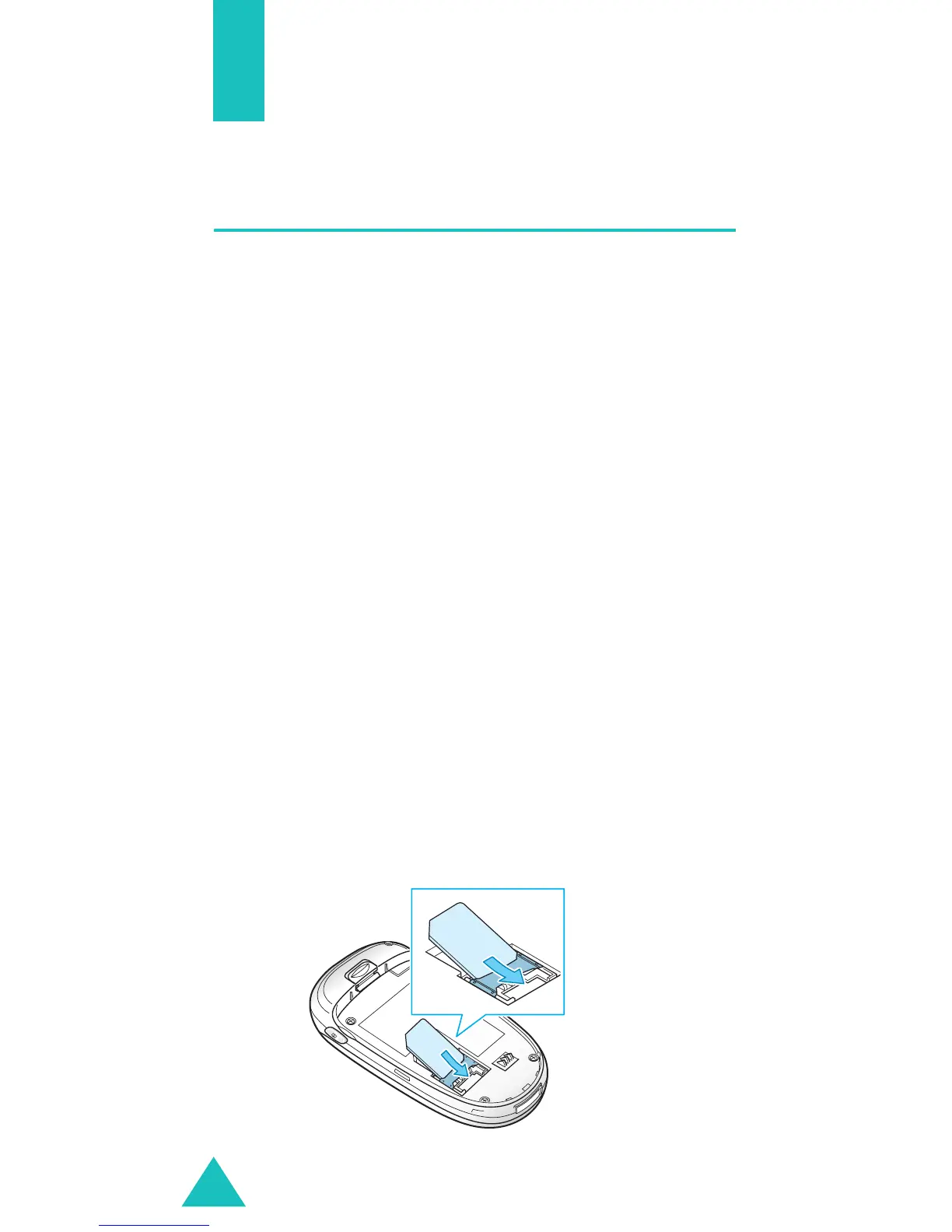
Inserting the SIM card
1. If necessary, remove the battery by referring to
page 21.
2. Insert and slide the SIM card under the tab,
ensuring that the notched corner goes to the top
left and the gold contacts of the card face go
into the phone.



 To Next Page