Get started
13
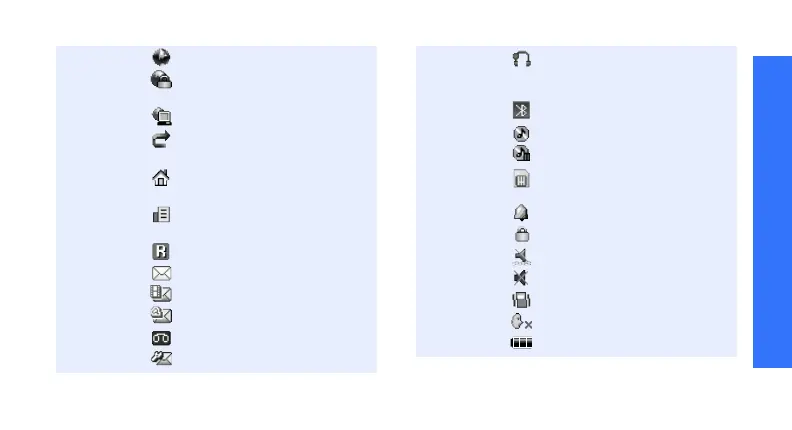
Connected to Internet
Connected to secured web
page
Synchronised with PC
Call diverting feature
active
p. 107
Home Zone, if registered for
the appropriate service
Office Zone, if registered for
the appropriate service
Roaming network
SMS message
MMS message
E-mail
Voicemail
Configuration message
Bluetooth hands-free car kit
or headset connected
p. 110
Bluetooth active
p. 111
Music playback in progress
Music playback paused
Memory card inserted
p. 30
Alarm set
p. 56
Keypad locked
p. 9
Silent mode (Vibration)
Silent mode (Mute)
Call ringer set to vibrate
Mute mode, during a call
Battery power level
1. Depending on your country or service provider, the
icons shown on the display may vary.





 To Next Page