7
Get started
First steps to operating your phone
SIM card information
When you subscribe to a cellular network, you
receive a plug-in SIM (Subscriber Identity
Module) card loaded with your subscription
details, such as your PIN, and available optional
services.
Install and charge the phone
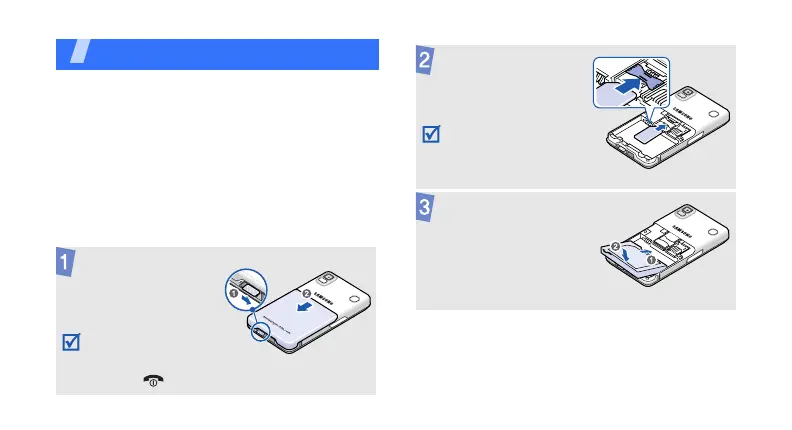
Unlock the battery
cover lock and
remove the battery
cover.
If the phone is
already on, first turn
it off by pressing and
holding [ ].
Insert the SIM card.
Make sure that the
gold-coloured
contacts on the card
are face down.
Install the battery.





 To Next Page