33
Enter text
AB, T9, Number, and Symbol modes
You can enter text for some features, such as
Messages, Phonebook, or Calendar, using AB
mode, T9 mode, Number mode, and Symbol
mode.
Changing the text input mode
• Press and hold [ ] to switch between T9
mode ( ) and AB mode ( ).
Depending on your country, you may also be
able to access an input mode for your
specific language.
• Press [ ] to change case or switch to
Number mode ( ).
• Press and hold [ ] to switch to Symbol
mode.
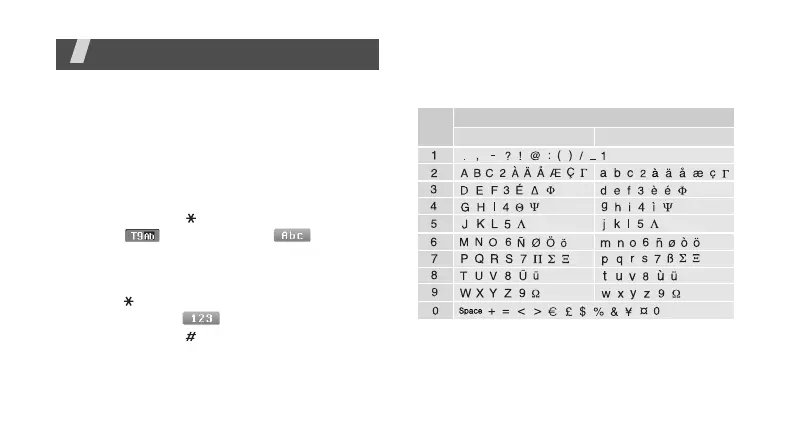
Using AB mode
Press the appropriate key until the character
you want appears on the display.
(Creating an SMS message with GSM-Alphabet
encoding)
Key
Upper case Lower case
Characters in order displayed





 To Next Page