EasyManua.ls Logo

Samsung SGH-P310 - Unpack; Make Sure You Have each Item; Your Phone; Keys, Features, and Locations

Samsung SGH-P310
138 pages
Print Icon
To Next Page IconTo Next Page
To Previous Page IconTo Previous Page
Loading...
6
Unpack
Make sure you have each item
Phone
•Travel Adapter
•Battery
User’s Guide
Leather Case
You can obtain various
accessories from your local
Samsung dealer.
The items supplied with
your phone and the
accessories available at
your Samsung dealer may
vary, depending on your
country or service
provider.
Your phone
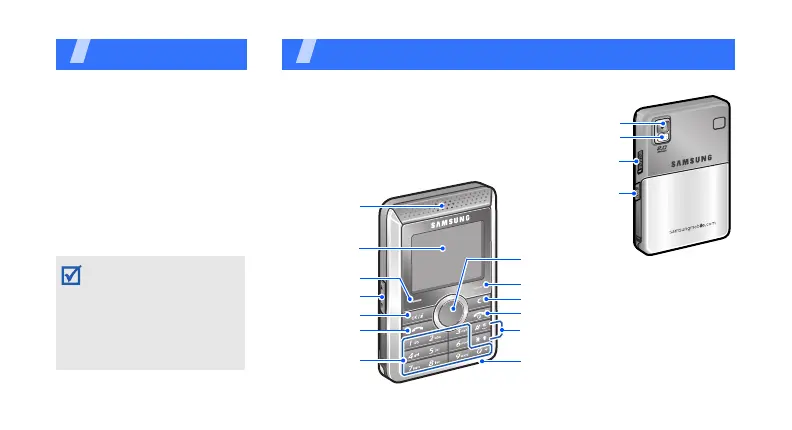
Keys, features, and locations
Special function keys
Earpiece
Display
Microphone
Navigation keys
(Up/Down/Left/Right)
Right soft key
Camera lens
Camera/
Keypad lock key
Headset/
Adapter jack
Cancel/Delete key
Power on/off/Menu exit key
Camera flash
Dial key
Alphanumeric
keys
Confirm key
Left soft key
Volume keys

Table of Contents

Other manuals for Samsung SGH-P310

Related product manuals